
Calculator Order of Operations: Why 2+3×4 Equals 14
Contents
- Why the Calculator's Answer Seems Off
- How to Check the Order of Operations by Hand, Without a Calculator
- Under the Hood: How the Calculator Reads an Expression
- Calculator Modes Compared
- 5 Costly Calculator Mistakes and How to Prevent Them
- A Step-by-Step Workflow
- 7 Practical Tips for Calculation Order
- Final Decision Tree: Which Approach and Settings Should You Choose?
- Key Terms Glossary and One-Line Cheat Sheet
- Frequently Asked Questions
If you type 2 + 3 × 4 into the Online Calculator and get 14 instead of 20, the calculator didn't miscalculate. It handled multiplication before addition, which is the correct result. This post walks through the exact order the calculator uses for expressions that mix the four basic operations, and why it doesn't support parentheses. If the answer you worked out in your head doesn't match what the calculator shows, you can pinpoint where the order splits off.
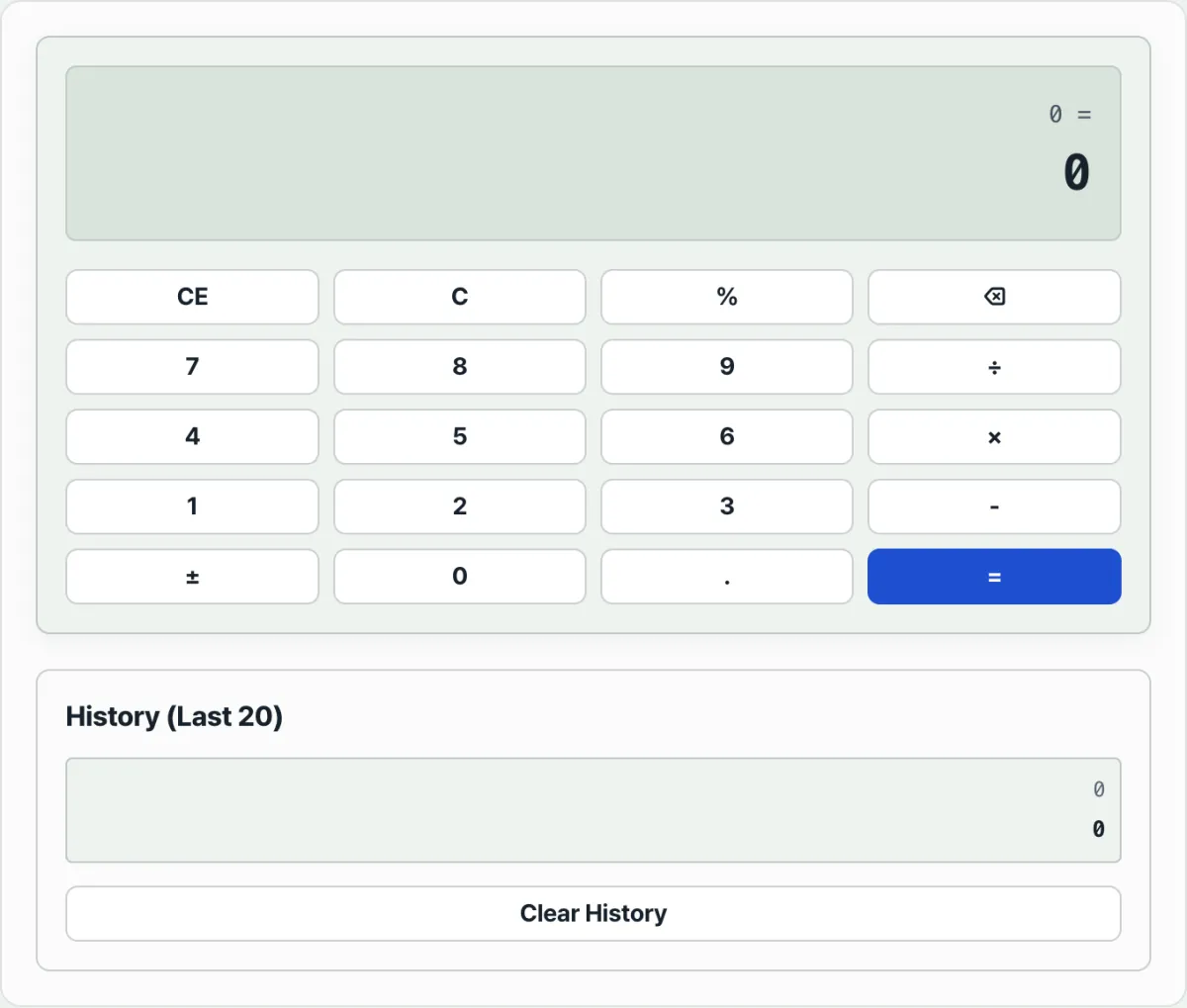
Summary ① The calculator handles ×, ÷, and % first, left to right. Then it handles + and - left to right. ② It doesn't support parentheses (for example, (2+3)×4). Work out any part that should go first on its own, turn it into a value, and enter that. ③ The on-screen keypad has no + button, so to keep adding you have to press the + key on your keyboard.
Why the Calculator's Answer Seems Off
Sometimes you press numbers and operators in order and the result doesn't match what you figured out in your head. For example, if you press 2, then +, then 3, then ×, then 4, then =, you get 14, not 20.
Going left to right, 2 + 3 = 5 and 5 × 4 = 20. But the actual result is 14. That gap is where the misunderstanding starts — "the calculator is broken," "the math is wrong."
The reason is that the calculator doesn't follow the order you pressed. It follows operator precedence. Multiplication (×) runs before addition (+), so 3 × 4 = 12 comes first, and then 2 is added to give 14.
How to Check the Order of Operations by Hand, Without a Calculator
If an expression has no parentheses, these two steps in order will get you the same answer by hand, no calculator needed.
Step 1 — Do multiplication, division, and percent first, left to right. If the expression has several ×, ÷, or %, work through them one at a time in the order they appear (left to right) and replace each with its value on the spot.
Step 2 — Do the remaining addition and subtraction, left to right. After step 1, only + and - are left. Work through those left to right too.
For example, take the expression "10 - 4 ÷ 2 + 3 × 2." Here's how it goes.
- Step 1: 4 ÷ 2 = 2 and 3 × 2 = 6 → the expression becomes "10 - 2 + 6."
- Step 2: 10 - 2 = 8 and 8 + 6 = 14 → the final result is 14.
These two steps are the same basic rule you learned for mixed expressions in school math. If the expression has parentheses, work out what's inside them first, then apply the same two steps.
You can type the same expression into the calculator and check whether it matches your hand-worked answer. Try it with our tool.
No sign-up or install. It runs right in your browser, and the values you enter are never sent to a server.
Under the Hood: How the Calculator Reads an Expression
Once you understand how the calculator takes in and parses an expression, no complicated formula will throw you.
The most basic rule of arithmetic is operator precedence, known as PEMDAS or BODMAS. The calculator evaluates an expression in this order: parentheses, exponents, multiplication and division, then addition and subtraction.
To handle precedence, computers and scientific calculators convert the infix notation people write (for example, 3 + 4) into postfix notation (also called reverse Polish notation, or RPN — for example, 3 4 +), which machines handle more easily. The most widely used method for this is Dijkstra's shunting-yard algorithm. The calculator splits the expression into tokens — numbers and operators — then uses a value stack and an operator stack to pop the higher-precedence operator off first and compute it.
Associativity matters too. Addition, subtraction, multiplication, and division are all left-associative. So a − b − c is always treated as (a − b) − c.
The % key behaves very differently from one calculator to the next. On a basic desktop calculator, pressing '100 + 10%' is a convenience feature: it adds 10, which is 10% of 100, and shows 110. In programming languages and scientific calculators, % is the modulo operator — it returns the remainder of a division — so you can get a completely different result.
Calculator Modes Compared
How you enter an expression and how the calculator parses it can change the answer entirely. Picking the right kind of calculator for the job matters.
| Calculator type | How you enter it (expression: 2 + 3 × 4) | Operator precedence | Intermediate state | Pros and cons |
|---|---|---|---|---|
| Basic desktop calculator (immediate execution) | 2, +, 3, ×, 4, = | Ignored (computes in entry order) | Already stacked to 5 the moment you press 3 | Pros: fast for simple sums like receipts Cons: can't handle compound expressions |
| Scientific calculator (AOS-based) | 2, +, 3, ×, 4, = | Fully supported (PEMDAS) | Whole expression waits until you press = | Pros: you can enter the math expression as written Cons: typing parentheses can be a hassle |
| RPN calculator (HP series, etc.) | 2, 3, 4, ×, + | Not needed — stack entry handles it | Stack holds 2 and 12, then adds them | Pros: fast on complex expressions with no parentheses Cons: steep learning curve |
| Programming language (JS, Python) | 2 + 3 * 4 | Fully supported (per each language's spec) | Builds a parse tree (AST), then evaluates | Pros: maximum extensibility and reuse Cons: floating-point error is possible |
5 Costly Calculator Mistakes and How to Prevent Them
- Entering things left to right on a scientific calculator: If you carry over the desktop-calculator habit and type a compound expression without parentheses, operator precedence will give you an unexpected answer.
- Confusing the % sign: Mixing up percent (a ratio) with the remainder operator (modulo) when you write an expression leads to serious errors.
- Misusing an omitted multiplication sign: When you drop the × and write something like '2(3+4)', parsers can disagree about whether to group the parentheses first or treat it as plain multiplication, so write the operator out.
- Unary minus confusion: The standard reading of '-3^2' is '-(3^2) = -9', but some tools, Excel among them, treat it as '(-3)^2 = 9'. Always use parentheses.
- Floating-point precision limits: '0.1 + 0.2' comes out as '0.30000000000000004' because of how computers convert to binary. Overlook that and currency totals can be off by a single won.
A Step-by-Step Workflow
- Step 1 (Break up the expression): Don't type a long expression all at once. Split it into meaningful pieces — numerator, denominator, anything inside parentheses — and write them down.
- Step 2 (Solve the inner parts first): Compute the expressions inside parentheses or the exponents first and reduce each to a single constant.
- Step 3 (Make precedence explicit): Put visible parentheses around the multiplication and division stretches that are easy to misread, so your intent is clear.
- Step 4 (Write a fully parenthesized version): Before you enter anything into the calculator, write the expression with every parenthesis matched in a text editor or note. That rules out logic errors.
- Step 5 (Cross-check the history): Check the calculator's history feature to confirm the numbers and operators you pressed went in the order you intended.
7 Practical Tips for Calculation Order
- Use keyboard shortcuts: Typing numbers and operators on the numeric keypad (Numpad) is far faster than clicking with the mouse, and it cuts down on typos.
- Always parenthesize ambiguous division: If you enter
a/b*c, you get(a/b)*c. Ifb*cis meant to be the whole denominator, you must group it asa/(b*c). - Learn how each calculator's percent button behaves: Test your device to find out, in advance, whether % treats the number before it as a ratio or simply divides by 100.
- Use the calculation history stack: When double-checking complex work, go back through the last 20 calculations still on screen to debug where your formula went off track.
- Understand and avoid floating-point errors: When you're calculating money, multiply every number by 10 or 100 to work in whole numbers, then divide back at the end.
- Use scientific notation (E-notation) for very large or very small numbers: Check whether E-notation like
1.2E6 (1,200,000)is supported, and use it to save yourself from counting zeros. - Practice the basics with our web calculator: Use the calculator on this page to drill how multiplication and division take priority when there are no parentheses.
Final Decision Tree: Which Approach and Settings Should You Choose?
- Receipts and simple running totals (grocery stores, inventory checks) ➔ Standard desktop calculator (a running total that appears on screen as you type is the most convenient)
- Solving complex math and physics formulas (school, lab) ➔ Scientific calculator (AOS) (it handles operator precedence for you, so you can enter formulas exactly as they appear in a textbook)
- Long chains of financial and tax calculations (banking, accounting) ➔ RPN calculator (fast compound calculations without the hassle of typing parentheses)
- Algorithm implementation and automation (developers, data analysts) ➔ A programming language's built-in expression parser (control precision and handle floating-point errors yourself)
Key Terms Glossary and One-Line Cheat Sheet
- Arithmetic Operations: The four most basic operations in math — addition, subtraction, multiplication, and division.
- Operator Precedence: The rules that decide which operation runs first when an expression contains several operators (for example, multiplication before addition).
- Associativity: The rule for whether operators of equal precedence are evaluated left to right (left-associative) or right to left (right-associative) when they appear in a row.
- Shunting-yard Algorithm: A parsing algorithm that converts human-readable infix notation into postfix notation, which computers can evaluate more easily.
- Reverse Polish Notation (RPN): A notation that puts the operator after its operands, making the order of operations clear without parentheses.
- Floating-point Error: The tiny inaccuracy that occurs when a computer represents real numbers in binary.
Frequently Asked Questions
Q1. Why is 6 ÷ 2(1+2) so controversial?
A1. Because there is no single international standard for the precedence of implied multiplication. Modern mathematical convention often treats the implied multiplication before the parentheses as a tight binding, reading it as 6 ÷ (2×3) = 1. But calculators and programming languages that apply a strict left-to-right rule produce (6 ÷ 2) × 3 = 9. To avoid confusion, write it clearly as 6 ÷ (2 × (1+2)).
Q2. How do I work out a complex expression on a simple calculator that has no parentheses?
A2. Work from the innermost parentheses outward. Save each result with the memory keys (M+, MR) or jot it on paper, then plug those results into the final operation — a bottom-up approach.
Q3. How does a calculator's history (memory) feature work internally?
A3. Most web-based calculators push the expression string and its result as an object onto a stack structure, such as a JavaScript array, every time you press =. To show only the last 20, they check whether the array has passed its limit and, if so, shift out the oldest first entry — FIFO (First-In-First-Out) — to manage memory efficiently.
This article was adapted from our Korean original. Read the Korean original