
Hex to Decimal Conversion: Formula, 4-Bit Binary, and Octal
Contents
In a computer networking course, when you're studying subnet masks or IPv6 addresses, in a web design class when you set a nice background color in CSS with a code like #3b82f6, or when you're tracing memory dump addresses for C system hacking — the same mathematical character keeps showing up in front of you. It's hexadecimal.
Your brain lives in a decimal world that started with counting on ten fingers. Here's how to map it one-to-one onto the binary-space math that computer CPUs and memory use to talk to each other, along with the positional expansion formula for each base and the practical conversion know-how — explained clearly.
Summary ① What hexadecimal is: A base system that uses the digits 0 through 9 plus the letters
A(10)throughF(15), so a single digit position can represent 16 possible value states. ② The positional expansion formula: The formula for converting a hex string back into a decimal number follows the expansion(value of each digit × 16^digit position), summed. ③ Binary and intuition: One hex digit matches exactly4-bit binary (half-byte / nybble)of information, one-to-one, which makes it the key tool for keeping digital work readable. ④ With a base converter, type a value into any field — hex, decimal, binary, or octal — and the equivalent values in the other three bases appear instantly, in real time.
1. The Math: Hexadecimal ↔ Decimal Positional Expansion Formulas
The key to recovering the true value of a number in any base as a decimal is the power-of-the-base weight assigned to each digit position (index).
Hex ➔ Decimal Conversion Formula
Set the rightmost digit (the ones place) to exponent 0, and add 1 to the exponent each time you move one place to the left.
Decimal value = (value of each digit × 16^digit position), summed across all digits
(Here, the value of each digit is the decimal equivalent of the hex character in that position: A=10, B=11, C=12, D=13, E=14, F=15.)
- Formula for converting the hex value '3B5' to decimal:
- Breakdown by digit:
- Position 0 (5):
5 × 16^0 = 5 × 1 = 5 - Position 1 (B):
B(11) × 16^1 = 11 × 16 = 176 - Position 2 (3):
3 × 16^2 = 3 × 256 = 768
- Position 0 (5):
- Adding it all up:
768 + 176 + 5 = 949 - Reading the result: the memory offset written as '3B5' in hex is exactly equal, mathematically, to 949 in the decimal integer space.
- Breakdown by digit:
2. Why Does Computer Hardware Engineering Use Hex Instead of Binary?
A CPU is a binary-only physical device: it handles just two electrical states, on (1) and off (0). But binary notation gets long fast — a number only slightly larger turns into a very long string.
- The readability penalty:
Written in binary, the decimal number 243 becomes
11110011. The digit count balloons, and the odds of misreading it while debugging go up exponentially. - The compression advantage of hex:
Because 16 is 2^4 (two to the fourth power), four binary digits map instantly onto a single hex digit, with no loss.
- Binary
1111➔ hexF - Binary
0011➔ hex3 - Combined:
11110011(binary) =F3(hex) - Thanks to this one-to-one compression, systems programmers can watch long strings of machine-code bits very intuitively, which makes their work far easier to read.
- Binary
How to Use the Hex to Decimal Converter
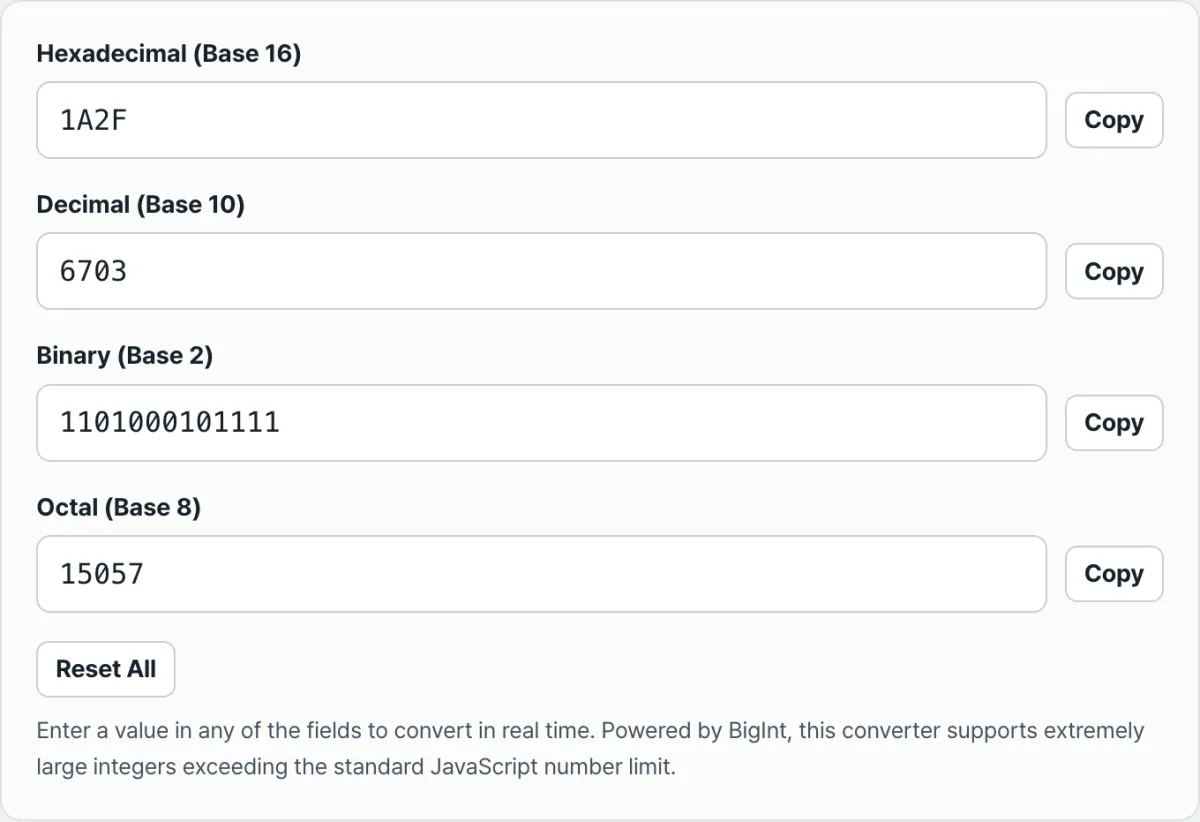
If it's a hassle to write out the powers of sixteen for the letters A through F in your notebook and work out division remainders every time you need to convert a base, try a dedicated base converter.
Free · real-time hex, decimal, binary, and octal conversion · BigInt math keeps large numbers exact
Here's how to use it.
- Pick the field you have: Click whichever box holds the number you already have — hex, decimal, binary, or octal.
- Enter the value: Type a number or letters into that field (for example, ff573a or 45890).
- The moment you type, the main dashboard shows the precise conversion into the other three bases, mapped one-to-one in real time.
- The converter uses BigInt math internally, so even very large hex or binary values beyond JavaScript's standard integer range (2^53) convert exactly, with no rounding error.
Wrapping Up
Base conversion is the translation channel that carries digital data from the binary electrical states of physical circuits into the decimal space you perceive. Whether you're solving coding test problems or checking hardware register values, a converter lets you see all four bases at once.
Free · real-time hex, decimal, binary, and octal conversion · BigInt math keeps large numbers exact
Frequently Asked Questions
In CSS color codes, why is black '#000000' and white '#ffffff'?
It comes down to how a monitor's pixels additively mix the three primary colors of light (red, green, blue).
- RGB position mapping: A hex color code is split into two-digit pairs from the front, and each pair sets the brightness of red, green, and blue, from
00(fully off) up toff(the hex maximum, 255). - The color mixing formula:
- #000000 (black): All three pixel LEDs are turned down to 0 (minimum), blocking light completely, so you get pitch darkness.
- #ffffff (white): The red, green, and blue pixels all fire at maximum intensity, 255 (hex ff), and mix additively, so the brightest white light source physically possible is projected into your eyes.
Is octal still used in real modern computer engineering work, compared with hex?
Yes — it's the natural value constant when you set file permissions on Linux/Unix with the 'chmod' command.
- Permission bit combinations: Linux expresses a file's read (4 points), write (2 points), and execute (1 point) weights added together as a single number.
- How octal applies: The total for these three bits runs from 0 (no permissions) to 7 (all permissions), which matches exactly the range of one octal digit (0–7). So when you type
chmod 755 file.txtin a Linux terminal, you give the owner 7 (read + write + execute) and group members 5 (read + execute) — the most compact octal notation there is, still the standard in practice today.
This article was adapted from our Korean original. Read the Korean original