
Job Search Costs: See Where Your Money Actually Goes
Contents
Academy tuition, textbook costs, certification exam fees, interview suit rentals… During a job search, your spending trickles out across a lot of different items. The money doesn't leave in one big chunk — it slips away in small amounts of tens of thousands of won at a time — so until you sit down and add it up, you have no real sense of "how much have I spent so far" or "what have I spent the most on."
Sort your expenses into categories, write them down, and add them up, and both questions answer themselves. This post covers that calculation and the tricky spots you'll hit when sorting items into categories.
Why job search costs are so hard to see
Receipts and card statements only show one transaction at a time: "6,000 won at a study cafe," "52,500 won TOEIC exam fee." Without gathering them in one place, it's hard to tell whether you're pouring money into academy tuition or whether exam fees are piling up into a real burden. Only when you collect your spending in one spot and split it by type does "where the money is piling up" become visible.
Split it by category and add it up: how to do the math yourself
The method is simple. Sort each expense into one of these 5 categories and add up all the amounts in each category.
- Academy/online courses: academy tuition, online course subscriptions
- Books/study materials: workbooks, major-related books
- Certifications/exam fees: language and certification test fees
- Interview clothes/hair: suit rentals, hair and makeup
- Food/transport/other: study cafes, travel to interviews, meals, and anything else that doesn't fit the four categories above
For example, if you spent 400,000 won on academy/online courses, 100,000 won on books/study materials, 150,000 won on certifications/exam fees, 80,000 won on interview clothes/hair, and 270,000 won on food/transport/other, your grand total is 1,000,000 won. The share taken up by academy/online courses is "academy/online course total ÷ grand total × 100," or 400,000 won ÷ 1,000,000 won × 100 = 40%. Do the same for the rest, and you can compare in percentages which item is the heaviest burden.
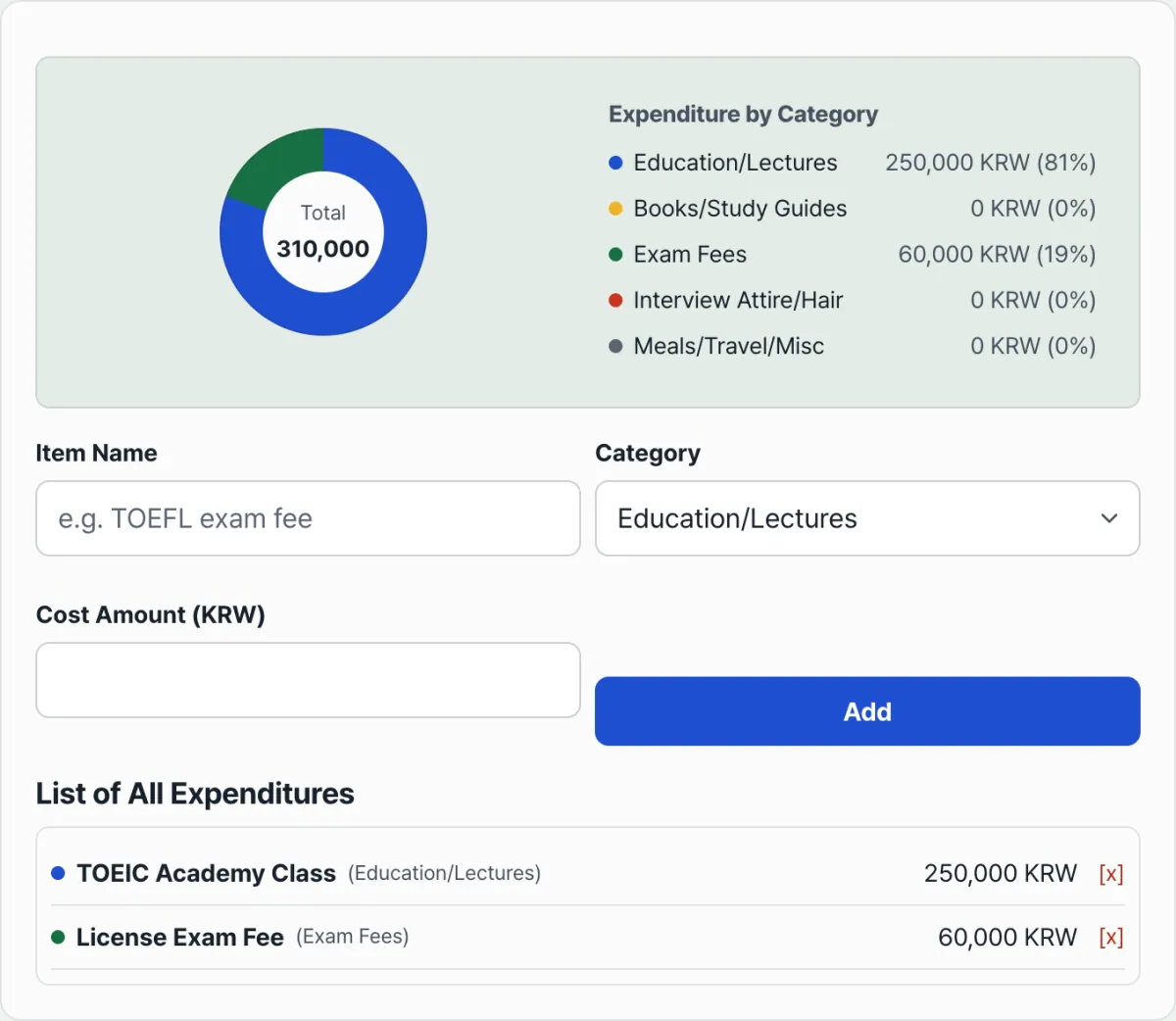
The more items you have, the more of a hassle this math becomes by hand. Our free tool, Job Search Cost Tracker, recalculates the total and share for every category each time you add an item, and shows it all in a donut chart.
Enter an item name, amount, and category, and it shows category totals and shares in a donut chart right away. Your entries are saved only in your browser.
Tricky spots when sorting into categories
Since you enter an item name and amount and then pick a category, ambiguous expenses just need a clear rule. Use the ones below.
| Example expense | Category |
|---|---|
| TOEIC · OPIc academy tuition, online course subscriptions | Academy/online courses |
| Workbooks, major-related books | Books/study materials |
| Written and practical exam fees, certification application fees | Certifications/exam fees |
| Interview suit rentals, hair and makeup | Interview clothes/hair |
| Study cafe passes, travel to interviews, meals | Food/transport/other |
Anything that clearly doesn't belong in the first four categories goes into "Food/transport/other," and your sorting won't be ambiguous.
The bottom line
Job search costs don't come out in one big payment — they leak out a little at a time across many items, so they're easy to miss. Write your spending down in 5 categories and divide each category total by the grand total, and you can see in percentages right away where most of your money is going. If you only have a handful of items, a notes app is enough. But as the list grows, it's faster to use a tool that recalculates automatically.
Enter an item name, amount, and category, and it shows category totals and shares in a donut chart right away. Your entries are saved only in your browser.
Frequently asked questions
There are only 5 categories. What if I want more detail?
The categories themselves are fixed at 5 (academy/online courses, books/study materials, certifications/exam fees, interview clothes/hair, food/transport/other). If you want finer detail, put it in the item name — for example, "Online course - certification prep class" — so you can tell items apart within the same category.
Where is the spending I enter stored?
It's saved only in your browser's local storage (localStorage) and is never sent to a server. So if you come back in the same browser, your entries are still there. But if you clear your browser data, or open the tool on another device or in a different browser, your earlier entries won't show up.
How do I fix an item I entered wrong?
There's no separate edit function for individual items. Click the [x] button next to that item in the list to delete it, then add it again with the correct value.
This article was adapted from our Korean original. Read the Korean original