
Binary, Octal, Decimal, Hex Conversion: Formulas and Code
Contents
When you work on computer programming or digital hardware design, you often convert between decimal, binary, octal, and hexadecimal. Computers do their math in binary, the 0-and-1 system, but hexadecimal and decimal notation are far more intuitive for developers who need to read data at a glance. This post covers how conversion between bases works and how to do it in JavaScript.
1. How Base Conversion Works
For a number written in any base b, you get its decimal value by multiplying each digit by b raised to that digit's position and adding the results. The rightmost digit is b^0, the next is b^1, then b^2, and so on.
For example, to convert the hex number FF to decimal: F (=15)×16^1 + F (=15)×16^0 = 240 + 15 = 255. The same way, the octal number 17 becomes 1×8^1 + 7×8^0 = 8 + 7 = 15.
Converting a Decimal Number to Another Base (Repeated Division)
Divide the decimal integer by the target base b repeatedly until it no longer divides, then list the remainders in reverse order.
One-to-One Mapping Between Binary and Hexadecimal
The hex base 16 is 2 to the 4th power (2^4), so exactly 4 binary digits map to 1 hex digit. That means you can convert between the two by splitting the binary number into groups of 4 — no division needed.
- Binary
1111→ hexF - Binary
1010→ hexA
One-to-One Mapping Between Binary and Octal
The octal base 8 is 2 to the 3rd power (2^3), so exactly 3 binary digits map to 1 octal digit. Split the binary number into groups of 3 from the right and turn each group into one octal digit.
- Binary
111→ octal7 - Binary
101010→ octal52(grouped as101/010→5/2)
2. Converting with Built-in JavaScript Methods
JavaScript ships with built-in functions that convert between numbers and base strings. You don't need a library — these two functions are enough.
- Decimal → base-N string:
Number.prototype.toString(radix)const decimalNum = 255; const binaryStr = decimalNum.toString(2); // "11111111" const hexStr = decimalNum.toString(16); // "ff" - Base-N string → decimal:
parseInt(string, radix)const parsedDec = parseInt("ff", 16); // 255 const parsedBin = parseInt("1101", 2); // 13
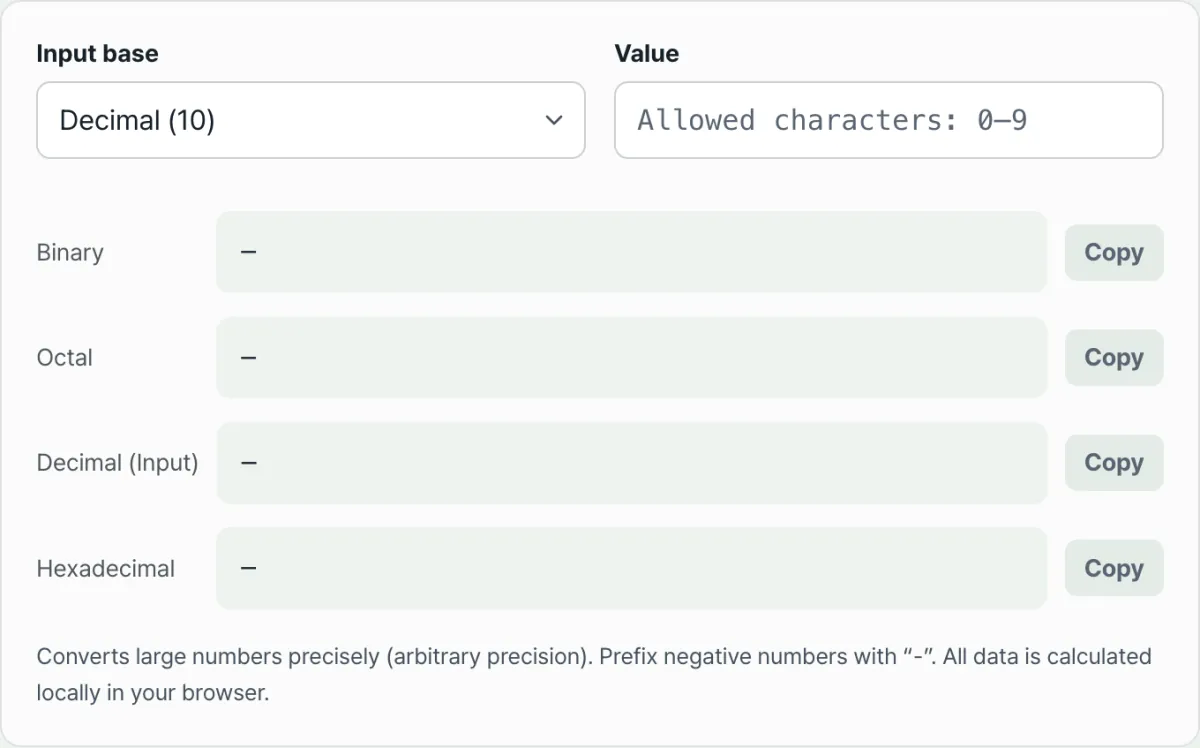
Instead of running code in the console every time or doing long division on paper, you can enter a single value and see binary, octal, decimal, and hexadecimal side by side.
Type a number into the input field, choose its original base, and compare the binary through hexadecimal results side by side in a table as you go.
3. Common Mistakes When Converting Between Bases
| Mistake | What happens |
|---|---|
| Fractional rounding errors | A decimal fraction often turns into a repeating binary fraction (for example, decimal 0.1 becomes 0.0001100110011... in binary). When you need precision, convert to integers, do the math, then convert back to a fraction. |
| Confusing prefixes | In code, hexadecimal is prefixed with 0x, octal with 0o, and binary with 0b. If you paste a value with its prefix into a calculator, some tools will throw an error and others will read it as something completely different. |
Summary
To convert a decimal number to another base, divide by the base and read the remainders in reverse. Binary maps directly to hex in groups of 4 digits and to octal in groups of 3. In JavaScript, toString(radix) and parseInt(string, radix) are all you need. When doing it by hand is a hassle, or you want to compare several bases at once, use the Number Base Converter.
Type a number into the input field, choose its original base, and compare the binary through hexadecimal results side by side in a table as you go.
Frequently Asked Questions
Can it convert very large numbers accurately?
Yes. The Number Base Converter uses arbitrary-precision (BigInt) arithmetic, so values beyond the normal integer range convert exactly, with no rounding error. Number.prototype.toString(radix) can be affected by floating-point precision internally, but the tool computes the value directly without that limit.
What happens if I enter a character that isn't valid for the base?
It shows an error message and doesn't produce a wrong result. For example, if you have binary selected and type a digit of 2 or higher, the conversion won't go through. To enter a negative number, put a "-" in front of the value.
Is the value I enter sent to a server?
No. Every conversion runs in your browser, and the number you type is never sent to a server or stored. Pick a base and enter a value, and the other three results are calculated right on the screen.
This article was adapted from our Korean original. Read the Korean original