
Regex Replace With $1 and $&: What Each One Substitutes
Contents
If you put $1 in the replacement string of a regex find-and-replace and the result shows a literal "$1" — or you get some other string instead of the group value you wanted — the cause is almost always one of two things. Either regex mode is off, or you never created a group with parentheses in your search pattern.
This article walks through what $1 and $2 group references and $& (the whole match) actually turn into, and why the mode you pick changes the result.
Summary ① In regex mode, $1 and $2 become the text each parenthesized group actually matched, and $& becomes the entire matched string. ② In normal mode (regex off), special characters in the search string and the $ signs in the replacement string are all treated as literal text. ③ The "Replacement count" on screen is the number of times your regex (including the g/i flags) matched the original text.
When You Just Need to Swap the Order of Multiline Data
When you're cleaning up an address book or a contact list, you sometimes have to flip lines that read "name,phone number" into "phone number,name" — every single one. Since each line has a different name and number, a literal find-and-replace leaves you editing them by hand, one at a time.
That's where regex helps. Wrap the name part and the phone number part in their own parentheses to make groups, then swap the order of $1 and $2 in the replacement string, and you can handle every line at once. Reformatting dates or wrapping tags around the start and end of log lines works the same way.
How to Check Without a Tool: Run It in the Browser Console
This feature is a thin wrapper around JavaScript's string replace method (String.prototype.replace). So you can confirm the same results yourself in your browser's developer console (F12 or Cmd+Option+I).
Say you have these two lines of text:
홍길동,010-1234-5678
김철수,010-9876-5432
To swap the name and phone number, type this into the console:
"홍길동,010-1234-5678\n김철수,010-9876-5432".replace(/(.+),(.+)/g, "$2,$1")
// "010-1234-5678,홍길동\n010-9876-5432,김철수"
The first parenthesized group (.+) is $1, and the second group is $2. The g at the end of the regex means "replace every match in the string." Without it, only the first line would change and everything else would stop there.
If you want to reuse the entire matched string as-is, use $& instead of a group. Here's an example that wraps a phone number in square brackets:
"010-1234-5678".replace(/\d{3}-\d{4}-\d{4}/, "[$&]")
// "[010-1234-5678]"
If you want to count how many replacements happened, run match() separately with the same regex and check the array length. For the two-line text above, the result is 2.
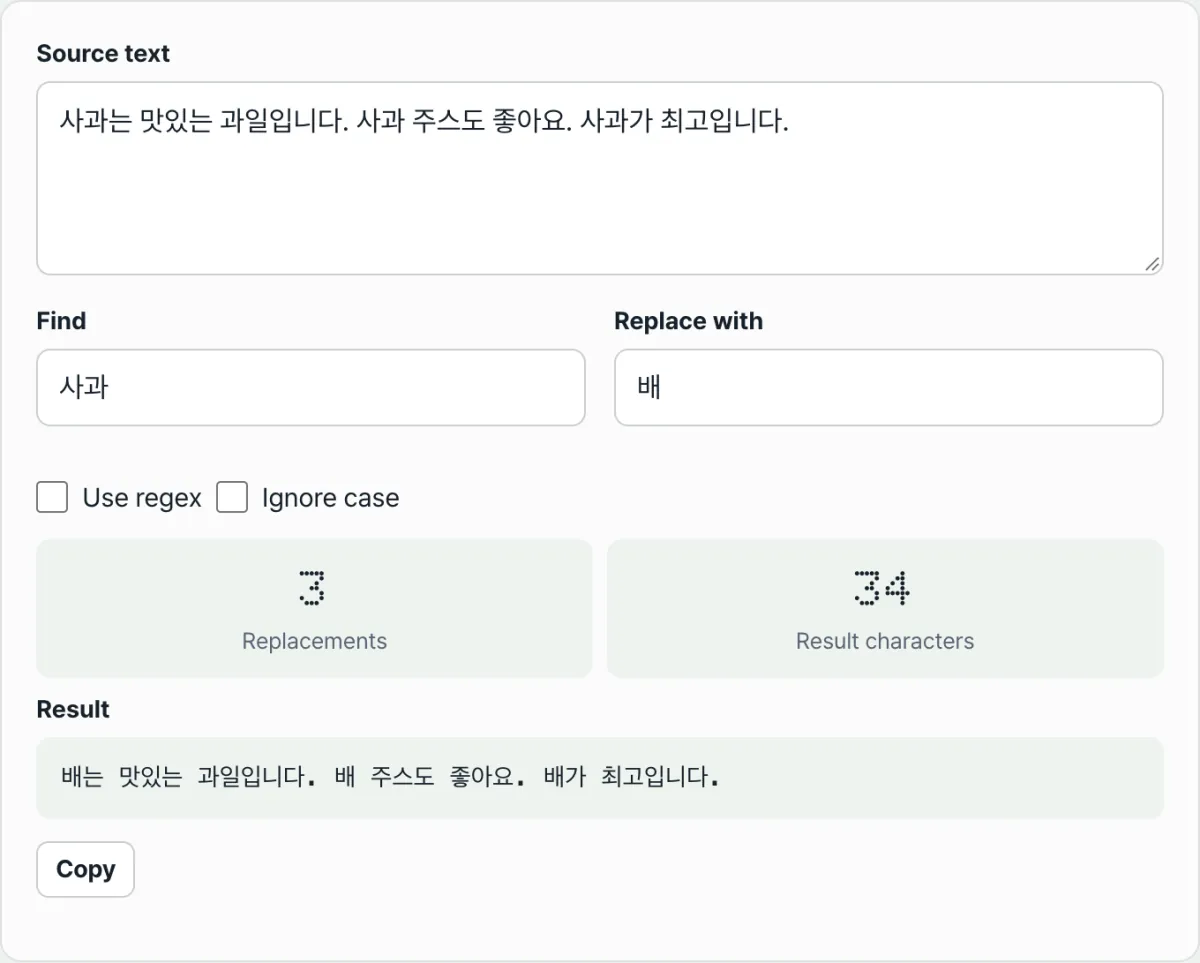
That's the whole mechanism behind regex replacement. But opening the console, wrapping a multiline string by hand, and typing out regex literals every time gets tedious. Our tool shows you the same result live — just paste your text into the input box.
Check it with our tool.
It runs right in your browser, and the text you type is never sent to a server.
Common Misconception: Why the Mode Changes the Result
Here are the points people trip over most often with regex replacement.
| Situation | Normal mode | Regex mode |
|---|---|---|
Symbols like . * + ( ) in the search string | Searched as literal characters | Interpreted as regex metacharacters |
$1, $2 in the replacement string | Output as the literal text "$1" | Replaced with the text the group matched |
$& in the replacement string | Output as the literal text "$&" | Replaced with the entire matched string |
There's nothing accidental about $ signs surviving in normal mode. In normal mode, every $ in the replacement string is converted to $$ right before the replacement runs. So whether you type $1 or $&, it's never interpreted as a regex pattern — it prints exactly as you see it.
Another common snag is forgetting the parentheses. Even with regex mode on, if you didn't create a group with parentheses in the search string, there's no group for $1 to point to. In that case $1 doesn't resolve to any value — it just stays as literal text.
A single checkbox changes the result too. Turn on "Ignore case" and the search ignores uppercase and lowercase; turn it off and only exact matches are found.
Finding every match across the entire text, on the other hand, is always on regardless of the checkbox. So if the same pattern appears more than once, all of them get replaced, not just the first one.
Summary
- In regex mode, $1 and $2 become the text each parenthesized group actually matched.
- $& becomes the entire string the regex matched, with no need for groups.
- In normal mode, every $ in the replacement string is escaped ahead of time and printed literally.
- If the regex has no parentheses, $1 has no value and stays as literal text.
- "Replacement count" is the number of times your regex matched the original text.
It runs right in your browser, and the text you type is never sent to a server.
FAQ
What happens if I use $1 without creating a group?
If the search pattern has no parenthesized group, there's nothing for $1 to point to. In that case $1 isn't replaced with an actual value — the characters "$1" stay in the result as literal text. To use $1, you have to wrap that part of the search pattern in parentheses.
What happens if I put $1 in the replacement string in normal mode?
In normal mode (regex off), every $ in the replacement string is escaped before the replacement runs. So typing $1 doesn't reference a regex group — the two characters "$1" are inserted into the result as-is. To use group references, turn on regex mode.
What exactly does "Replacement count" count?
It's the number of matches found when your regex (including the Ignore case option, if it's on) is run against the original text. Searching the entire text is always on, so if the same pattern appears several times, that number is what you'll see.
What happens if I enter an invalid regex?
If the regex syntax is invalid — an unclosed parenthesis, for example — the tool shows an error message and your original text stays unchanged. Read the error and fix the regex, and you're good.
This article was adapted from our Korean original. Read the Korean original