
Regex symbols explained: read any pattern part by part
Contents
Even a slightly longer regular expression leaves you unsure where to start, with square brackets, parentheses, and question marks piling up on top of each other. In reality, a regex is just four kinds of symbols — anchors, character classes, groups, and quantifiers — strung together in order. Once you know the rules, you can read any pattern one character at a time by hand.
This post covers how to break a regex into parts and read it, plus how to use a tool that automatically unpacks every symbol into a plain-English explanation when a pattern gets long.
Summary ① A regex is a combination of four kinds of symbols: anchors (
^$), character classes ([...]), groups ((...)), and quantifiers (*+{n,m}) ② Use literal characters (@,., and so on) as landmarks and read the parts between them group by group ③ When a pattern gets long, it's faster to drop it into a tool and get a token-by-token explanation than to count by hand
Why regex feels unreadable: the symbols are crammed onto one line
Here's a common pattern for validating an email address.
^([a-zA-Z0-9_.-]+)@([a-z0-9_.-]+)\.([a-z]{2,5})$
In this single line there are 3 parenthesized groups, 3 bracketed character classes, 2 quantifiers, and 1 escaped period. Because there are no spaces, the meaning of a single symbol depends entirely on the context right around it. For example, . outside a group means "any single character," but add a backslash and it becomes \., which means "a literal period character." When symbols nest several layers deep, it's easy to lose track of which parenthesis pairs with which.
How to read a regex yourself: split it into four kinds of symbols
Boundaries, anchors. ^ marks the very start of the string, and $ marks the very end. When both are present, the entire string must match the regex exactly to pass.
Which characters are allowed, character classes. A character class matches any one of the characters inside the square brackets. [a-z] means one lowercase letter. If ^ comes first ([^0-9]), it means the opposite — "exclude these." Commonly used classes have backslash shortcuts: \d (digit), \w (word character: letters, digits, and underscore), and \s (whitespace).
Treating things as one unit, groups. Anything wrapped in parentheses is treated as a single unit, and the matched value is saved with a number (capture). If you don't need to save it, write (?:...) to skip capturing. And (?=...), (?!...), (?<=...), and (?<!...) are lookaheads and lookbehinds that check conditions ahead or behind without consuming characters.
How many times to repeat, quantifiers. A quantifier sets how many times the symbol or group right before it must appear. * means zero or more, + means one or more, ? means zero or one, and braces like {2,5} let you set the minimum and maximum directly. The default is greedy — match as much as possible. Add a ? after it (*?, +?) and it switches to lazy, matching as little as possible.
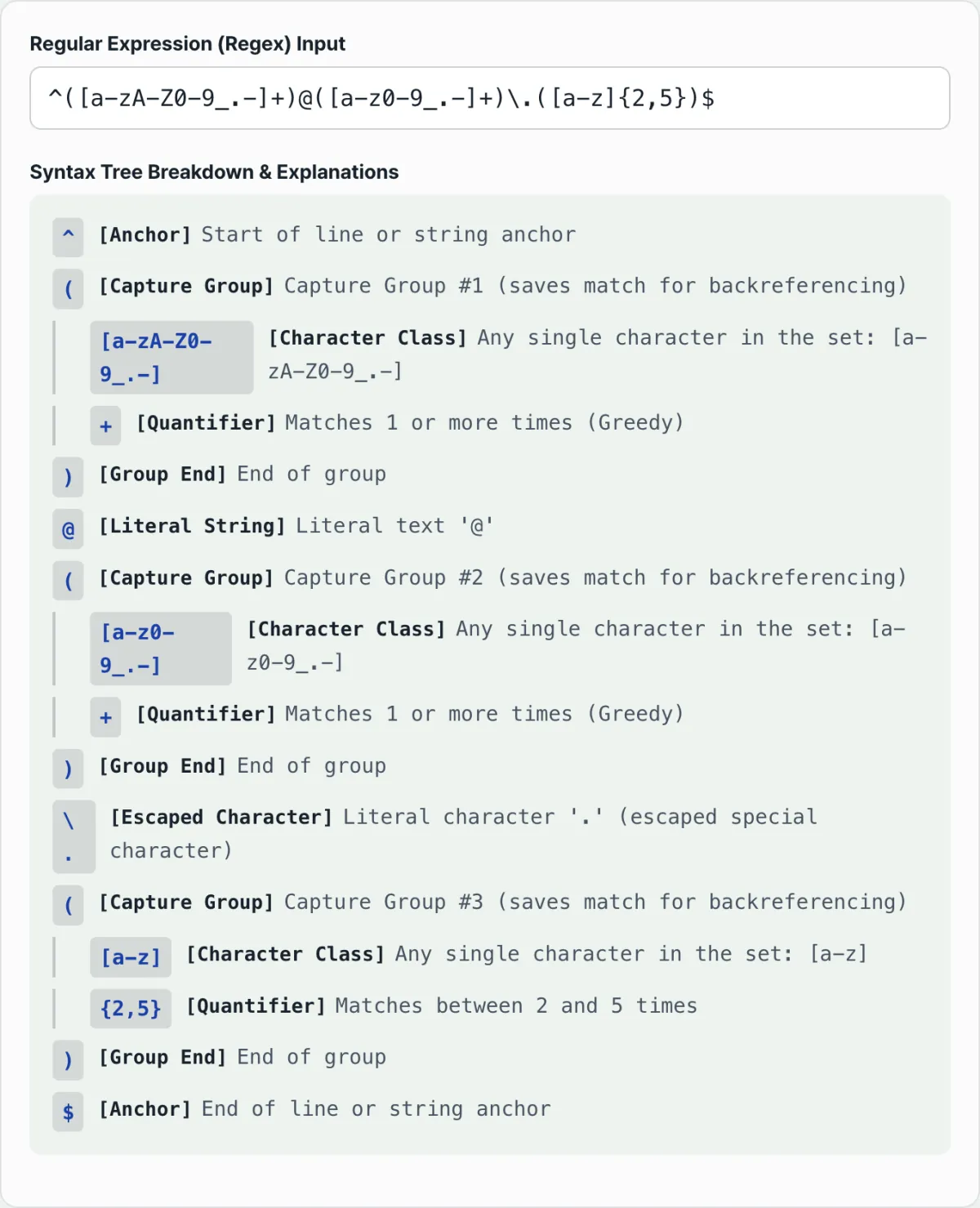
Apply these rules to the email pattern above and it unpacks one piece at a time in this order: ^ (start anchor) → ( (start of capture group #1) → [a-zA-Z0-9_.-] (character class) → + (one or more, greedy) → ) (end of group) → @ (literal character) → ( (capture group #2) → [a-z0-9_.-] → + → ) → \. (escaped literal period) → ( (capture group #3) → [a-z] → {2,5} (2 to 5 times) → ) → $ (end anchor).
Check it with our tool. If counting that sequence by hand is a hassle, paste the pattern into the tool and it lists the plain-English explanations in that same order, indented to show the nesting.
Enter a regular expression and we break it into capture groups, character classes, quantifiers, and anchors, then explain what each symbol means in English.
Easily confused notation
| Notation | What it actually means |
|---|---|
(...) vs (?:...) | (...) saves the match result under a number (capture); (?:...) only groups and doesn't save |
(?=...) vs (?<=...) | (?=...) checks a condition ahead (lookahead); (?<=...) checks a condition behind (lookbehind) |
* vs *? | * matches as much as possible (greedy); *? matches as little as possible (lazy) |
\d \w \s | Shortcuts for a digit, a word character (letters, digits, and underscore), and a whitespace character, respectively |
Wrapping up
A regex is a combination of four kinds of symbols: anchors, character classes, groups, and quantifiers. Using literal characters like @ and . as landmarks and splitting the parts between them group by group lets you read it by hand. Once a pattern gets long or starts mixing in lookaheads and lookbehinds, it's faster to put it in the tool and get a token-by-token explanation. The tool is built for explaining regex structure, and it doesn't test whether an actual string matches.
Enter a regular expression and we break it into capture groups, character classes, quantifiers, and anchors, then explain what each symbol means in English.
Frequently asked questions
Can I test whether an actual string matches with this tool?
No. It's built specifically to break a regex down token by token and explain its structure. It doesn't provide a separate test-string matching feature.
Does it recognize advanced syntax like lookaheads and lookbehinds?
Yes. It distinguishes and explains (?:...) non-capturing groups, (?=...) positive lookahead, (?!...) negative lookahead, and (?<=...) and (?<!...) lookbehind.
Is the regex I enter sent to a server?
No. Both parsing and explanation generation run entirely inside your browser, so you can check even sensitive patterns as they are.
This article was adapted from our Korean original. Read the Korean original