
Query String Array Parameters: Why Languages Parse Them Differently
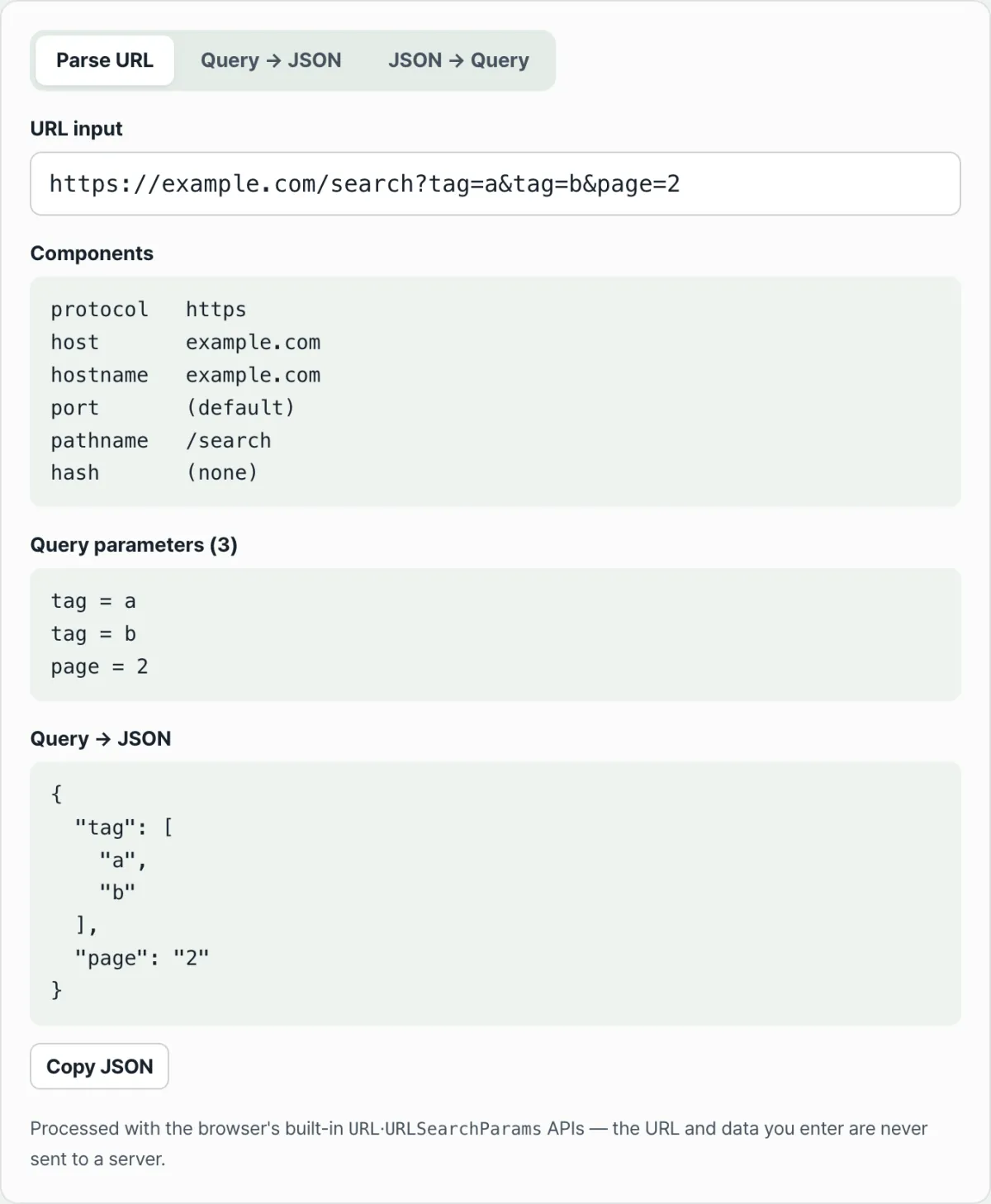
When the same key appears more than once in a URL, like ?tag=a&tag=b, whether it gets bundled into an array or reduced to just the last value depends on the language or framework reading it. That's why it's common for a frontend to send a query string and a backend to read it differently, leaving only one value on arrival. This post explains why the rules diverge and how to check for yourself how a given stack actually parses it.
Summary ① A URL query string has no array data type. Whether to treat repeated keys as an array is just a convention set by each language or framework. ② The conventions split into two main camps: repeating the same key (
tag=a&tag=b) and requiring brackets for array recognition (tag[]=a&tag[]=b). ③ You can find out which camp you're in without reading any code — just convert the query string to JSON and look.
The Problem
Picture a filter screen where you pick multiple tags with checkboxes. The browser usually sends values with the same name by repeating them, like tag=a&tag=b.
Now suppose the server receiving that request runs on a language that only recognizes brackets as array notation. The story changes. Repeated keys without brackets don't get grouped into an array — only the last value survives.
The reverse happens too. You read the API docs, build tag[]=a&tag[]=b yourself, and send it off. If the receiving side only treats repeated keys as arrays, this time it reads as a single key literally named "tag[]".
Problems like this stay hidden when you test with a single value. They only blow up when the same key appears multiple times — multi-select, multiple tags — which makes the cause unusually hard to track down.
The Fix
First, get one thing straight: a URL query string has no "array" data type. Everything after the question mark is just a string of key=value pairs separated by &. Whether those get grouped into an array is a convention decided by whoever reads them.
Those conventions fall into two broad camps. One repeats the same key as-is. The other requires brackets before it treats anything as an array.
Repeated Keys vs. Brackets
URLSearchParams, the standard browser API, does not automatically group repeated keys into an array. get("tag") returns only the first value. To get all of them, you have to call getAll("tag") yourself.
It doesn't give brackets any special treatment either. If you pass in tag[]=a&tag[]=b, it reads a single key named "tag[]" — not "tag".
Languages and frameworks that use the bracket convention do the exact opposite. Repeat tag=a&tag=b without brackets and you don't get an array — just the last value. To receive an array, you need the tag[]=a&tag[]=b form.
How to Check by Hand
When values are getting swallowed, work through it in this order. First, check whether your own code sends repeated keys or sends brackets.
Next, check the server-side docs to see which query-parsing rule applies. If the two don't match, either adjust the format on the client or add code on the server that groups repeated keys into an array yourself.
The fastest way to check is to actually plug in a query string and see with your own eyes whether the result gets grouped into an array. Try it with our free tool, URL Parser & Query String Converter (Break a URL into protocol, host, path, and query, and convert query strings to and from JSON).
Drop in a URL or query string and we'll show you the parameters grouped as arrays, converted straight to JSON.
Common Sticking Points
| Situation | Cause |
|---|---|
| You selected several checkboxes, but only one value reaches the server | The server only treats bracket notation (tag[]=) as an array, while the client sent repeated keys (tag=a&tag=b) |
You pulled a value with URLSearchParams.get("tag") and got just one | get() always returns only the first value. To get all of them, use getAll("tag") |
| You converted a JSON array into a query string, but the server can't read it | It was serialized with repeated keys, while the server only recognizes bracket notation as an array |
| The same URL gives different results across languages and frameworks | There's no fixed standard for array notation in query strings, so parsing rules differ from one stack to the next |
Wrapping Up
When the same key appears multiple times in a query string, whether it gets grouped into an array — and which notation counts as an array — isn't governed by a standard. It's a per-language, per-framework convention.
Values disappearing or arriving as just one almost always means the client's notation and the server's expected notation don't match. If you're not sure which convention you're dealing with, the surest move is to convert the actual query string to JSON and look at it.
Drop in a URL or query string and we'll show you the parameters grouped as arrays, converted straight to JSON.
FAQ
If I add brackets like tag[]=a&tag[]=b, does it get recognized as an array?
This tool uses the browser-standard URLSearchParams as-is, so it doesn't interpret brackets specially. If you enter tag[]=a&tag[]=b, it shows two values under a key named "tag[]", not "tag". When you're integrating with a backend that uses bracket notation for arrays, keep that difference in mind.
When I convert a JSON array into a query string, what format comes out?
The "JSON → Query" tab serializes array values by repeating the same key, not by using brackets. For example, {"tag": ["a", "b"]} becomes tag=a&tag=b. If your server needs bracket notation, you'll have to append [] to the result yourself.
How is the "Parse URL" tab different from the "Query → JSON" tab?
"Parse URL" breaks the whole URL down into protocol, host, port, pathname, and hash, and shows the query portion as JSON too. If you only have the query string after the question mark, just paste it straight into the "Query → JSON" tab.
This article was adapted from our Korean original. Read the Korean original