
Extract CSS Variables: Collect Every --var Into One Table
Contents
When a long CSS file declares custom properties starting with -- all over the place — in :root, in a particular class, inside media queries — finding them by eye is a chore.
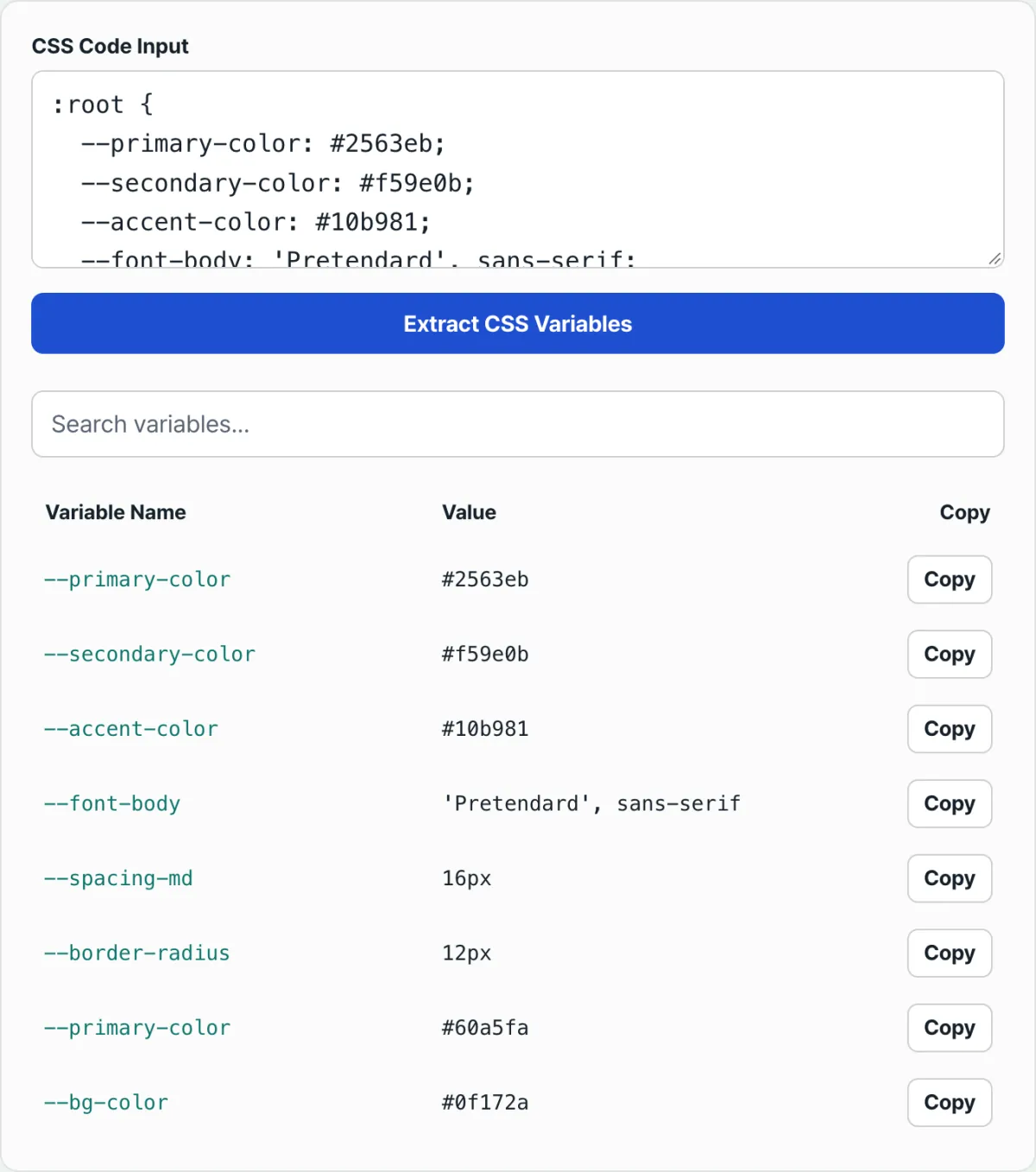
This post explains how a regex-based extractor gathers every --variable declaration into a single table, no matter where it was declared. It also covers how to narrow that table by searching names and values, and how to copy a declaration as var(--name) in one click. We'll also go through the matching rules that confuse people most, like values that come out cut off in the middle.
Summary
- The regex looks for the
--name: valuepattern across the entire text — no distinction between:root, a class, or a media query — and collects the matches into a table.- Type part of a name or value into the search box and the list narrows in real time.
- Click the copy button and you get
var(--name)on your clipboard instead of the value, ready to paste.
Why CSS variables end up scattered
CSS custom properties are rarely declared in just one place. A common setup keeps the defaults in :root, dark-mode overrides inside a .dark or [data-theme="dark"] selector, and values that change only at certain screen sizes inside an @media query.
Add per-component local variables on top of that, and the declarations end up spread from top to bottom of the same file.
At that point, if you want to know how many variables the project has, what they're called, or whether the same name is declared twice, you have to scroll the whole file and hunt down every line that starts with --. Once a file runs past a few hundred lines, or the CSS is split across several files, it's easy to miss some.
How to find them without a tool
CSS custom properties follow a fixed syntax, so you can track them down yourself with the same rules. The core pattern: --name followed by a colon (:), then a value that ends when it hits a semicolon (;) or a closing brace (}).
Searching in your code editor and terminal
Turn on regex mode in your editor's find box and search for --[a-zA-Z0-9-]+\s*: — every variable declaration line in the file gets highlighted. In a terminal, this command pulls out names and values in one go:
grep -oE -- '--[a-zA-Z0-9_-]+ *: *[^;{}]+' style.cssThis approach doesn't care whether the selector is :root, .dark, or something inside a media query. It just scans the whole file text for the --name: value pattern. That's the same principle our free tool uses.
Checking in the browser's developer tools
If you want to see the values actually being applied, you can open your browser's developer tools, select the :root element in the Elements panel, and search for -- in the Computed tab. These are final computed values, though, so they won't tell you which selector in your source declared them.
With tens or hundreds of lines of CSS, it's faster to look at one table than to repeat that work by hand every time. Check it with CSS Variable Extractor.
Finds every --variable declaration in the CSS text you paste, lays it out in a table, and lets you copy each value as var(--name).
Matching rules that trip people up
The regex only treats something as a declaration when a colon comes right after --name, and it stops matching the value the moment it hits a semicolon, a brace, or a line break. Because of that, there are cases where a variable isn't picked up at all, or the value comes out truncated.
| Situation | Result | Why |
|---|---|---|
| Value wraps to a new line before the semicolon | Only the first line is extracted | The regex stops matching the value at the line break |
| Value contains a semicolon (in a string, for example) | Only the part before the semicolon is extracted | It treats the semicolon as the end of the value |
--name: value; text inside a comment | Extracted as-is | It scans the whole text without checking for comments |
Same name declared in both :root and .dark | Shown as separate rows | It matches in order without distinguishing selectors |
A reference like var(--name) in a value | Not extracted | A colon has to follow the name for it to count as a declaration |
Semicolons inside string values and declarations inside comments are the two spots that catch people most often. If the output doesn't match what you expected, the quickest check is to look at the original CSS and see whether there's a semicolon or a comment near that variable.
Recap
- CSS custom properties are recognized and extracted purely by the
--name: valuepattern, regardless of whether they're declared in:root, a class, or a media query. - A value gets cut off when it hits a semicolon, a brace, or a line break, so values that span multiple lines or contain semicolons can come out truncated.
- Declarations inside comments are read as text and extracted as-is, and if the same name is declared more than once, each one shows up as its own row.
- Typing part of a name or value into the search box narrows the list in real time, and the copy button copies
var(--name)rather than the value. - You can find everything yourself with the same regex and no tool at all, but the longer the file gets, the faster it is to see it all in one table.
Finds every --variable declaration in the CSS text you paste, lays it out in a table, and lets you copy each value as var(--name).
Frequently asked questions
Are variables outside :root extracted too?
Yes. The regex ignores selectors and just looks for the --name: value pattern anywhere in the text. Variables declared inside a class selector or an @media query show up in the table just like the ones in :root.
What should I type into the search box?
Part of a variable name or part of a value. The search is case-insensitive and filters matches from both the name and the value in real time.
Does the copy button copy the value as-is?
No. What gets copied is var(--name), not the original value. It's built for pasting into another CSS rule so you can reference that variable.
Does it also extract SCSS $variables or LESS @variables?
No. The pattern the regex looks for covers only native CSS custom properties that start with --. Preprocessor variables starting with $ or @ aren't included.
This article was adapted from our Korean original. Read the Korean original