
Markdown Link Extraction: View All Links in a Table
Contents
Pulling only the [text](URL) links out of a Markdown post or README comes down to one problem: finding bracket and parenthesis pairs with a regular expression. Links and images () differ only by a single exclamation mark in front, so once a document gets long, it's easy to miss them just by scanning.
This post shows how that parsing works, and then covers the cases it misses, like reference-style links or URLs that contain parentheses.
Summary ① Markdown links
[text](URL)and imagesdiffer only by the leading exclamation mark (!). ② Reference-style links ([text][ref]) or URLs with parentheses inside them may not come out correctly with simple regex matching. ③ Results come in three formats — table, URL list, and JSON — and each one covers a different amount of information.
In a link-heavy document, counting by eye is what gets it wrong
Say you need to pull just the URLs into a list so you can translate or review a README or blog draft with several references attached.
Hyperlinks in the form [description text](url) and image links in the form  look nearly identical, so when you scroll and move them over by hand, you end up mistaking an image link for a hyperlink or the other way around.
If a document has ten or so links, counting by hand won't be far off. But with dozens to hundreds mixed together, it's a different story. If you don't mark which links you've already moved, you get duplicates and gaps, and it's common for one short link tucked between paragraphs to get dropped entirely.
How to read Markdown link syntax and extract it directly
Inline Markdown link syntax looks like [link text](destination URL), and image syntax is the same thing with an exclamation mark in front: . To find these directly in text, match one pair of square brackets and the pair of parentheses right after it with a regular expression.
Written as a pattern, that's (!)?\[([^\]]+)\]\(([^)]+)\). The leading (!)? is the exclamation mark that tells you whether it's an image, \[([^\]]+)\] captures the link text inside the square brackets, and \(([^)]+)\) captures the URL inside the parentheses.
Trying it on a real document with grep
If you want to do it yourself in the terminal, grep is enough.
grep -oE '!?\[[^]]+\]\([^)]+\)' README.mdRun that command and every link and image match in the file prints on its own line. If a result line starts with an exclamation mark, it's an image; otherwise it's a hyperlink. You can also turn on regex mode in your text editor's find box and paste the same pattern to highlight every match.
Move those matches into a table or list by hand and you get the result you want. The principle is the same one the tool below handles internally. But when a single document has dozens to hundreds of matches, moving each one over takes real time.
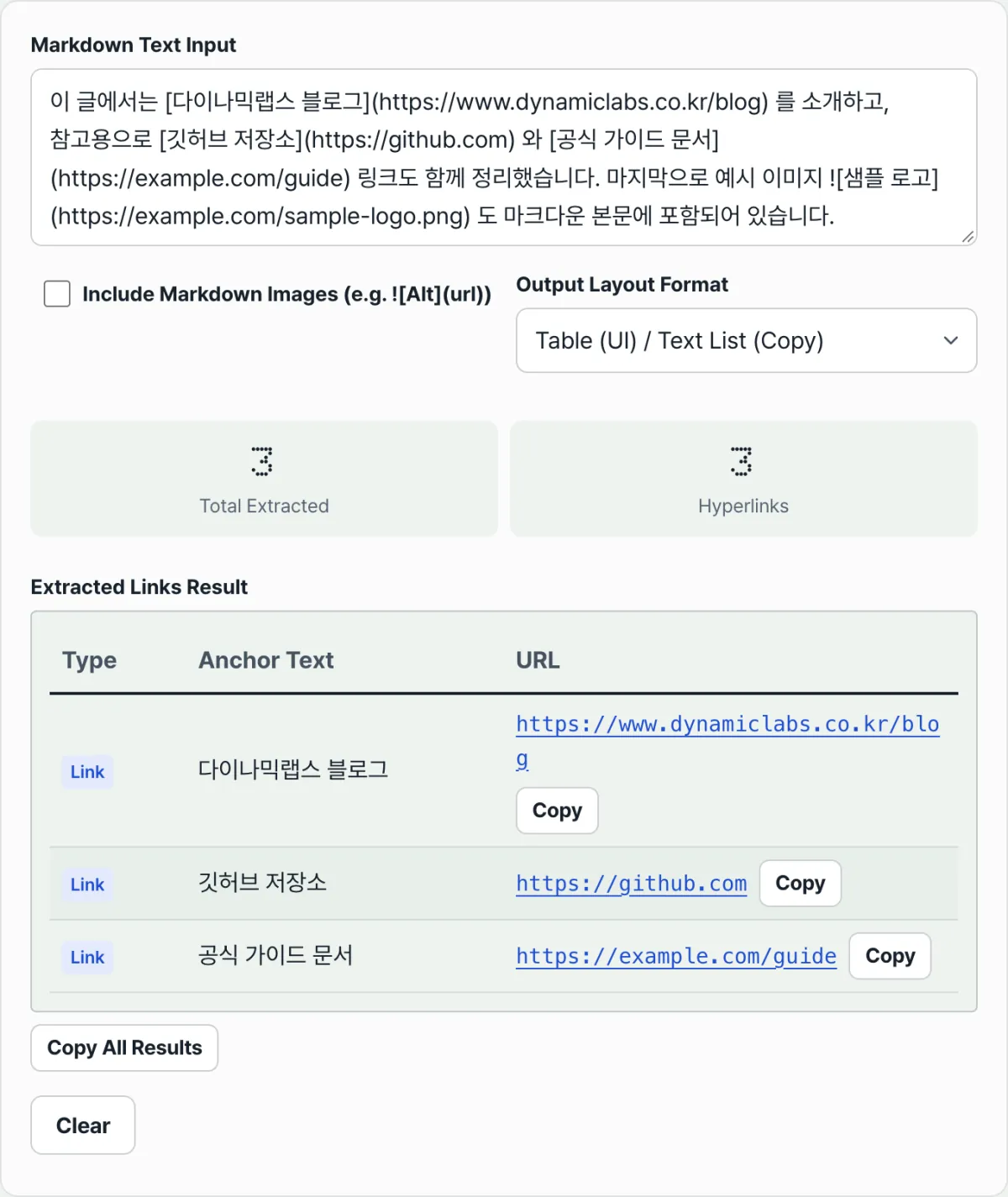
Check it with our tool.
Paste your text and it converts to a table, URL list, and JSON right away. Everything runs in your browser, with no install or sign-up.
Common mix-ups and cases this approach misses
There are three output formats, and each one carries a different scope of information.
| Format | What it shows | Best for |
|---|---|---|
| Table | Anchor text + clickable URL | Checking link text and address together |
| URL list | Plain URLs only, one per line | Copying just the addresses to paste somewhere else |
| JSON | Array of {text, url, isImage} objects | Dropping it straight into another script or program |
Why reference-style links get skipped
The most common miss is reference-style links. Syntax like [text][ref], where two square-bracket pairs sit back to back with no parentheses, doesn't match the [text](URL) pattern because the structure itself is different.
That syntax also needs you to find the definition line elsewhere in the document, in the form [ref]: URL, and connect the two — a separate job that requires a different regex.
URLs with parentheses inside them are easy to miss as well. If an address has parentheses in the middle, like (disambiguation) in a wiki article URL, the regex stops at the first closing parenthesis and the URL gets cut off partway through.
The image option and how far URL checking goes
If image links don't show up in the results, it's almost always an option issue. The "Include images" checkbox defaults to off (false), so unless you turn it on,  matches are left out of the statistics and the result list.
Also, extracted URLs only get trimmed — they aren't validated in any other way — so addresses with typos or relative paths still show up in the results as-is.
Recap
- Markdown links and images are told apart by a single leading exclamation mark (!).
- Only inline links in the
[text](URL)form are extracted accurately; reference-style links aren't covered. - If a URL contains parentheses, it can get cut off at the first closing parenthesis.
- The "Include images" checkbox is off by default, so image links are missing from the results unless you turn it on.
- Results come in three formats — table, URL list, and JSON — so pick whichever fits what you're doing.
Paste your text and it converts to a table, URL list, and JSON right away. Everything runs in your browser, with no install or sign-up.
FAQ
Can it extract reference-style links ([text][ref]) too?
No. This tool focuses on inline Markdown links in the [text](URL) form and images in the  form. Reference-style links are a separate syntax with back-to-back square brackets and no parentheses, so they don't match the pattern.
Why don't image links show up in the results?
Because the "Include images" checkbox described above is off. Turn it on and image matches in the  form get added to the result list, and only then does an "Image links" item appear in the statistics area at the top.
Can I click a URL in the results to open it?
Yes, in the table format. The URLs listed in the table appear as clickable hyperlinks, so you can open them in a new window and check that they're still live.
What values do I get when I output JSON?
You get an array of {text, url, isImage} objects, one per extracted link. text is the text inside the square brackets, url is the address inside the parentheses (trimmed only, with no other validation), and isImage says whether it's an image link with an exclamation mark.
This article was adapted from our Korean original. Read the Korean original