
Markdown table alignment: it's the separator line, not spaces
Contents
If you've ever written a Markdown table by hand and tried to center text by hammering the spacebar, you know it doesn't work. Alignment in a Markdown table isn't controlled by spacing at all. It comes from somewhere else entirely.
Summary ① Alignment in a Markdown table is set by the position of the colon (:) in the separator line directly under the header — not by spaces inside the cell. ②
:---means left,:---:means center, and---:means right. That's the convention. ③ If that separator line is missing or malformed, text that looks like a table won't be recognized as one. It just shows up as plain characters.
The second line that tells Markdown it's a table
A Markdown table takes at least two lines. The first line is the header row, with each cell separated by a pipe (|). The line right below it is a separator made only of hyphens (-). That separator is what tells the Markdown renderer "this is a table," and it treats the line above it as the header.
The catch is that this separator also carries the alignment information. It looks like nothing more than a row of hyphens, but whether a colon sits before or after them completely changes how that column is aligned.
Where you put the colon decides the alignment
The position of the colon in the separator line sets one of three alignments. :--- with a colon only on the left is left-aligned, :---: with colons on both sides is centered, and ---: with a colon only on the right is right-aligned. Plain --- with no colon follows the renderer's default, which is usually left.
No amount of spaces inside a cell will push text toward the center in the rendered output. The renderer ignores leading and trailing spaces in cells and calculates alignment from the colon positions in the separator line alone.
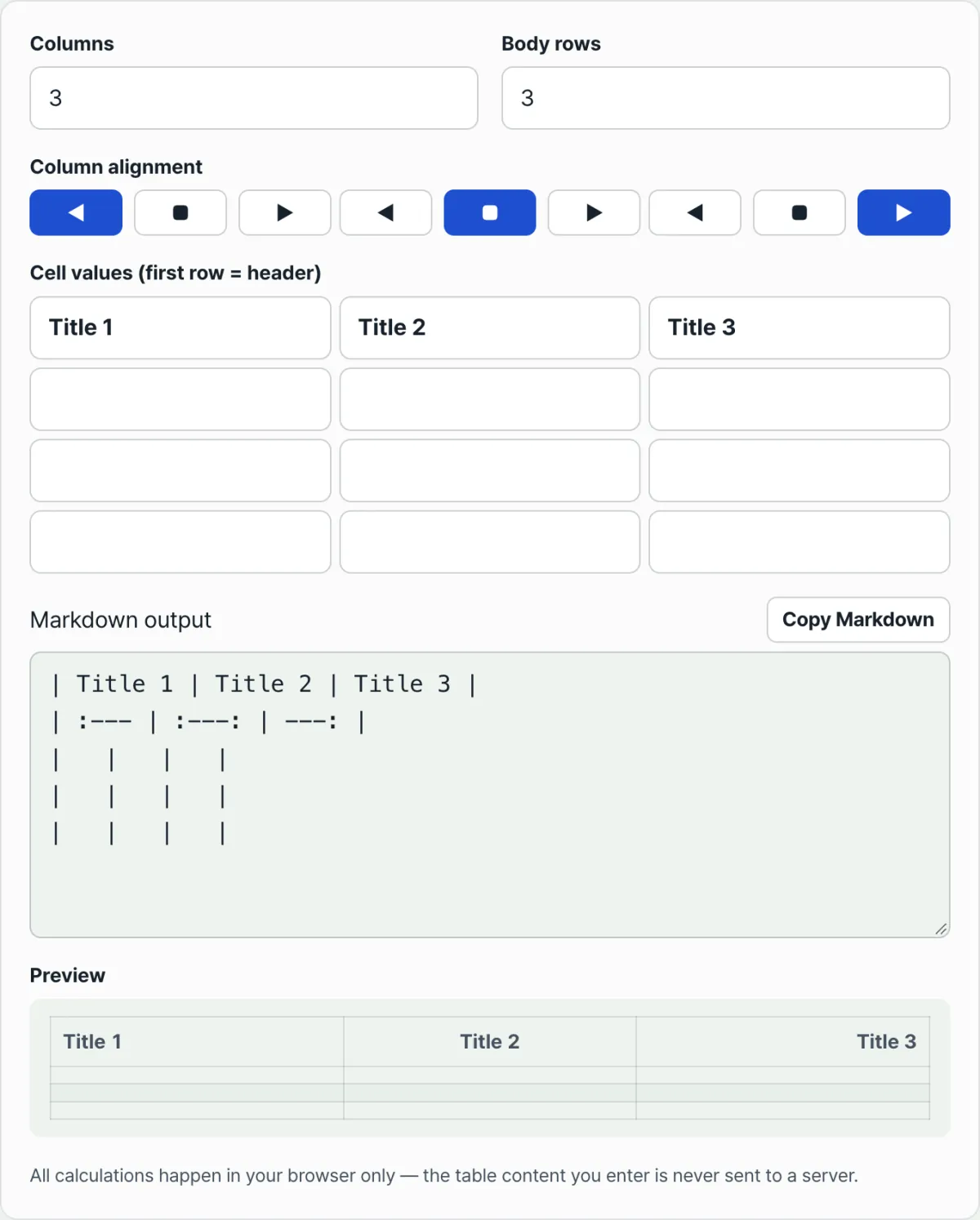
A Markdown table generator that builds the exact table syntax as soon as you set rows, columns, and alignment
What happens when the separator line is malformed
If the number of cells in the separator line doesn't match the header row, or if it contains something other than hyphens, the Markdown renderer may fail to see the whole block as a table. When that happens, the pipes and hyphens you used to fake a table show up as literal characters, leaving you with a hard-to-read string of symbols instead of the table you wanted.
How the tool handles this syntax for you
With Markdown Table Generator, you set the number of rows and columns and type content into each cell, and it assembles the header row, the separator with alignment built in, and the body rows into correct syntax automatically. You can pick left, center, or right alignment for each column, and the colons in the separator update in real time the moment you choose. If you put characters that clash with table syntax into a cell, like a pipe (|) or a line break, they're escaped automatically so the table doesn't break.
Recap
- Alignment in a Markdown table is set by the colon positions in the separator line under the header, not by spaces inside cells.
- Three notations —
:---(left),:---:(center),---:(right) — let you align each column differently. - If the separator's cell count doesn't match the header row or its format is off, the whole table may not be recognized.
- Pipes (|) or line breaks inside a cell conflict with table syntax, so they need to be escaped.
- Markdown Table Generator handles alignment choices and special-character escaping for you, so you get a table with correct syntax.
A Markdown table generator that builds the exact table syntax as soon as you set rows, columns, and alignment
Frequently Asked Questions
Can I center text in a cell by pushing it over with spaces?
No. The Markdown renderer ignores leading and trailing spaces in cells and calculates alignment only from the colon positions in the separator line. If you want centered text, the separator has to be written as :---:.
What happens if I don't specify alignment?
If the separator has only hyphens and no colons (---), no alignment is set, and the renderer falls back to its default alignment, which is usually left.
I added pipes to make it look like a table, but it doesn't render as one. Why?
The most common causes are a missing hyphen separator directly under the header row, or a separator with a different number of cells than the header. Without the separator, the renderer won't recognize a table and will display your pipes and text as plain text.
How do I put a pipe (|) character inside a cell?
A pipe is the syntax that separates columns, so dropping one in as-is can be read as starting a new cell. This tool automatically escapes pipes you type into a cell so the table stays intact.
This article was adapted from our Korean original. Read the Korean original