
Morse Code Sound Formula and Web Audio API Frequency Guide
Contents
Morse code was the communication method of the wireless era — a classic way to express letters and numbers using nothing but dots (.) and dashes (-).
Going beyond converting Morse code to a string of characters, playing it back as actual beep sounds in the browser means building audio frequency oscillation and the playback timeline yourself, with no JavaScript audio library. This post covers the standard timing formulas for synthesizing Morse code audio and how to control them with the Web Audio API.
1. Timing Formulas for Morse Code Audio Tones
Morse code audio timing is built on one base unit: the length of a single dot, defined as 1 Unit. Dashes and every gap are calculated as multiples of that base time.
- Dot sound length: 1 Unit
- Dash sound length: 3 Units (exactly 3x the dot sound)
- Silent gap between dots and dashes within a character: 1 Unit
- Silent gap between characters: 3 Units
- Space between words: 7 Units (silence held for 7x the dot length)
Adjust the playback speed in WPM (words per minute), and the real length of 1 Unit in ms shrinks or grows in inverse proportion. The faster the WPM, the shorter the unit time. The slower the WPM, the longer it gets.
How the Web Audio API Generates Digital Frequencies
To make a beep in the browser without loading any audio file, you generate a pure sine wave with an Oscillator node. During the "on" portion of the sound, it vibrates at the frequency you specify. During the "off" portion, the volume drops to 0. Frequencies between roughly 400Hz and 1000Hz sound relatively clear to the human ear, and whichever value you pick in that range, the rhythm of dots and dashes itself doesn't change.
2. JavaScript Web Audio API Code Structure
Here's the core node connection flow of the Web Audio API and the beep playback logic.
// Start the audio context
const audioCtx = new (window.AudioContext || window.webkitAudioContext)();

function playBeep(durationMs, frequency = 600) {
  // Create oscillator and gain (volume control) nodes
  const osc = audioCtx.createOscillator();
  const gainNode = audioCtx.createGain();

  osc.connect(gainNode);
  gainNode.connect(audioCtx.destination); // Connect output to the speakers

  // Set the frequency waveform (sine)
  osc.type = "sine";
  osc.frequency.setValueAtTime(frequency, audioCtx.currentTime);

  // Volume envelope (fade-in/out) to prevent clicking noise
  const now = audioCtx.currentTime;
  gainNode.gain.setValueAtTime(0, now);
  gainNode.gain.linearRampToValueAtTime(0.5, now + 0.005); // Fast ramp on
  gainNode.gain.setValueAtTime(0.5, now + (durationMs / 1000) - 0.005);
  gainNode.gain.linearRampToValueAtTime(0, now + (durationMs / 1000)); // Ramp off

  osc.start(now);
  osc.stop(now + (durationMs / 1000));
}
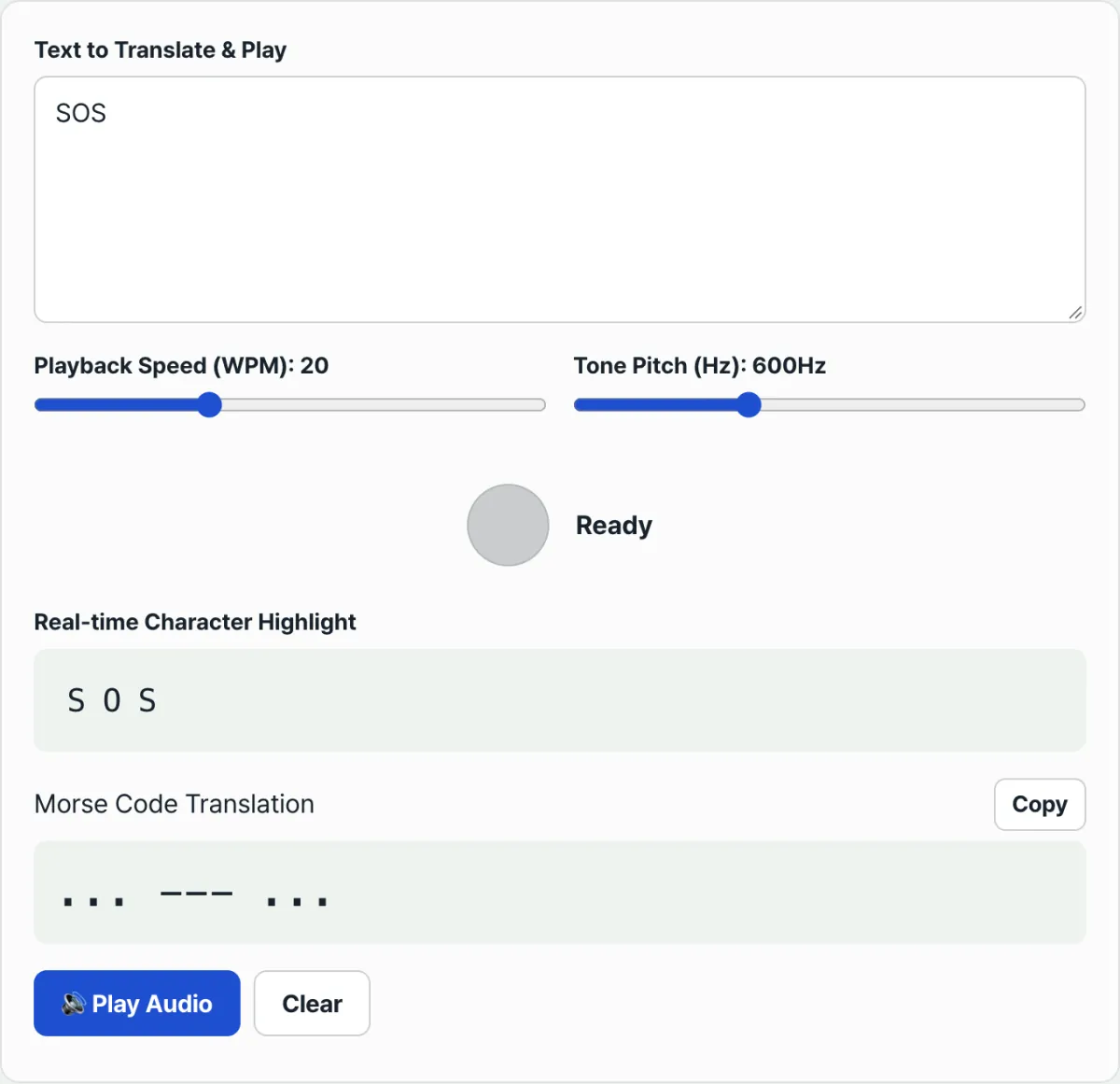
Hear it without writing any code. Type in some text and you can instantly check the sound produced by the formulas and code above.
Type the text or English copy you want, translate it into dots and dashes automatically, and listen to the converted sound as standard-frequency beeps in real time.
3. Preventing Click Noise for Clean Audio Synthesis
- Gain Smoothing: If you start an audio signal instantly and cut it to 0ms, the speaker output adds a sharp "pop" — a click noise. A gain smoothing technique, like the code above, raises the volume linearly over a very short time (about 5ms) and then lowers it smoothly to stop this.
- Audio Context State Management: Under current browser policies, autoplay audio (
AudioContext) is blocked (Suspended) until the user takes a direct action, such as clicking on the screen. You need to activate the context in the playback button's click event before the sound plays properly.
Wrapping Up
Morse code audio comes down to five time values: dot (1 Unit), dash (3 Units), gap within a character (1 Unit), gap between characters (3 Units), and gap between words (7 Units). Add a sine wave from an oscillator and a volume envelope (gain smoothing) to prevent click noise, and you can synthesize beeps with the same structure as real wireless signals, using nothing but the browser.
Type the text or English copy you want, translate it into dots and dashes automatically, and listen to the converted sound as standard-frequency beeps in real time.
Frequently Asked Questions
I pressed play, but there's no sound
By browser policy, audio playback is blocked until the user clicks a button directly. Check that the sound plays when you press the play button rather than right as the page opens, and also check the mute status and volume on your device and browser.
Does changing the playback speed (WPM) change the order of the symbols?
No. WPM only changes the length (speed) of 1 Unit. The arrangement and order of dots and dashes stay the same. For the same text, the resulting Morse code itself is identical no matter what WPM you use.
Does changing the frequency (Hz) change the symbols?
No. Frequency only changes the pitch (tone) of the beep. Whichever frequency you choose, the length ratio and spacing of dots and dashes follow the timing formulas above exactly.
This article was adapted from our Korean original. Read the Korean original