
Harmonious 5-Color Palette Formula and 60-30-10 Color Guide
Contents
When you're picking colors for a UI screen or brand materials, choosing favorite colors one at a time and lining them up often makes them clash or look flat. Pull colors from the color wheel at fixed angular intervals, and you can use proven harmony rules like complementary and analogous schemes as-is, so you don't have to eyeball each color. This post covers how to work out color-wheel harmony formulas by hand, and how to get the same result instantly with a palette generator.
Summary ① Rotating a fixed number of degrees from a base hue lets you calculate complementary, analogous, and triadic harmonies. ② Put the formula into code, and one click generates a harmonious 5-color palette at random. ③ Check color distribution against the 60-30-10 ratio, and text contrast against WCAG 4.5:1 or higher.
The problem with picking colors by feel
When you're setting a background color and an accent color at the same time, picking colors you like one by one and pasting them together makes it hard to balance the whole thing. A color is a combination of three values — hue, saturation, and lightness — so adjusting several colors by eye at once means too many variables to track. Set one base color and rotate it a fixed number of degrees around the color wheel, and you can follow proven harmony rules as-is.
How to calculate color schemes with the color wheel formula
When you design a color palette, you take the hue of the base color and rotate around the color wheel by set angles to derive the other colors. The formula looks like this.
New hue = (base hue + angle offset) mod 360°
There are three common harmony patterns.
- Complementary: Pair the base color with the color 180 degrees opposite it. Contrast is strong, so it draws attention.
- Analogous: Pick colors 30 degrees to either side of the base color. Neighboring colors feel stable.
- Triadic: Split the color wheel into three at 120-degree intervals (base, +120°, +240°). It's colorful but balanced.
Put this calculation into code and one click generates a random 5-color palette. Below is a JavaScript example that places analogous angles to the left and right of a base color to pull five colors.
function generateHarmoniousPalette() {
  const baseHue = Math.floor(Math.random() * 360);
  const baseSat = 52 + Math.random() * 30; // 52% ~ 82% saturation
  const baseLight = 44 + Math.random() * 22; // 44% ~ 66% lightness
  const step = 16 + Math.floor(Math.random() * 26); // gap between colors 16 ~ 41 degrees

  // Keep the base color in the middle (index 2) and spread outward by step on each side for 5 colors (analogous)
  return [0, 1, 2, 3, 4].map(index => {
    const offset = (index - 2) * step;
    const h = ((baseHue + offset) % 360 + 360) % 360;
    return hslToHex(h, baseSat, baseLight);
  });
}

function hslToHex(h, s, l) {
  l /= 100;
  const a = (s * Math.min(l, 1 - l)) / 100;
  const f = n => {
    const k = (n + h / 30) % 12;
    const color = l - a * Math.max(Math.min(k - 3, 9 - k, 1), -1);
    return Math.round(255 * color).toString(16).padStart(2, '0');
  };
  return '#' + f(0) + f(8) + f(4);
}
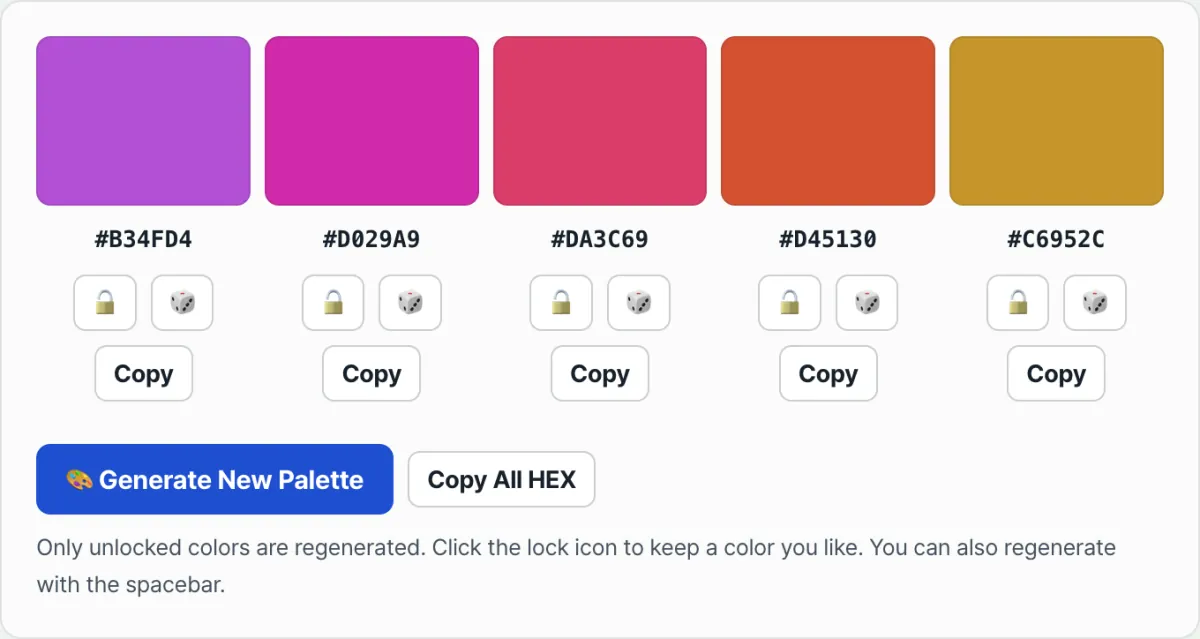
Instead of solving this formula by hand every time or opening a design tool to match colors one by one, you can generate a harmonious 5-color palette at random with a single press of the spacebar, lock the colors you like, reroll only the rest, and copy the HEX codes right away. Try it in our tool.
Press the spacebar to generate a random harmonious 5-color palette, lock the colors you like, and grab the color system codes you want.
Benchmarks to check when applying a color scheme
When you set a UI color scheme in practice, check these benchmarks together.
| Item | Benchmark |
|---|---|
| Main background color | 60% of the screen |
| Secondary container and card colors | 30% of the screen |
| Accent points (CTA, badges) | 10% of the screen |
| Text-to-background contrast ratio (WCAG AA) | 4.5:1 or higher |
The color distribution ratio creates a hierarchy your eye follows naturally, and the contrast benchmark makes sure text stays readable for low-vision users and in bright conditions.
Wrap-up
Rotating angles around the color wheel lets you calculate complementary, analogous, and triadic color schemes. Put that calculation logic into code, and you can instantly generate harmonious palettes at random, then lock the colors you like and reroll the rest to narrow down to the combination you want. When you actually apply it, check color distribution against the 60-30-10 ratio and text contrast against WCAG 4.5:1 or higher.
Press the spacebar to generate a random harmonious 5-color palette, lock the colors you like, and grab the color system codes you want.
FAQ
How are the colors combined?
The tool picks a base hue at random, then rotates around the color wheel at a set interval to build analogous, neighboring colors that go well together.
Can I keep only the colors I like?
Yes. Colors you lock with the padlock stay the same when you regenerate, and only the unlocked ones change.
Are the generated results saved on a server?
No. Color generation and copying all happen inside your browser, and no data is sent to or stored on a server.
This article was adapted from our Korean original. Read the Korean original