
Audible Frequency Range: 20Hz to 20kHz Test
Contents
The physical limit of what humans can hear is generally known to fall between 20Hz and 20,000Hz (20kHz). Yet the same tone can sound crisp to one person and be completely inaudible to another, and certain low notes often don't come out of a given speaker at all. This isn't just about individual hearing. It's an acoustic phenomenon that comes from your ears combined with the physical limits of the diaphragm in your speakers or earbuds.
Summary ① The theoretical range of human hearing is 20Hz to 20,000Hz, and everyday speech is concentrated in the 250Hz to 4,000Hz band. ② As you age, hair cells at the entrance of the cochlea naturally decline, so your ability to detect very high frequencies above 14,000Hz gradually drops. ③ Small earbuds and smartphone speakers can struggle to reproduce deep bass below 50Hz or extreme highs above 16,000Hz because of the size of their diaphragms.
What the Audible Frequency Range Is: How Frequency (Hz) Relates to Sound
Frequency (Hz, hertz) is the physical quantity that describes how many times air vibrates in one second. Fewer vibrations per second means a lower, heavier bass tone. More vibrations per second means a sharper, higher treble tone.
In acoustics, the 20Hz to 20,000Hz range your ears respond to is usually divided into five bands.
- Sub-bass (20Hz to 60Hz): You feel this range in your skin and body more than you hear it with your ears. The earthquake-like explosions in a movie theater and the lowest notes of a large pipe organ live here.
- Bass (60Hz to 250Hz): This is where the kick drum, bass guitar, and the heavy resonance of a male voice sit — the rhythm and backbone of music.
- Midrange (250Hz to 2,000Hz): The band your ears know best and respond to most sensitively. Most of the human speaking voice, vocals, piano, guitar, and the core of other main instruments are concentrated here.
- High mid / treble (2,000Hz to 6,000Hz): This band decides how clear speech sounds. Fricatives like "s" and "sh," a sense of space, and the outline of instruments are determined here.
- Presence / air (6,000Hz to 20,000Hz): This is where the shimmer of cymbals, the tail of a breath, and a sense of air live, adding openness to the sound.
Why You Can't Hear Certain Frequencies: Hearing and Speaker Limits
When a test tone doesn't make a sound, there are two main reasons.
The first is the physiology of hearing and how it changes with age. Inside your inner ear, the cochlea contains thousands of hair cells that detect frequency. The hair cells that detect high frequencies sit at the entrance (base) of the cochlea, while the cells that detect low frequencies sit deeper inside (apex). Because the cells at the entrance are always stimulated first whenever sound comes in, everyday aging or accumulated noise exposure gradually reduces your sensitivity starting with the very high range above 14,000Hz to 18,000Hz.
The second is the frequency response limit of your playback gear (speakers and earbuds). The small driver units in earbuds and smartphone speakers have a physically small diaphragm area. They don't move enough air to push out deep bass around 20Hz to 40Hz, so almost no sound comes out. On budget drivers, output can also roll off sharply above 15,000Hz, which means the gear itself may simply not be reproducing the sound.
How to Check Frequency Tones: The Sine Wave Test
Music and ordinary voice recordings are complex waves with countless frequencies mixed together, so it's hard to pinpoint whether a specific band is coming through correctly.
To check accurately, you need to generate a sine wave — a single-frequency signal with no noise or harmonics mixed in — and listen through each band one at a time.
- Put on earbuds or headphones and set the volume to your normal conversation level (below halfway).
- First play 440Hz (the A4 tuning reference) or 1,000Hz (1kHz), the most comfortable reference tones for human ears, to confirm normal output.
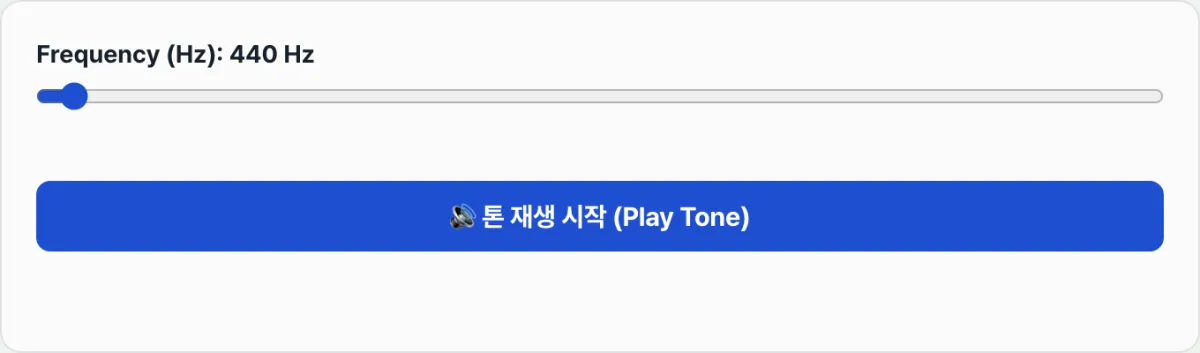
- Slowly lower the slider to 60Hz, 40Hz, and 20Hz, and feel the vibration to see how far down your gear can push the bass.
- Slowly raise the slider to 8,000Hz, 12,000Hz, and 16,000Hz to check how far up you can still detect the highs.
To adjust a pure sine wave from 20Hz to 20,000Hz in real time right in your browser using the Web Audio API, try our free tool.
Free · Real-time Web Audio API oscillator · 20Hz–20,000Hz audible range test
Band-by-Band Characteristics and Playback Reference Table
| Frequency range | Name | Everyday sounds and how it feels | Hardware requirements |
|---|---|---|---|
| 20Hz to 60Hz | Sub-bass | Movie theater explosions, lowest pipe organ notes, club subwoofers | Requires a large woofer or a dedicated subwoofer |
| 60Hz to 250Hz | Bass | Kick drum punch, bass guitar, male low-mid voice | Playable on ordinary earbuds and bookshelf speakers |
| 250Hz to 2,000Hz | Midrange | Everyday conversation, vocal melodies, piano, acoustic instruments | Plays on any device, including built-in smartphone speakers |
| 2,000Hz to 6,000Hz | High mid | Violin highs, fricative consonants ("s," "sh"), sirens | Ears are most sensitive here, so even quiet sounds seem loud |
| 6,000Hz to 20,000Hz | Treble / air | Cymbal decay, shimmering air, mosquito buzz | Depends on the tweeter driver and your hearing at your age |
The Bottom Line
The theoretical range of human hearing runs from 20Hz to 20,000Hz, but in real listening the natural high-frequency decline that comes with age works together with the physical playback limits of a speaker's diaphragm.
Instead of music with many sounds mixed together, a sine wave generator that produces a single frequency lets you check the output limits of your earbuds and speakers and directly compare them against your own hearing range band by band.
When you test, always start at a moderate volume using 1,000Hz as your reference to avoid ear fatigue and protect your speakers — and don't crank the volume just because you can't hear something.
Free · Real-time Web Audio API oscillator · 20Hz–20,000Hz audible range test
Frequently Asked Questions
Why is 440Hz used as the reference pitch for audio and music?
In Western music standards, 440Hz is the internationally recognized pitch of the "A" above middle C (A4) on the piano — the ISO 16 standard. It's widely used as a reference tone not only for tuning orchestral instruments but also for level tests on audio equipment and for dial tones on telephone handsets.
Why can't I hear high frequencies above 17,000Hz (17kHz)?
The high-frequency hair cells at the entrance of the cochlea are the first to be exposed to everyday noise, so they naturally degrade as you get older. Teenagers may hear above 18,000Hz, but after your late twenties it's completely normal for your upper limit to settle around 15,000Hz to 16,000Hz.
Is it a defect if my smartphone speaker doesn't produce 30Hz?
No. The micro drivers in smartphones and tiny earbuds are only a few millimeters across, so they physically can't push out sub-bass like 30Hz, which has a long wavelength and requires a lot of air pressure. You can hear that kind of bass normally on a large speaker with a woofer or on headphones.
What should I watch out for when testing high or low frequencies?
If you slide to another frequency while the volume is maxed out because a tone seemed quiet or inaudible, a sudden loud burst can strain your hearing or damage the diaphragm of your earbud drivers. It's safer to set a comfortable level at 440Hz or 1,000Hz first, then keep the volume fixed while you test.
The frequency bands and figures in this guide summarize general acoustic physics. They are not a substitute for a professional hearing test or medical diagnosis from an ear, nose, and throat specialist.
This article was adapted from our Korean original. Read the Korean original