
Base32 Encoding Explained: 5-Bit Conversion, Padding, OTP Keys
Contents
- Why Base32 Exists: An Encoding for Human Eyes and Voices
- The 4-Step Base32 Encoding Process You Can Follow by Hand
- Core Mechanics: Full 5-Byte (40-Bit) Blocks and the Padding Formula
- The Four Major Base Encoding Standards, Compared
- Five Common Base32 Mistakes
- A Foolproof 5-Step Base32 Encode/Decode Workflow
- Seven Practical Base32 Tips
- Final Decision Tree: Which Base Encoding Should You Use?
- Base32 & Bit Operation Cheat Sheet
- Frequently Asked Questions
When you set up Google OTP (Google Authenticator) or two-factor authentication (2FA), you've probably seen a secret key printed under the QR code — a mix of uppercase letters and digits like 'JBSWY3DPEHPK3PXP'.
Look at that string closely and you'll notice something: the digits 0, 1, 8, and 9 never show up, only uppercase letters are used, and sometimes several equals signs (====) are stuck on the end.
That cryptic string is Base32 encoding. This guide breaks down the RFC 4648 standard, which groups binary data into 5-bit chunks and maps them onto 32 safe characters, and explains why OTP security relies on Base32 exclusively.
Key Takeaways ① 5-bit, 32-character system: Each 8-bit byte is split into 5-bit chunks (25=32) and mapped one-to-one onto 32 characters — 26 uppercase letters (A-Z) and 6 digits (2-7). ② Designed to prevent misreading: digits that are easy to confuse by eye — 0 (looks like an O), 1 (looks like an I or l), and 8 (looks like a B) — are left out entirely, which stops typos when someone types a key by hand. ③ 8-character padding rule: data is cut into 5-byte (40-bit) units to produce 8 characters, and any leftover space is filled with up to 6 equals signs (=) so the length lands on a multiple of 8. ④ With Base32 Encoder / Decoder, you can convert between text and Base32 instantly and safely, right locally in your browser.
Why Base32 Exists: An Encoding for Human Eyes and Voices
Base64 is the most widely used encoding in computing, but it is case-sensitive and uses special characters (+, /). That causes serious typos when a person copies a string onto paper or reads it aloud over the phone:
- Confusing '0' (the digit zero) with 'O' (the letter O)
- Confusing '1' (the digit one) with 'l' (lowercase L) and 'I' (uppercase i)
- Confusing '8' (the digit eight) with 'B' (the letter B)
The RFC 4648 Base32 standard removes these troublesome characters completely. It uses only 26 letters from A to Z and 6 digits from 2 to 7, giving you a 32-character set that is the safest option for reading and transcribing by hand.
The 4-Step Base32 Encoding Process You Can Follow by Hand
Here's the bit-level process for converting the word "hi" to Base32:
- Step 1 (convert to binary): 'h' (0x68 = 01101000), 'i' (0x69 = 01101001) ➔ 16 bits total (01101000 01101001)
- Step 2 (split into 5-bit groups): break the 16 bits into four 5-bit groups, then pad the remaining 4 bits with zeros.
- [01101] [00001] [10100] [10000]
- Step 3 (decimal ➔ Base32 character mapping):
- 01101 (13) ➔ N
- 00001 (1) ➔ B
- 10100 (20) ➔ U
- 10000 (16) ➔ Q
- Step 4 (pad out to 8 characters): "NBUQ" is only 4 characters, so add 4 equals signs to reach a multiple of 8. Final result: "NBUQ====".
Free · Convert to and from Base32 in about a second with just your text, and verify 2FA secret keys
Core Mechanics: Full 5-Byte (40-Bit) Blocks and the Padding Formula
Let's look at the mathematical relationship between input/output bytes and the number of padding characters in the Base32 pipeline.
1. The 5-byte (40-bit) least common multiple (LCM) block
- 5 source bytes turn into exactly 8 Base32 characters, so the bits divide evenly with none wasted.
2. Number of padding equals signs P for N source bytes
- R = 1 (1 byte left over): 2 valid characters + padding '======' (6)
- R = 2 (2 bytes left over): 4 valid characters + padding '====' (4)
- R = 3 (3 bytes left over): 5 valid characters + padding '===' (3)
- R = 4 (4 bytes left over): 7 valid characters + padding '=' (1)
- R = 0 (exact multiple of 5 bytes): 8 valid characters + no padding (0)
The Four Major Base Encoding Standards, Compared
| Item | Base32 (RFC 4648) | Base64 (RFC 4648) | Base16 (Hex) | Base58 (Bitcoin) |
|---|---|---|---|---|
| Split unit | 5 bits | 6 bits | 4 bits | Variable-base arithmetic |
| Character set size | 32 (A-Z, 2-7) | 64 (A-Z, a-z, 0-9, +, /) | 16 (0-9, A-F) | 58 (0, O, I, l excluded) |
| Case sensitivity | None (uppercase only) | Yes (case matters) | None (usually either) | Yes |
| Size overhead | About +60% (1.6x) | About +33% (1.33x) | +100% (2.0x) | About +37% |
| Human readability / handwriting | Best (misread-proof) | Low (frequent typos) | Fair (gets too long) | Good |
| Typical uses | OTP secrets, DNS labels | Email attachments, image data URIs | Hash values, encryption keys | Bitcoin wallet addresses |
Five Common Base32 Mistakes
- Typing 0, 1, 8, or 9 and getting a decode error: putting characters that aren't in the Base32 alphabet triggers an "Invalid character" error.
- Mistaking Base32 for encryption: encoding is a reversible data representation anyone can undo in a second. It is not encryption and does not keep anything secret.
- Leaving out padding (=) on decode and breaking the parser: the string length doesn't line up with a multiple of 8, so the decoder library throws an exception.
- Forgetting to encode padding equals signs (=) in URL parameters: the = gets read as a parameter separator in a query string, so the value gets cut off.
- Confusing Base32 with Base64: using Base32, which grows data to 1.6x, to send large video or image files and wasting network bandwidth.
A Foolproof 5-Step Base32 Encode/Decode Workflow
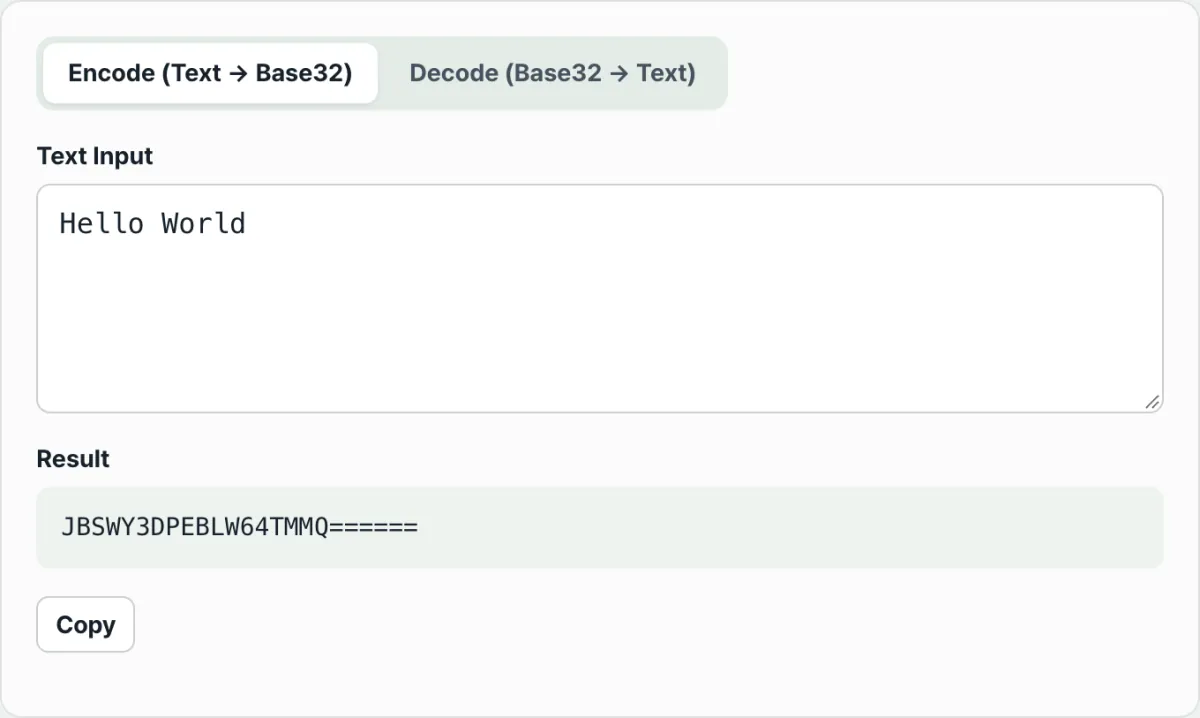
- Step 1 (pick a mode): decide whether you're converting plain text to Base32 (encode) or restoring Base32 to the original text (decode).
- Step 2 (enter the string): paste your text or your 2FA secret key into the input field.
- Step 3 (automatic validation): in decode mode, the tool checks in real time for invalid characters (0, 1, 8, 9, and so on).
- Step 4 (instant conversion): the in-browser engine immediately runs the UTF-8 byte conversion and the 5-bit shift operations.
- Step 5 (copy the result and register it in your OTP app): copy the finished, safe Base32 string and enter it in your OTP app's manual entry field.
Seven Practical Base32 Tips
- Spaces don't matter when you register with an OTP app: writing the key as 'JBSW Y3DP EHPK 3PXP' for readability is fine — authenticator apps ignore the spaces and read it correctly.
- Lowercase input is converted to uppercase automatically: if you type lowercase (jbswy3dp...), Base32 Encoder / Decoder corrects it to uppercase before decoding.
- TOTP keys work with the padding (=) removed: most Google OTP-compatible apps restore the padding internally, so they handle keys with the trailing equals signs left off.
- Crockford's Base32 variant: there's a variant that excludes the letters I, L, O, and U and allows the digits 0 and 1, so check the spec before you assume.
- DNS labels and domain storage: because DNS is case-insensitive, Base32 is ideal for storing security keys in DNS records.
- Use Base64 for large files: Base32 grows data to 1.6x, so Base64 is the better choice for multimedia files rather than text tokens.
- Bookmark this tool: when you need to manually verify a 2FA key or convert a hash token, you can do it in your browser in one second.
Final Decision Tree: Which Base Encoding Should You Use?
- Case A (OTP / 2FA secret keys, auth codes you hand out on paper to people) ➔ Base32 (optimized to prevent misreading)
- Case B (inline images in HTML, email attachments, web APIs) ➔ Base64 (better size efficiency)
- Case C (cryptographic hash values, MD5/SHA256 digests, color codes) ➔ Base16 / Hex (hexadecimal)
- Case D (crypto wallet addresses, blockchain transaction IDs) ➔ Base58 (the middle ground between readability and compactness)
Base32 & Bit Operation Cheat Sheet
- Base32 (RFC 4648): A binary-to-text encoding that represents binary data using 32 printable ASCII characters.
- TOTP (Time-based One-Time Password): A one-time password generated every 30 seconds by combining a shared Base32 secret key with the current time.
- Padding (=): A filler character that tops off the end when the number of data bits doesn't land on an even multiple of 40 bits.
- Bit Shift: A low-level operation that shifts a string of binary bits left or right to pull out the 5-bit value you need.
Frequently Asked Questions
Why does my Base32 string have equal signs (=) at the end?
Base32 has to align the total data length to a multiple of 8 characters, so when the original byte count isn't a multiple of 5, the leftover slots get filled with 1 to 6 equal signs (=). That's a normal part of the standard.
Does converting to Base32 encrypt my data and stop hackers?
No. Encoding just changes the form of the computer's binary data into characters that are easier for people to read or transmit (a representation). Anyone can restore the original without a key, so it can't replace a password.
Is there any risk that the secret key or text I enter into the converter leaks to a server?
None at all. Every Base32 encode and decode operation in our free tool runs locally in your web browser's memory with no server communication, so you can handle 2FA secret keys safely.
This article was adapted from our Korean original. Read the Korean original