
camelCase vs snake_case: How the Conversion Rules Work
Contents
- When you actually need to convert notation
- How to split words and apply a notation by hand, without a tool
- Conversion results that trip people up
- Recap
- How It Works Under the Hood: Regex Boundary Detection and Tokenizers
- Comparing the 7 Casing Conventions: Analysis Table
- 5 Critical Mistakes People Make When Converting Case
- A 5-Step Clean Naming Workflow to Tame Legacy Code
- 7 Naming and Notation Tips
- A Notation Decision Tree for Getting It Right Every Time
- Core Technical Terminology Cheat Sheet for Power Users (Terminology)
- Frequently Asked Questions
camelCase and snake_case get confusing not because the notation names are unfamiliar, but because you don't know the rules for exactly where a piece of text gets cut into words, and which characters glue those words back together.
Learn those rules and everything becomes explainable: how myVariableName turns into my_variable_name, and why text with numbers and special characters gets cut in places you didn't expect.
This is for developers who deal with variable and file naming, and for anyone who needs to verify a conversion result with their own eyes.
Summary ① Words split where a capital letter comes right after a lowercase Latin letter or digit, and where one or more characters that aren't letters, digits, or Hangul appear in a row. ② camelCase and PascalCase join the split words with no separator, while snake_case, kebab-case, and CONSTANT_CASE join them with underscores or hyphens. ③ Title Case and sentence case don't use this word-splitting rule, so if you paste camelCase text with no spaces, it won't be broken into words.
When you actually need to convert notation
API docs and design specs often list names in a human-friendly form like "User Profile Image". You can't just drop that name into code. In real code it breaks down like this.
- JavaScript variable names: camelCase (e.g. userProfileImage)
- Database column names: snake_case (e.g. user_profile_image)
- CSS custom properties and URL paths: kebab-case (e.g. user-profile-image)
- Environment variables: CONSTANT_CASE (e.g. USER_PROFILE_IMAGE)
The trouble starts when names mix in numbers or abbreviations. When you split text like getUserID or html5Video by hand — uppercase, digits, and lowercase all jumbled together — different people tend to disagree on where the breaks belong.
The result is that the same name shows up as getUserId, getUserID, and get_user_id across one team. Once you know that each notation has a precise rule for splitting and rejoining words, you can check that drift against the rule.
How to split words and apply a notation by hand, without a tool
A notation conversion happens in two steps. First you cut the text into words, then you glue those words back together using each notation's rule. Follow those two steps by hand and you get the same result without a tool.
Step 1: Find the word boundaries
camelCase, PascalCase, snake_case, kebab-case, and CONSTANT_CASE all find word boundaries with two rules.
- Rule 1 (case boundary): When a capital letter comes right after a lowercase Latin letter or a digit, cut there. myVariableName splits into my / Variable / Name, and html5Video splits into html5 / Video.
- Rule 2 (symbol boundary): When characters that aren't Latin letters, digits, or Hangul (spaces, underscores, hyphens, periods, and so on) appear in a row — one or many — treat that whole stretch as a boundary and keep only the characters on either side as words. hello___world splits into just hello / world, even with three underscores in a row.
Title Case and sentence case, by contrast, treat only chunks broken up by spaces and symbols — roughly what Rule 2 covers — as single words. Rule 1 (the case boundary) does not apply to them.
So if you paste camelCase text written without spaces straight into Title Case, text like getUserID doesn't break into words at all. It becomes one chunk with only the first letter capitalized (Getuserid).
Convert that same text to camelCase and it breaks cleanly into three words — get / User / ID — giving you getUserId.
Step 2: Rejoin the split words using each notation's rule
| Notation | How the words are rejoined |
|---|---|
| UPPERCASE (UPPER) | Converts the whole text to uppercase (no word splitting) |
| lowercase (lower) | Converts the whole text to lowercase (no word splitting) |
| Title Case | Capitalizes the first letter of each chunk broken up by spaces and symbols |
| Sentence case (Sentence) | Lowercases everything, then capitalizes only the first letter of the sentence |
| camelCase | Lowercases the first word, capitalizes only the first letter of each later word, and joins them with no separator |
| PascalCase | Capitalizes the first letter of every word and joins them with no separator |
| snake_case | Lowercases every word and joins them with underscores (_) |
| kebab-case | Lowercases every word and joins them with hyphens (-) |
| CONSTANT_CASE | Uppercases every word and joins them with underscores (_) |
In camelCase and PascalCase, "capitalize only the first letter" means forcing every remaining letter to lowercase.
So an abbreviation that already had several capitals inside a word (ID, URL, and so on) keeps only its first letter capitalized, and the rest goes lowercase. That point leads into the checks below.
Check it with our free tool.
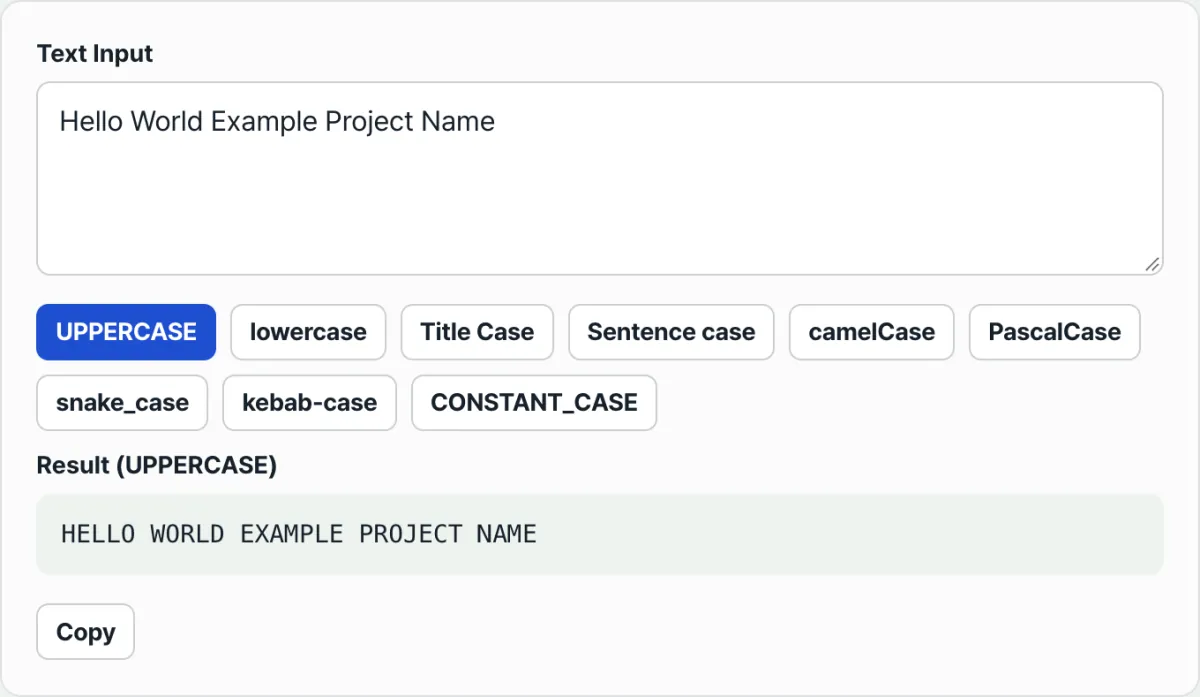
Convert your text to uppercase, lowercase, Title Case, sentence case, camelCase, PascalCase, snake_case, kebab-case, or CONSTANT_CASE right away. Free, with no install and no sign-up.
Conversion results that trip people up
Run the same input through several notations and you'll hit spots where the rules alone don't predict the outcome. These are the cases that actually catch people.
| Confusing situation | What the rule actually says |
|---|---|
| Converting getUserID to camelCase gives getUserId, so it looks like Id instead of ID | When words are joined, only the first letter of each word stays capitalized and everything else goes lowercase. A notation that uppercases whole words, like CONSTANT_CASE (GET_USER_ID), keeps the abbreviation intact. |
| html5Video becomes html5 Video, breaking right after the 5 | A capital letter right after a lowercase letter or digit counts as a word boundary. Where lowercase letters continue on both sides of a digit (e.g. user2name), it isn't treated as a boundary. |
| myVariableName doesn't break into words in Title Case | Title Case and sentence case only recognize space and symbol boundaries. The case-boundary rule applies only to the five camelCase-family notations. |
| A Hangul word with a Latin capital stuck to it (the Korean word for "name" plus "Name") isn't split | The case-boundary rule only fires between lowercase Latin letters or digits and a capital letter. Hangul isn't covered by it. |
| hello___world doesn't produce empty words even with several separators in a row | Consecutive separators are grouped and handled as a single boundary. |
Recap
- Conversions fall into two groups: ones that treat the text as a whole (UPPERCASE, lowercase, Title Case, sentence case), and ones that split it into words and rejoin them (camelCase, PascalCase, snake_case, kebab-case, CONSTANT_CASE).
- The word-splitting group cuts where a capital letter follows a lowercase Latin letter or digit, and where characters that aren't Latin letters, digits, or Hangul appear in a row.
- camelCase and PascalCase keep only the first letter of each word capitalized and lowercase the rest, so an abbreviation made of consecutive capitals loses its original form.
- Title Case and sentence case don't recognize case boundaries and only use spaces and symbols as boundaries, so camelCase text without spaces won't break into words.
- Hangul has no upper and lower case, so it stays as it is no matter which notation you pick.
Convert your text to uppercase, lowercase, Title Case, sentence case, camelCase, PascalCase, snake_case, kebab-case, or CONSTANT_CASE right away. Free, with no install and no sign-up.
How It Works Under the Hood: Regex Boundary Detection and Tokenizers
Behind what looks like a simple case conversion sit complex string handling and the boundary-detection mechanics of regular expressions. Preserving acronyms and catching the exact point where upper and lower case switch is a genuinely tricky tokenization problem, even from a computer science standpoint.
Regex Lookbehind and Lookahead
A plain regular expression can't easily cut a continuous string apart. So you combine Lookbehind and Lookahead assertions to create virtual split boundaries.
The most basic camelCase splitting pattern looks like this.
Regex: (?<=[a-z0-9])(?=[A-Z])
This pattern matches "the gap where a lowercase letter or digit comes before and an uppercase letter comes after." So myVariableName splits into my, Variable, and Name.
But back-to-back acronyms cause trouble. A word like HTTPServer won't split into HTTP and Server with that regex alone. So a second rule gets added.
Regex: (?<=[A-Z])(?=[A-Z][a-z])
This pattern matches "the gap where an uppercase letter comes before and an uppercase-plus-lowercase pair comes after," which pinpoints the boundary between HTTP and Server.
The String Tokenization Pipeline
A case converter generally runs through a four-stage pipeline.
- Normalization: Trim leading and trailing whitespace from the input, then replace runs of special characters or delimiters with a single space.
- Split into tokens: Use the regex lookaround technique described above to break the string into an array of independent words (tokens).
- Casing transformation per token: Force each token's case to match the target format. For PascalCase, make the first letter of every token uppercase and the rest lowercase.
- Join with delimiter: Reconnect the transformed tokens with the target delimiter (empty string, underscore _, or hyphen -).
The Acronym Preservation Challenge
The part converter developers struggle with most is handling acronyms like XMLHTTPRequest. When converting it to snake_case, some converters are smart enough to split it into xml_http_request, but simpler converters with imprecise regex merge it into xml_httprequest or even shatter it into single letters like x_m_l_h_t_t_p_request. You need to agree as a team on which approach is correct based on your language's coding spec and your team conventions.
Official Naming Conventions Differ by Language
Each programming language ecosystem has its own official style guide.
- Python (PEP 8): Function and variable names use
snake_case; class names usePascalCase. - Java (Google Java Style Guide): Methods and variables use
camelCase; constants useCONSTANT_CASE. - Go (Effective Go): Exported identifiers use
PascalCase(MixedCaps); unexported ones usecamelCase. - Rust (RFC 430): Variables and functions use
snake_case; types and traits usePascalCase. - TypeScript / JavaScript: Variables and functions use
camelCase; classes and interfaces usePascalCase; file names are oftenkebab-case.
Comparing the 7 Casing Conventions: Analysis Table
| Convention name | Traits and structure | Main use cases (language/ecosystem) | Typical example | Regex split/join pattern |
|---|---|---|---|---|
| camelCase | First word lowercase, each later word starts uppercase, no spaces | Java, TS/JS, C# variable and function names | myVariableName, getUserId | Split: (?<=[a-z])(?=[A-Z]), Join: no separator |
| PascalCase | Every word starts uppercase, no spaces (UpperCamelCase) | C#, TS interfaces, Java classes, Go exports | MyVariableName, GetUserId | Split: (?<=[a-z])(?=[A-Z]), Join: no separator |
| snake_case | All words lowercase, spaces replaced with underscores (_) | Python variables, DB column names, Rust functions | my_variable_name, get_user_id | Split and join on the (_) delimiter |
| kebab-case | All words lowercase, spaces replaced with hyphens (-) | URL paths, CSS properties, HTML tags, folder names | my-variable-name, get-user-id | Split and join on the (-) delimiter |
| CONSTANT_CASE | All words uppercase, spaces replaced with underscores (_) (UPPER_SNAKE_CASE) | Environment variables (.env), global constant settings | MY_VARIABLE_NAME, GET_USER_ID | Split and join on the (_) delimiter |
| Title Case | First letter of each word uppercase, spaces kept | Blog post titles, book titles, menu labels | My Variable Name, Get User Id | Capitalize the first letter of each space-separated ( ) word |
| Train-Case | All words uppercase, spaces replaced with hyphens (-) (COBOL-CASE) | LISP-derived languages, legacy mainframe systems | MY-VARIABLE-NAME, GET-USER-ID | Split and join on the (-) delimiter |
5 Critical Mistakes People Make When Converting Case
These are the five problems that show up most often when you convert naming conventions by hand or with a bad script.
Losing Acronym Boundaries with a Naive Regex: When you snake_case
getURL, a simple regex that just drops an underscore before every capital letter shatters it into meaningless single letters likeget_u_r_l. You need a careful lookaround regex or a dedicated tool.Mis-Splitting When Letters and Numbers Mix: Run
v2Apithrough one converter and you getv_2_api; run it through another and you getv2_api. Behavior is all over the place. Your team needs an explicit rule for whether a number counts as its own word or as part of the word in front of it.Regex Breaks on Non-ASCII and Korean Characters: For identifiers that mix in Unicode characters such as Hangul or emoji — for example
getUserInfospelled with Korean characters in the middle — old regex converters built only around the Latin alphabet fail to see the word boundaries. You get a nonsense result likegetuserinfo, or the converter just throws an error.Leaving Naming Conventions Fragmented Across a Large Team: Inside one project, one person writes
user_id, another writesuserId, and someone else writesuser_ID. This badly damages readability and makes global refactoring or find-and-replace throughgrepimpossible.No Case Conversion Rule at JSON Serialization: When the backend (snake_case) and the frontend (camelCase) talk to each other, the API gateway or DTO serializer in between (Jackson, GSON, class-transformer) leaves field names alone unless you turn the naming option on. The client then renders undefined values.
A 5-Step Clean Naming Workflow to Tame Legacy Code
- Set Up a Team Style Guide and Make It Enforceable (.editorconfig / ESLint):
A convention agreed on out loud means nothing. Put
.editorconfigand.eslintrc(or.prettierrc) at the project root so every teammate's IDE is forced to follow the notation automatically. - Audit Current Identifier Consistency: Run a static analysis tool (SonarQube and the like) over your baseline code. Figure out which modules break the naming rules the worst, then plan a gradual refactor.
- Set Up Automated Serialization Middleware: Turn on middleware or a decorator (PropertyNamingStrategy) globally in your framework — Spring Boot, NestJS, and so on — so the keys of incoming and outgoing JSON payloads get converted for you.
- Batch Rename with a Dedicated Case Conversion Tool: Use your IDE's Refactor - Rename, or the Case Converter: 9 Formats, One Click tool at the top of this page, to safely convert dozens of variable names at once. Doing it by hand is how typos happen.
- Run Lint Checks in Your CI Pipeline: Make a lint step mandatory in your CI/CD (GitHub Actions, for example) so any pull request containing a non-conforming identifier is automatically blocked from merging.
7 Naming and Notation Tips
- Follow the idioms of your language and framework, never your personal taste. Writing camelCase in Python or snake_case in Java creates serious cognitive load for your teammates.
- Agree explicitly on how you write consecutive acronyms. Write it into your team rules:
HTTPRequestorHttpRequest?userIDoruserId? The current trend favorsHttpRequest— treating the acronym like an ordinary word with only the first letter capitalized. - Lean on serialization decorators. With Java's
@JsonProperty("user_id"), TS's@Expose({ name: "user_id" }), or Go'sjson:"user_id"tag, you keep camelCase inside your code while mapping perfectly to snake_case in the database or API. - Always use kebab-case for URL paths and REST API endpoints.
/get-user-profile(O) beats/get_user_profile(X) and/getUserProfile(X) — it's the global standard for SEO and readability. - Reserve CONSTANT_CASE for values that are truly immutable. Declaring an ordinary variable that can change at runtime in upper snake case violates the whole point of a constant. It's an anti-pattern.
- Understand how lookaround regex works and write your own script. If this isn't a one-off conversion, register a regex replace macro in your editor using the
(?<=[a-z0-9])(?=[A-Z])pattern from earlier, and your productivity goes through the roof. - Bookmark this case converter. When you need to write a DB query or type out a DTO interface in a hurry, it'll be the best utility you have for cutting out the hand-typing.
A Notation Decision Tree for Getting It Right Every Time
"This variable name — what case is it supposed to be?" Follow this decision tree and you'll have your answer in one second.
- Is it a config file (.env), an immutable constant, or a global environment variable?
- YES ➔ CONSTANT_CASE (e.g.
MAX_RETRY_COUNT) - NO ➔ move on
- YES ➔ CONSTANT_CASE (e.g.
- Is it a web URL endpoint, a CSS class name, or a directory/file name?
- YES ➔ kebab-case (e.g.
user-profile-card) - NO ➔ move on
- YES ➔ kebab-case (e.g.
- Is it a table or column name in a relational database (RDBMS)?
- YES ➔ snake_case (e.g.
created_at) - NO ➔ move on
- YES ➔ snake_case (e.g.
- Is the language you're using Python, Rust, Ruby, or PHP (partly)?
- YES ➔ snake_case (e.g.
fetch_user_data) - NO (Java, JS, TS, C#, Go, etc.) ➔ move on
- YES ➔ snake_case (e.g.
- Is it a class, an interface, a type, or an exported name in Go?
- YES ➔ PascalCase (e.g.
UserDataResponse) - NO (ordinary variables, functions, methods, parameters) ➔ camelCase (e.g.
fetchUserData)
- YES ➔ PascalCase (e.g.
Core Technical Terminology Cheat Sheet for Power Users (Terminology)
- camelCase: Words are joined with no spaces, the first word is all lowercase, and each following word starts with a capital letter. Named after the humps on a camel's back.
- PascalCase: Every word starts with a capital letter. Also called UpperCamelCase.
- snake_case: Named for how the words stretch out like a snake; the spaces between words are replaced with underscores (Under-score, _).
- kebab-case: Words are joined with hyphens (Dash, -), like kebab meat on a skewer. Used mainly in URLs and CSS.
- CONSTANT_CASE: Every character is uppercase and words are joined with underscores (UPPER_SNAKE_CASE). Reserved for constants and environment variables.
- Regex lookaround: A powerful search feature in regular expressions that checks a condition without including it in the result. It comes in two forms: lookahead (?=...) and lookbehind (?<=...).
- DTO serialization: The process of converting in-memory object data (a DTO) into a format such as JSON for network transfer or database storage. This is where case conversion happens constantly.
Frequently Asked Questions
Q1. What's the safest way to convert identifiers with consecutive uppercase acronyms, like IOStream?
Consecutive uppercase acronyms are the weakest spot in traditional camelCase converters. When you camel-case IOStream, some systems produce iOStream and others produce ioStream. The safest, most modern approach is to treat the acronym as a single word and declare it as IoStream (Pascal case) or ioStream (camel case). That way, when it's later converted automatically to snake_case, it splits cleanly into io_stream, which maximizes interoperability.
Q2. When an identifier contains numbers, what rules decide where the words split?
Number handling differs subtly from tool to tool and framework to framework. In general, digits have the same status as lowercase Latin letters. So user2Name splits into user2 / Name, giving user2_name. But some strict lint rules treat a digit as its own word when it sits between letters (for example, v2Api), cutting it into v_2_api. To cut down on unpredictability, don't put numbers in the middle of identifiers in the first place — putting them at the end is the strongly recommended move.
Q3. How do case converters handle Hangul or CJK (Chinese, Japanese, Korean) characters?
Hangul has no concept of uppercase and lowercase, so it isn't a target for conversion and stays exactly as written. The real issue is word boundaries. Modern regex-based converters with full Unicode support (much like Case Converter: 9 Formats, One Click on this page) recognize the boundary between Latin letters and Hangul the same way they recognize one between two Latin letters. But older scripts that rely only on outdated regex patterns treat Hangul like whitespace or a special character, which can damage your variable names. When you use Hangul variable names, always use a Unicode (UTF-8) friendly conversion tool.
This article was adapted from our Korean original. Read the Korean original