
How to Find and Merge Duplicate CSS Selectors
Contents
Why duplicate selectors happen
The most common case is merging CSS files that several people worked on separately. Each person creates their own .btn selector in their own file, and when the build concatenates those files, the same selector stays in the bundle several times.
The same thing happens in projects that have been maintained for a long time. When people keep adding new rules at the bottom of the file instead of deleting old ones, a frequently used selector like .card or .header ends up scattered with different properties at the top, middle, and bottom of the file.
The problem here isn't that the code breaks. It's that looking at the code alone, you can't tell right away which declaration actually applies. To figure out which of the three .btn declarations is the final style, you have to read the whole file in order.
How to check by hand without a tool
According to the CSS cascade, when selectors have the same specificity, the declaration that comes later in the source code wins. Writing the exact same selector more than once is exactly that situation, so if the same property is declared twice, the value written further down the file is the one that applies.
There are three ways to spot duplicate selectors across a file by eye.
1. Find them with a text command
If your CSS is simple, with one selector per line, you can check from the terminal like this.
grep -oE '^[^{}]+\{' style.css | sed 's/[{ ]*$//' | sort | uniq -dThis command pulls the selector part from lines ending in {, sorts them, and shows only the selectors that appear two or more times. It won't work as-is on minified CSS with several selectors on one line, or on Sass or Less nesting syntax, so you need to expand the file into a readable form first.
2. Find them with browser developer tools
When you Inspect an element, the Styles panel lists every rule that applies to it in order, and any property overwritten by a later rule shows up with a strikethrough. The catch is that this only covers the one element you're inspecting right now, so it isn't a way to scan the entire file.
3. Catch them continuously with a linter
Stylelint, an open-source tool for checking stylesheet code quality, includes a rule that detects duplicate selectors (no-duplicate-selectors). If you set up a linter in your project, you can manage duplicates by getting a warning every time a new one appears.
Check it with our free tool.
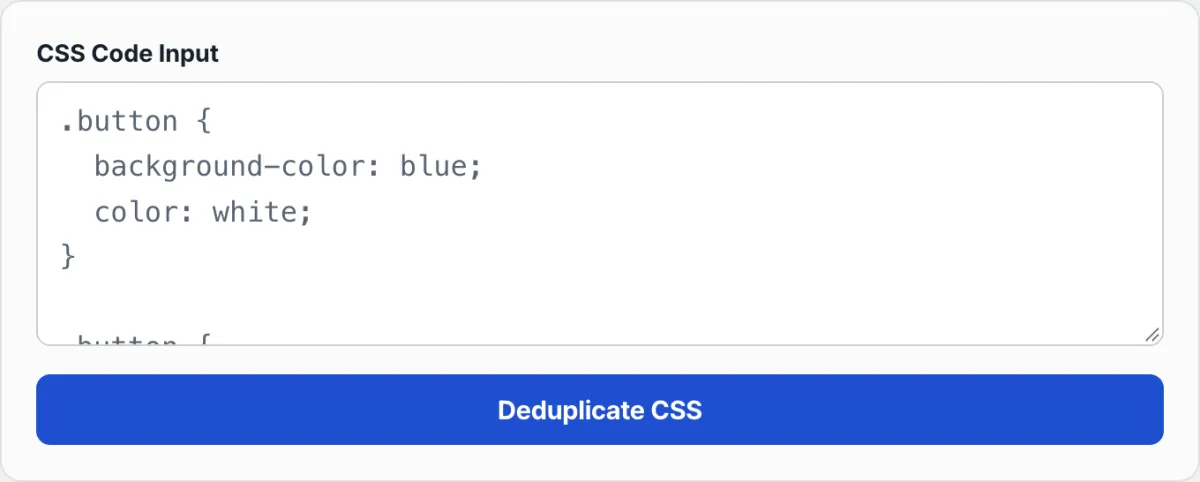
Paste your CSS and it finds duplicate selectors and merges them into one rule. No install or signup required.
Commonly confused cases
A few concepts often get mixed up with merging duplicate selectors. The table below sorts them out.
Situation
What overlaps
Final value
The exact same selector declared twice
The selector string itself
For the same property, the value declared later
Different selectors with the same specificity that apply to the same element
Different selectors with equal specificity
The later rule in source order
Selectors with different specificity (e.g. class selector vs id selector)
Selectors with different specificity
The rule with higher specificity (regardless of order)
One more thing to separate out: merging only matters when the same property conflicts. Different properties simply combine into one declaration block with no conflict. For example, if .btn had color declared once and padding declared once, both properties survive, and values only change when the same property is declared multiple times with different values.
This is also not the same as removing unused CSS. Deciding whether a selector is actually used in your HTML and stripping dead code takes separate analysis. Merging duplicate selectors only asks one question: "does the same selector appear more than once?"
Summary
- When the exact same selector is declared multiple times, for matching properties, the value that appears later in the source code is the one that applies.
- You can find duplicate declarations by hand with a grep, sort, and uniq combo, or by looking for strikethroughs in browser developer tools.
- Setting a linter rule like Stylelint's
no-duplicate-selectorslets you keep catching new duplicates as they appear. - Different properties combine as-is with no conflict, and values only change when the same property is declared more than once.
- Merging duplicate selectors is separate from removing unused CSS.
Paste your CSS and it finds duplicate selectors and merges them into one rule. No install or signup required.
Frequently asked questions
When duplicate selectors exist, which value actually applies?
Under the CSS cascade, among selectors with the same specificity, the declaration that comes later in the source code applies. When you use the exact same selector more than once, the specificity is identical, so if the same property is declared twice, the value written further down the file is the final one.
What happens with different properties?
They don't conflict. If they were declared as separate properties (keys) like color and padding, both properties stay in one declaration block after merging. Values only change when the same property is declared multiple times with different values.
Can I find duplicates in a large CSS file without a tool?
Yes. If the file is simple, with one selector per line, a command like grep -oE '^[^{}]+\{' filename | sed 's/[{ ]*$//' | sort | uniq -d pulls out selectors that appear more than once. It won't work as-is on minified CSS or nested syntax, so you have to expand the file first.
Does it also remove unused CSS (dead code)?
No. This work is limited to deduplication — combining identical selectors that are declared multiple times into one. Deciding whether a selector is actually used in your HTML or JS and deleting unused rules entirely is a separate area of analysis.
This article was adapted from our Korean original. Read the Korean original