
CSS Minify: What Gets Removed and What Stays
Contents
- Why CSS file size matters
- How to verify the minification logic by hand
- Easy-to-miss cases when minifying
- Summary
- Core technical mechanics: CSS minification and the byte-reduction formula
- CSS optimization level comparison matrix
- 5 Critical Mistakes Frontend Developers Should Avoid
- A 5-Step Automated CSS Optimization Pipeline for Maximum Performance
- 7 CSS Optimization Tips
- Tech Stack Decision Tree
- Terminology Cheatsheet
- Frequently Asked Questions
CSS minification strips comments and unnecessary whitespace and line breaks to shrink file size without changing what the code means. If you want to cut load times by cutting CSS file size, the question you probably care about most is exactly what disappears during minification and what survives. This post covers that logic, plus how the reduction percentage (%) shown on screen is calculated — using only verifiable facts.
Summary ① Comments and unnecessary whitespace and line breaks are removed, but whitespace inside strings and whitespace around
calc()operators is preserved exactly as written. ② Pseudo-classes like:hoverand nested rules like@mediaand@keyframesare recognized as separate structural pieces of selectors and properties, so minification won't break them. ③ The reduction percentage (%) on screen is calculated and displayed as (1 - minified bytes / original bytes) × 100.
Why CSS file size matters
The longer a site has been running, the more CSS files pile up with comments explaining each rule and indentation and line breaks added for readability. That format is convenient for a developer reading and editing the code, but the browser doesn't need any of that whitespace or those comments to apply styles.
Every time a visitor opens the page, those comments and spaces travel along inside the CSS file. The more unnecessary characters a file holds, the more bytes have to be downloaded, and the longer CSS takes to load.
The trouble starts when you try to trim it by hand. It sounds like you could just delete all the whitespace, but in reality CSS syntax mixes whitespace you can remove with whitespace you can't.
How to verify the minification logic by hand
What CSS minification actually does splits into two categories. One is the stuff you can always delete, and the other is the stuff that breaks syntax or meaning if you delete it. Go through it in order and you can reproduce the same result by hand.
The four things you can safely delete
1. Remove comments. Anything wrapped in /* ... */ is descriptive text the browser never interprets, so deleting it entirely has no effect on styles.
2. Remove line breaks and indentation between rules. Line breaks, tabs, and runs of spaces before and after curly braces { } and after semicolons ; can be collapsed to a single character, and the browser reads the same result.
3. Remove the semicolon after the last declaration in a block. Semicolons separate one declaration from the next, so if a closing curly brace comes right after with no declaration in between, leaving it out causes no syntax problem.
4. Leave these three things alone. Whitespace inside string literals (quoted values like content:" "), whitespace around calc() operators, and the whitespace inside selectors that changes meaning.
Why some whitespace has to stay
Whitespace inside calc() is part of the syntax, not decoration. If you strip the spaces around the - in calc(100% - 80px), you get calc(100%-80px), which is read as something other than a subtraction operator, and the browser may throw out the whole value. That's why whitespace inside calc() has to be excluded from minification.
Whitespace inside selectors matters in the same way. .a .b is a descendant combinator pointing to a .b element inside an .a element, while .a.b points to a single element that has both classes. Those are completely different selectors, so wiping out whitespace inside a selector changes which elements get the style.
The same reasoning explains why pseudo-classes like :hover and nested rules like @media and @keyframes don't break during minification. The tool isn't scanning character by character and deleting spaces — it structurally separates selectors from properties and values, then applies the right rules to each part. That way the colon before :hover or the spaces inside an @media condition never get touched by accident.
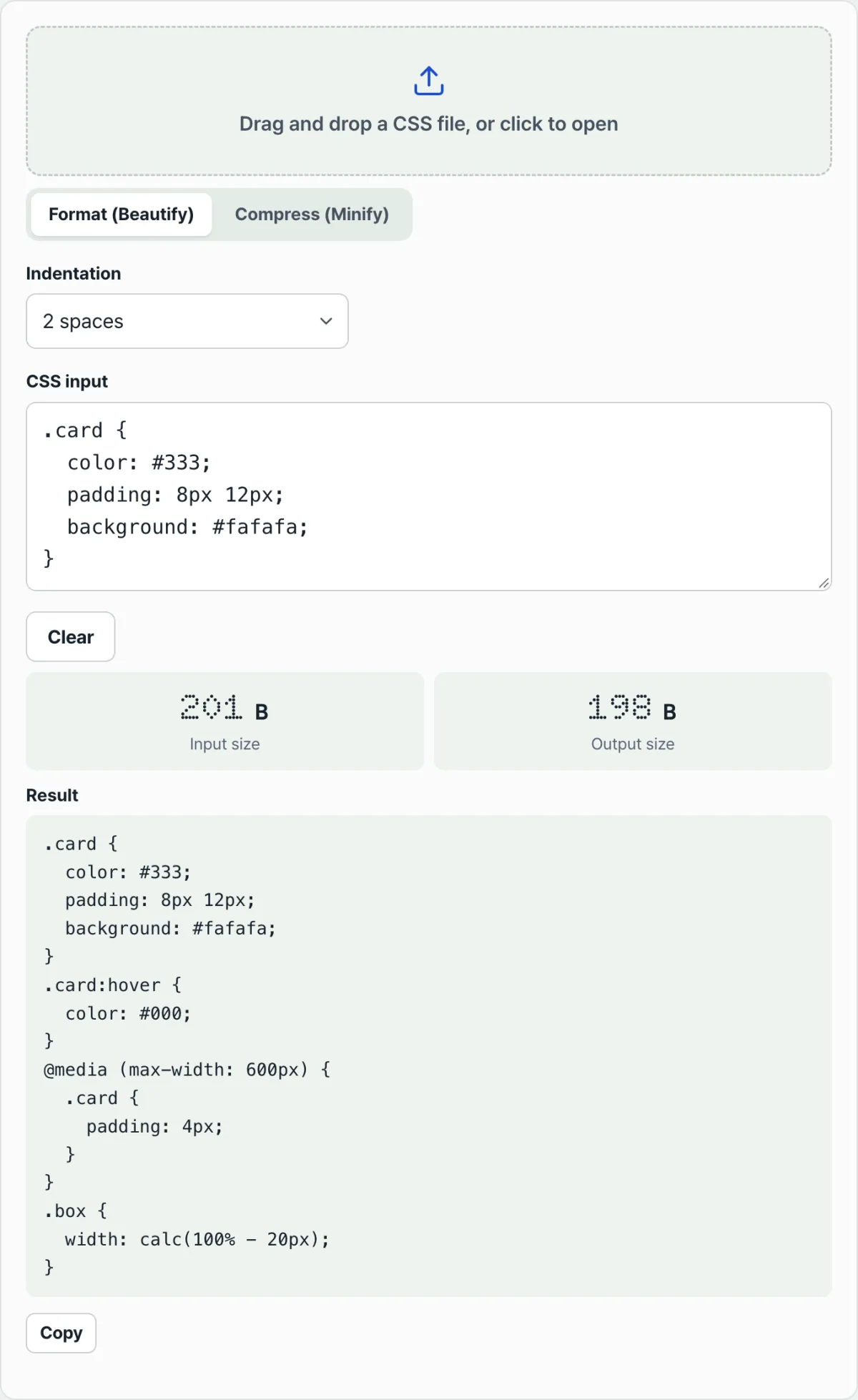
Checking all of this by hand across an entire CSS file takes a long time, and it's easy to miss one of those exceptions. Check it with our free tool, CSS Minifier & Beautifier.
Minify and beautify right in your browser. The CSS you enter is never sent to a server.
Easy-to-miss cases when minifying
Here are the points people often get confused about when looking at minified output.
| Item | What Minify does |
|---|---|
Comments /* */ | Removed |
| Line breaks and indentation between rules | Removed |
| Semicolon after the last declaration in a block | Removed |
Whitespace inside string literals (content:" ") | Preserved |
Whitespace around calc() operators | Preserved |
Descendant combinator whitespace in selectors (.a .b) | Preserved |
Pseudo-classes such as :hover | Structure kept intact, not broken |
Nested @media/@keyframes | Structure kept intact, not broken |
Beautify mode runs in the opposite direction from minification. It adds indentation and line breaks to spread each rule out for easy reading, so the output file actually gets larger than the original. That's why the reduction percentage (%) only appears in minify mode.
Input and output sizes are measured as the byte size of the data holding the text as-is. The more Korean comments a CSS file contains, the more those multi-byte characters add up, so deleting the same number of characters can cut more bytes.
Summary
- Minification leaves the meaning of CSS unchanged and removes only comments, unnecessary whitespace and line breaks, and the semicolon after the last declaration in a block.
- Whitespace inside strings, whitespace around calc() operators, and descendant combinator whitespace in selectors stays put.
- Structures like :hover, @media, and @keyframes survive because selectors, properties, and values are parsed structurally.
- The reduction percentage (%) is calculated as (1 - minified bytes / original bytes) × 100, and it only shows in minify mode.
- Beautify is the opposite of minify: it adds indentation to make the code easier to read.
Minify and beautify right in your browser. The CSS you enter is never sent to a server.
Core technical mechanics: CSS minification and the byte-reduction formula
1. The byte-reduction formula
The reduction figure shown in a minifier or a build pipeline is calculated with this formula:
2. AST parsing vs. plain regex substitution
- Lexical Tokenizer: reads the original text and splits it into tokens.
- Parser: builds an AST node tree from those tokens.
- Code Generator: walks the finished tree and precisely trims only the unnecessary whitespace.
3. Safe whitespace vs. whitespace you can't touch
- Whitespace that's safe to remove: spaces around curly braces, colons, semicolons, and combinators (>, +, ~).
- Whitespace you must preserve:
- Spaces around the addition (+) and subtraction (-) operators inside calc()
- Whitespace inside string literals
- Whitespace acting as a descendant combinator
4. Strong synergy with HTTP transfer compression (Gzip / Brotli)
Minification alone shrinks the file, but the real performance gains show up dramatically when it's combined with transfer compression like Gzip or Brotli. Once minification removes the noise, the Brotli algorithm can find repeated patterns in valid code more easily and generate much longer match references.
CSS optimization level comparison matrix
| Optimization technique | Byte reduction | Render-blocking delay | Processing safety | Build-step overhead | Target production role |
|---|---|---|---|---|---|
| Raw Unminified | 0% | Very high | 100% | None | Local development |
| Basic Regex | 15%–30% | High | Very unsafe | Very low | Never use |
| AST-Optimized | 40%–60% | Moderate | Very high | Moderate | Deploy pipeline default |
| Dead Code Purging | 60%–80%+ | Low | Medium | High | Utility frameworks |
| AST + HTTP Brotli | 85%–95%+ | Very low | Very high | Slightly high | Final enterprise production |
5 Critical Mistakes Frontend Developers Should Avoid
- Reckless regex-based text replacement: Stripping spaces around calc() operators or destroying the whitespace of a descendant combinator can break your site.
- Confusing minification with tree-shaking (PurgeCSS): PurgeCSS deletes unused code, while minification preserves meaning and only removes whitespace.
- Skipping source map generation: Once you compress your code into a single line, debugging in the browser becomes practically impossible.
- Re-minifying vendor bundles that are already minified: This wastes build time exponentially for no gain.
- Not enabling Gzip/Brotli on your CDN: Without a network-level compression algorithm, you'll never see a dramatic drop in text file size.
A 5-Step Automated CSS Optimization Pipeline for Maximum Performance
- Step 1 (Audit and analysis): Measure file size and the percentage of unused bytes in the DevTools Network tab.
- Step 2 (Integrate an AST-based minifier): Add an AST-based tool such as cssnano or esbuild to your build script.
- Step 3 (Enforce strict syntax preservation settings): Enable safe mode so optimization options like calc operators don't damage your design.
- Step 4 (Enable compression on your CDN and edge servers): Turn on top-level Brotli (br) compression in your Nginx or CDN cache rules.
- Step 5 (Monitor Web Vitals): After deployment, track whether FCP and TBT improve.
7 CSS Optimization Tips
- Choose an AST-based optimization tool: Drop text replacement and use esbuild or cssnano.
- Shorten hex color codes to three digits: #ffffff becomes #fff.
- Remove leading zeros and unnecessary units: Write 0.5em as .5em and 0px as 0.
- Delete the trailing semicolon right before a closing brace: The last ; isn't required, so remove it.
- Keep production source maps in private storage: Get security and performance at the same time.
- Tune Brotli aggressively at the CDN edge: Take advantage of its better compression ratio than Gzip.
- Verify your savings regularly with a web benchmark compression tool: Know your compression limits before you build.
Tech Stack Decision Tree
- Single-page static site (landing page): An online minifier tool or a lightweight CLI. Compress once, then deploy.
- Modern SPA built on Webpack/Vite: cssnano or esbuild natively. Component-level merging and automation are a must.
- Multi-CMS with dark/light themes: Tailwind CSS (Purge) + lightningcss + CDN Edge Brotli. Dead code removal has to come first.
Terminology Cheatsheet
- CSS minification: Removing unnecessary whitespace and comments to minimize byte size without changing syntax or visual behavior.
- Size reduction rate: The percentage of size reduced before and after compression. (1 - min/orig)*100.
- AST (Abstract Syntax Tree): A hierarchical model of code in a tree structure that a computer can understand.
- calc() preservation rule: The rule that spaces before and after operators inside a calc function must be kept.
- Descendant combinator: A parent-child selector syntax expressed with a single space.
- cssnano / lightningcss: Widely used, high-performance AST-based CSS optimization tools.
- Brotli / Gzip compression: Algorithms that compress and transmit text payloads.
- Source map: A debugging file that maps minified production code one-to-one back to the original code.
Frequently Asked Questions
Q1. Why should you never remove the spaces around operators inside calc()?
A1. Because of the parser's token separation rules. If the spaces around a plus or minus sign are removed, the browser misreads it as a single negative value and ignores the property entirely. That whitespace is a special case an AST-based minifier has to preserve.
Q2. Is minification redundant with server Gzip/Brotli? Do I need both?
A2. You need both, and they work extremely well together. Minification strips out noise and normalizes the data, and Gzip/Brotli then finds repeating patterns in that normalized text and raises the compression ratio dramatically.
Q3. What's the difference between CSS minification and PurgeCSS?
A3. It comes down to safety and targeting. Minification preserves meaning, including class names, and only removes comments and whitespace, while PurgeCSS deletes unused code entirely. PurgeCSS delivers big wins, but it carries the risk of accidentally deleting dynamically generated classes.
This article was adapted from our Korean original. Read the Korean original