
JSON Auto-Fix and Parse Errors: How to Read and Fix Them
Contents
This post is for anyone who added a comment to a JSON file to explain something, or forgot to delete a comma after the last item, and ran into an "Unexpected token" error. Standard JSON syntax never defined comments, trailing commas, or unquoted keys in the first place, so the error is correct — not a random bug. Here's how to read the error message, and what an auto-fix feature actually does under the hood, sticking to the facts.
Summary ① Standard JSON syntax doesn't define comments, trailing commas, or unquoted keys, so JSON.parse throws an error right away. ② The
positionin an error message is the character offset counted from the start of the text, andlineis the number of newlines up to that point. ③ Auto-Fix takes the text with comments removed, evaluates it with new Function as if it were a loose JS object literal, and if that succeeds, re-serializes it as standard JSON.
Why this error happens: one common situation
Here's a situation you've probably run into. settings.json and tsconfig.json in VS Code use JSONC, an extended format that allows comments. If you copy part of one of those files and paste it into another program's config value or an API request body, that program's JSON.parse sees the comment syntax as a token the standard doesn't have and stops right there.
Another common case comes from deleting an item from an array or object. If the item that's now second-to-last still has its comma, there's no value after that comma, so parsing fails. Both cases look natural to a human eye, but neither structure exists in JSON syntax.
How to read and fix the error yourself, without a tool
You can check this directly in the browser console (F12). Wrap the problem text in backticks and run JSON.parse(\...`), and a V8-based engine like Chrome or Edge throws a SyntaxError with a position` number in the message. Recent V8 versions also give you the line and column, like "(line 3 column 5)".
position counts from the very start of the text as 0, so it's which character number that spot is. line is assigned by counting how many newlines appear up to that position. If the message has no line, you can pin down the line yourself by counting newlines from the front using only position.
Once you've found the spot, look just before and after it and check whether it's one of these three things. All three are structures standard JSON doesn't have, which is why the engine stopped there.
- Whether a comment starting with
//or/* */is mixed in - Whether there's an unnecessary comma left after the last item of an object or array
- Whether a key is written bare, without quotes
Delete those three by hand, or wrap the keys in quotes, and you have standard JSON. On deeply nested files or files with many entries, though, you may have to repeat this several times.
Check it with our free tool.
Runs 100% client-side in your browser. The JSON you enter is never sent to a server.
What the Auto-Fix button does internally
The Auto-Fix button is the manual work above turned into code. First, it strips // line comments and /* */ block comments from the text with a regular expression.
Then it evaluates the remaining text with new Function. new Function runs a string as JavaScript code, so it accepts JavaScript object literal syntax as-is, which is far looser than JSON.parse. Unquoted keys (as long as they're valid identifiers), single-quoted strings, and a trailing comma after the last item are all structures ECMAScript syntax already allows, so the JavaScript engine reads them without error.
If the evaluation succeeds, it re-serializes the resulting JavaScript object with JSON.stringify. In that process, keys that had no quotes get double quotes, and the trailing comma never exists in the output in the first place, so the input and output panes both show standard JSON.
For this to work, though, the remaining text has to be valid JavaScript syntax. Errors that even JavaScript syntax can't interpret — mismatched brackets, or a value missing entirely — aren't recoverable with Auto-Fix either.
What the stats panel counts
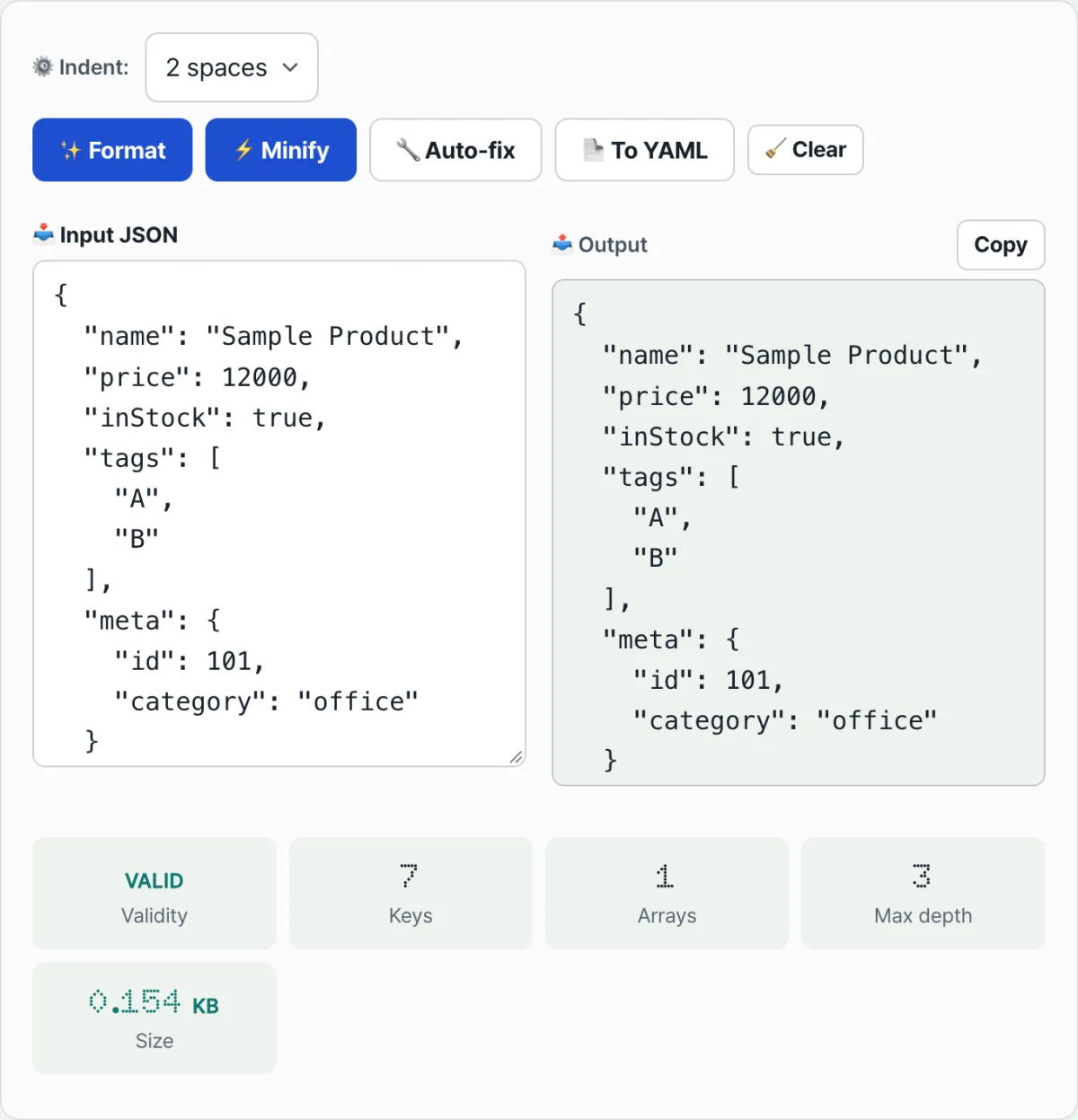
As soon as there's text in the input, the stats panel updates on its own, with no button to press. It tries JSON.parse and shows VALID on success, INVALID on failure.
The Key count isn't just the top-level object. It walks every object in the nested structure and adds up all their properties. The Array count doesn't just count the top-level array either — it's the total of every value that shows up as an array anywhere in the structure.
Depth is the maximum number of levels that objects and arrays are nested. If there's an object inside an array and another array inside that object, the depth goes up accordingly.
Byte size is not the string length (.length); it's the actual byte count measured by creating a Blob object. Turning a string into a Blob encodes it as UTF-8, so the more multi-byte characters you have — Korean text, for example — the larger the byte size gets compared to the character count.
Common points of confusion
The "isn't this JSON?" confusion usually comes from mixing up the three formats below.
| Format | Comments | Trailing comma | Unquoted keys | Passes JSON.parse |
|---|---|---|---|---|
| Standard JSON | No | No | No | Yes (native format) |
| JavaScript object literal | Yes | Yes | Yes (if a valid identifier) | No |
| JSON5 | Yes | Yes | Yes | No (needs a separate parser) |
The shape you see when you console.log an object in the JavaScript console, or text with comments mixed in like a VS Code settings file, looks like JSON to a human, but by standard JSON.parse rules all of it is an error. Auto-Fix works on them because most of that text falls in the "JavaScript object literal" column.
There's one more confusing point. If a JavaScript object has undefined or a function as a value, JSON.stringify drops that property from the result entirely (inside an array, it becomes null). If an item that was originally there seems to have vanished from JSON you recovered with Auto-Fix, this rule may be why.
Wrap-up
- Standard JSON doesn't define comments, trailing commas, or unquoted keys, so if any of the three are present, JSON.parse throws an error.
- The
positionin an error message is the character offset from the start, andlineis the number of newlines up to that position. - Auto-Fix removes comments, evaluates the text as loose JavaScript syntax with new Function, and on success re-serializes it as standard JSON.
- The Key and Array counts in the stats panel sum the entire nested structure, and byte size is the Blob byte count, not the character count.
- Errors that JavaScript syntax can't read either, like mismatched brackets, aren't recoverable with Auto-Fix.
Runs 100% client-side in your browser. The JSON you enter is never sent to a server.
Frequently asked questions
What kinds of errors does Auto-Fix fix?
It detects line and block comments (//, /* */) that violate the standard JSON spec, keys written without quotes, and a trailing comma left at the end, using the JavaScript engine's loose syntax parsing, and rebuilds them into standard JSON.
Is the JSON I enter sent to a server?
No. This tool runs entirely in your browser, so the data you enter isn't collected by a server over the network.
How are the position and line in the error message calculated?
The tool doesn't recalculate them. They're numbers pulled with a regular expression out of the error message string that the browser's JavaScript engine produces when JSON.parse fails. position is the character offset from the start of the text, and line is the line number up to that position.
Are there cases where Auto-Fix doesn't fix it?
Yes. Auto-Fix evaluates the text with comments removed as JavaScript syntax, so if the remaining text can't be interpreted as JavaScript either (mismatched brackets, a missing value, and so on), it fails.
This article was adapted from our Korean original. Read the Korean original