
JSON Key Sorting: What It Actually Changes
Contents
Sorting JSON keys only changes the order of an object's properties—alphabetically or in reverse. It doesn't touch the order of elements in an array or the data values themselves. It's for you if you want to compare two JSON files or API responses saved at different times side by side, or if you need to clean up a messy config file. You need to know exactly what each option sorts and how deep it goes to get the result you want.
Summary ① Sorting changes only the order of an object's keys. The order of array elements and all values stay exactly the same. ② You need to turn on "Sort recursively" to sort keys in nested objects and in objects inside arrays. With it off, only the outermost keys are sorted. ③ If the JSON syntax is invalid, you won't get a sorted result. You'll only see the error message the browser displays, exactly as it is.
Why This Happens
API responses and config files tend to come out with different key orders each time they're generated. Depending on the order your code adds properties to an object or the order a library exports values, two JSON files with the same information can list their keys in a different order every time.
If you compare yesterday's JSON with today's JSON in a diff or by eye, the values may be identical but the lines sit in different places. That makes real differences hard to find. Once you line up the keys under the same rule (alphabetical order), that noise goes away. Only the values that actually changed stand out.
But sorting doesn't "organize the content." It only changes the order in which keys are listed. You need to understand that boundary so you don't misread the result.
How to Sort Keys by Hand Without a Tool
You can sort JSON keys without a browser or separate tool, from a terminal or with a few lines of code. Here are two common ways.
- Using jq: The command-line JSON tool jq has a
-S(sort) option. Runningjq -S '.' data.jsonprints a result with object keys at every level sorted alphabetically. - Using Python: Running
python3 -c "import json;print(json.dumps(json.load(open('data.json')),sort_keys=True,indent=2))"gives you the same thing: keys at every level sorted.
Neither method lets you choose between "sort the top level only" and "sort everything recursively." They always sort every level. Both methods also leave the order of the arrays themselves alone. jq and Python both treat arrays as ordered lists, so they never re-sort them.
Checking for Syntax Errors First
To check whether the syntax is valid ahead of time, run python3 -m json.tool data.json. If the JSON is invalid, you get an error telling you which line and column the problem is in. If it's valid, the formatted result prints as is.
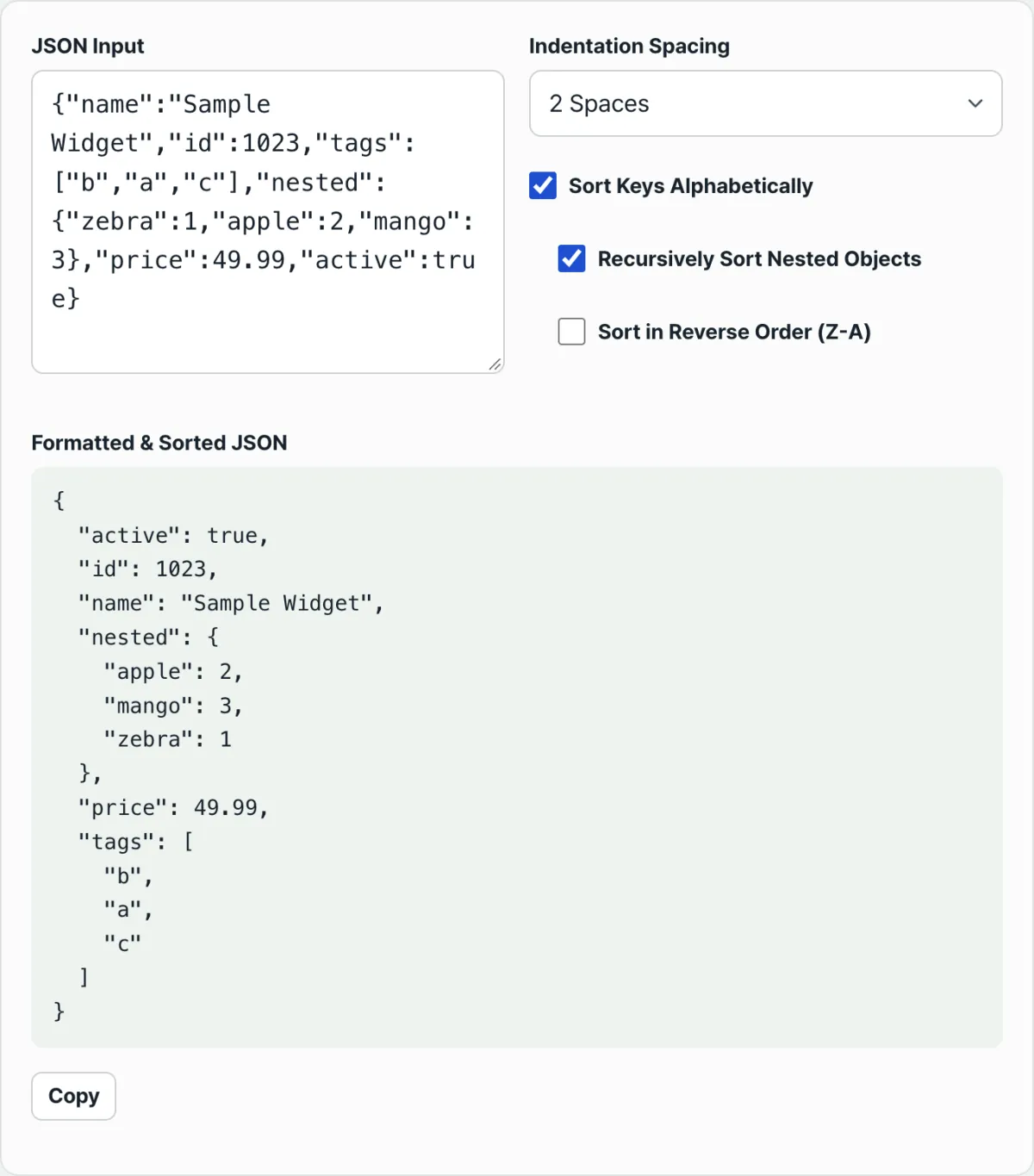
Instead of typing a command every time, you can check the same thing by pasting your JSON into the browser. Check it with our free tool, JSON Formatter & Key Sorter.
Sorts and formats the JSON you paste, right in your browser. Your data is never sent to a server.
Before and After: A Real Example
Let's compare before and after using the following JSON.
{
  "name": "무선 이어폰",
  "price": 89000,
  "stock": { "seoul": 12, "busan": 5, "daegu": 20 },
  "reviews": [
    { "rating": 5, "comment": "좋아요" },
    { "rating": 3, "comment": "보통이에요" }
  ]
}
With Recursive Sorting Off: Only the Outer Keys Are Sorted
With only "Sort keys alphabetically" turned on and the recursive option off, the result looks like this.
{
  "name": "무선 이어폰",
  "price": 89000,
  "reviews": [
    { "rating": 5, "comment": "좋아요" },
    { "rating": 3, "comment": "보통이에요" }
  ],
  "stock": { "seoul": 12, "busan": 5, "daegu": 20 }
}
Only the outermost keys (name, price, reviews, stock) were reordered alphabetically. The two reviews in the reviews array stay in the same order. So do rating and comment inside each review object, and seoul, busan, and daegu inside stock.
With Recursive Sorting On: Inner Objects and Objects Inside Arrays Are Sorted Too
Turn on "Sort recursively" with the same settings, and the result changes.
{
  "name": "무선 이어폰",
  "price": 89000,
  "reviews": [
    { "comment": "좋아요", "rating": 5 },
    { "comment": "보통이에요", "rating": 3 }
  ],
  "stock": { "busan": 5, "daegu": 20, "seoul": 12 }
}
The keys in the stock object are now sorted as busan, daegu, seoul. The keys in each review object inside the reviews array are sorted as comment, rating. But the order of the two reviews in the reviews array itself is still unchanged. The review with a rating of 5 is still first. The recursive option affects only the order of an object's keys. It does not touch the order of the elements an array holds.
Indentation Only Changes How It Looks
The indentation choice (2 spaces/4 spaces/tab) has no effect on the sorted result or the values. It only changes the width of the whitespace between line breaks. If you output the same sorted result with 2 spaces and 4 spaces, you get this.
{
  "a": 1,
  "b": 2
}
{
"a": 1,
"b": 2
}If you choose tabs, the JSON is indented with tab characters instead of spaces. How wide a tab looks on screen can vary with the tab width setting in your code editor.
The Error You See When the Syntax Is Wrong
If even one part of the JSON syntax is wrong, no sorted result appears at all. You only see an error message saying parsing failed. For example, if you enter {"a":1 with the closing brace missing, the browser throws an error like "Unexpected end of JSON input," meaning the input ended early.
Parsing also fails if there's an extra comma left after the last item, as in {"a":1,"b":2,}, or if a key is written without quotes, as in {a:1}. In that case, the error includes position information showing where the problem occurs, but the exact wording and position format vary slightly by browser (JavaScript engine) and version.
One thing is consistent: the tool doesn't make up its own error text. It shows the error the JavaScript engine actually threw, exactly as it is. Check the position in the error message, then look at the commas, quotes, and brackets at that point.
Common Misconceptions and Mistakes
Here are misconceptions people often have when they first use sorting.
| Misconception | What Actually Happens |
|---|---|
| Sorting changes array order too | The order of array elements always stays the same, no matter what sorting options you use |
| Turning on the sort checkbox sorts all nested objects too | You need to turn on "Sort recursively" separately to sort inner objects |
| Sorting rearranges values too | Only the order of the keys changes. Values stay exactly as they were |
| It fixes small syntax mistakes for you | If the syntax is wrong, parsing fails and no result appears at all |
| Reverse sorting restores the original (input) order | Reverse means reverse alphabetical order, Z to A, not the order you originally entered |
Key Takeaways
- Sorting changes only the order of an object's keys, alphabetically or in reverse. The order of array elements and all values stay exactly the same.
- With "Sort recursively" off, only the outermost keys are sorted. With it on, keys in nested objects and in objects inside arrays are sorted too.
- Indentation (2 spaces/4 spaces/tab) is just formatting that makes the JSON easier to read. It doesn't affect the sorted result or the values.
- If the JSON syntax is wrong, you see the actual error message thrown by the JavaScript engine instead of a result.
- You can do the same job by hand with jq -S or Python's sort_keys=True, but they always sort everything recursively. You can't choose "top level only."
Sorts and formats the JSON you paste, right in your browser. Your data is never sent to a server.
Frequently Asked Questions
Does sorting change the values in my original data?
No. The only thing that changes is the order in which keys are listed inside an object. Values themselves — strings, numbers, booleans, and so on — stay exactly the same. The JSON spec (RFC 8259) also states that the order of an object's members is not meaningful information, so sorting only reorders things for human readability; it doesn't change what the data means.
Do numeric keys sort as 1, 2, 10?
No. Sorting compares keys as strings, so keys that look like numbers, such as "10" and "2", are compared character by character. Since the first character '1' comes before '2', "10" ends up before "2" — a lexicographic (string) sort.
How do I reorder the objects inside an array?
You can't do that with this feature. The sort option only changes the order of an object's keys; it doesn't touch the order of the elements an array holds, even with the recursive option turned on. Reordering the elements themselves takes a separate sorting step.
Is the JSON I enter sent to a server?
No. Parsing, sorting, and formatting all happen inside your browser. Nothing is sent to a server.
This article was adapted from our Korean original. Read the Korean original