
JSONPath Syntax: What $, ., [0], [*], and .. Select
Contents
Checking whether a JSONPath expression points at exactly the value you want is hard to do by eye. Symbols like $, ., [ ], [*], and .. follow fixed rules.
Once you know those rules, you can trace which value any path picks by hand. This article uses one example JSON to walk through what each symbol actually selects.
Summary ①
$refers to the whole JSON document, and.propertyor['property']refers to one specific key in an object. ②[index]selects the nth value in an array (negative counts from the end), and[*]or.*selects every value at that position. ③..searches recursively at every depth, and the result is always an array no matter how many matches there are.
The problem: pulling just the value you want out of an API response
When you work with JSON data, you run into path expressions like $.data.items[0].name in docs and sample code all the time. The whole point of JSONPath is that one expression can point straight at a single value buried somewhere in a nested JSON structure.
The catch is whether that path works the same way on your JSON. If the key names differ or the array order is different, a path that looks almost the same will point at a completely different value — or find nothing at all.
Does the bracket hold a number or a *? What changes when you put * after a .? How deep does .. actually go? One symbol changes the result, and that difference is hard to predict just by looking.
How to work it out by hand with just the symbol rules
Every JSONPath implementation supports a slightly different slice of the grammar. The five rules below, applied literally to the example JSON, are within the range where you can reproduce the result by hand.
{
  "store": {
    "book": [
      { "title": "가난한 찰리의 연감", "price": 22000 },
      { "title": "현명한 투자자", "price": 18500 }
    ],
    "bicycle": { "color": "red", "price": 129000 }
  }
}
There are five rules.
$— refers to the whole document. If the path is just$, the result is a single array holding the entire JSON..propertyor['property']— selects one key with that name from an object.$.store.bicycle.colorpoints at the single string "red".[index]— selects the one value at that position in an array (starting from 0). Negative numbers count from the end of the array.$.store.book[0]is the first book and$.store.book[-1]is the last book.[*]or.*— selects every value at that position.$.store.book[*]selects both book objects that are elements of the book array...— finds the name that follows at every depth in the document.$..pricefinds the two price values inside book plus the price in bicycle — three in total.
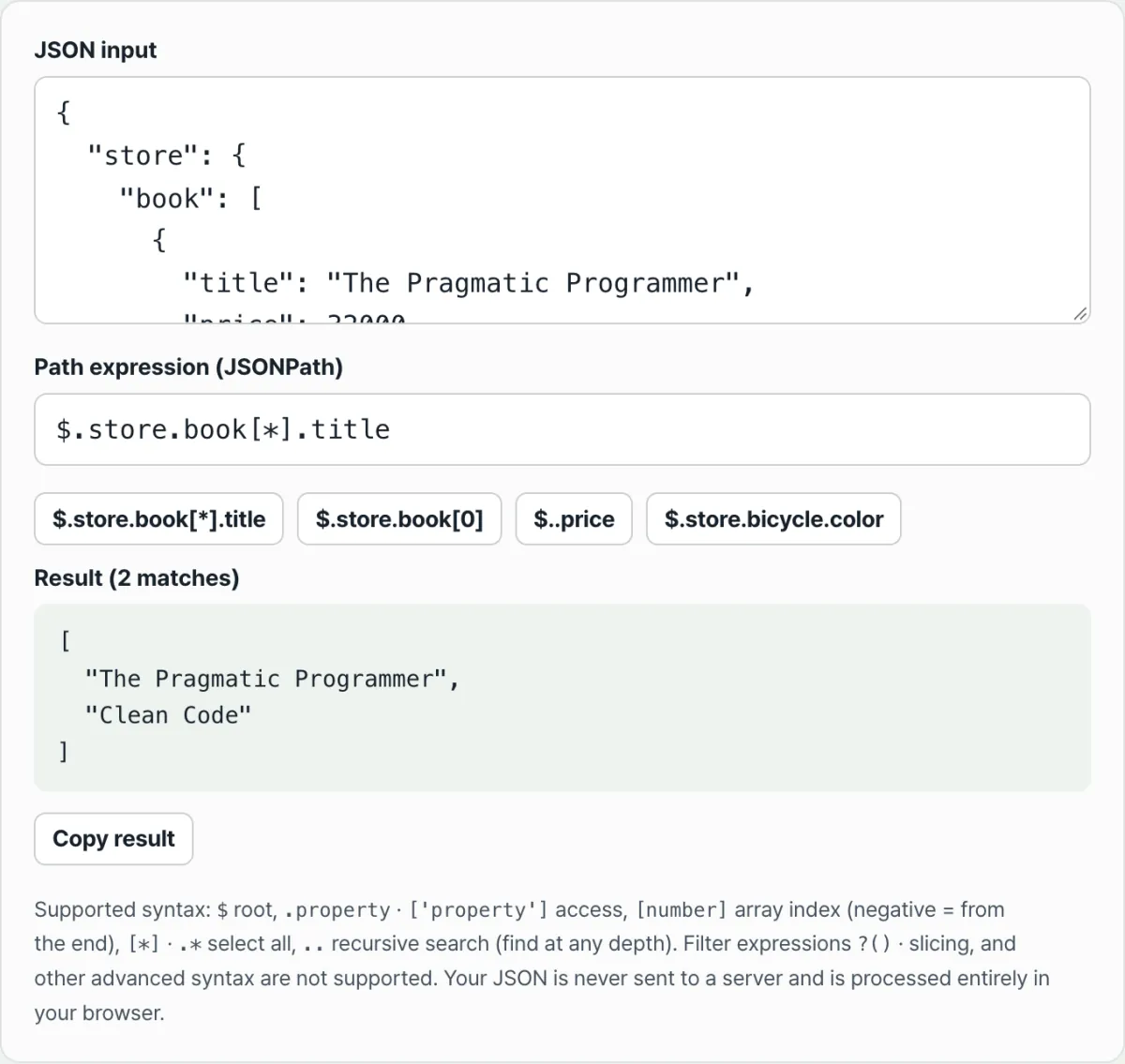
Here is how $.store.book[*].title actually computes, step by step.
- Step 1
$→ the target is the whole document, 1 item. - Step 2
.store→ narrowed to the single store object. - Step 3
.book→ narrowed to the single book array (the array itself is the value). - Step 4
[*]→ expands to each element of the book array, meaning 2 book objects. - Step 5
.title→ pulls the title key from each remaining book object, giving 2 strings.
The final result is ["가난한 찰리의 연감", "현명한 투자자"] and the match count is 2. Apply these five steps and you can predict the result of any path by hand.
Check that these five steps compute the same result on your own JSON and path with our free tool.
Enter your JSON and a path expression, and it shows the matching values and the count right away. Your data is processed only in your browser and is never sent to a server.
Common places to get confused
When you first use JSONPath, a few spots give results that don't match what you expected. Here is what actually happens when you enter each of these paths.
| Path expression you enter | What actually happens |
|---|---|
$.store.book[1:3] (slice) | No error — it shows "No matches found." The text inside the brackets isn't read as a slice; it's treated as a property name as-is, and since book is an array, that name finds nothing. |
$.store.book[?(@.price>20000)] (filter) | Same reason, 0 matches. The ?() filter syntax isn't parsed, and everything inside the brackets is treated as a property name. |
$.store.book[10] (index out of range) | No error, 0 matches. An index past the array length is silently dropped from the results. |
$.store.book (selecting the array itself) | The entire book array comes back wrapped as a single match. In other words, the result is an array containing an array. |
$ alone | The result is a one-element array holding the whole document. |
Filters and slices fail silently because the contents of the brackets are only read in three forms: an index number, a wildcard (*), or a quoted name.
Anything that doesn't fit one of those three forms is treated as "find a key with this name," and since no such key exists, the result comes back empty.
Recap
$is the whole document, and.propertyor['property']is one key in an object.[index]is an array index (negative counts from the end), and[*]or.*is every value at that position...searches recursively at every depth and collects all matching values.- The result is always an array regardless of the match count, and when nothing matches you get "No matches found" instead of an error.
- Filters
?()and slices[1:3]aren't supported, and syntax outside the supported range shows up as a silent 0 matches rather than an error.
Enter your JSON and a path expression, and it shows the matching values and the count right away. Your data is processed only in your browser and is never sent to a server.
FAQ
Why is the result always an array?
[*] and .. can find several values at once, so the results are shown as an array for consistency no matter how many matches there are. Even when you enter just $ to point at the whole document, you get a one-element array.
Why aren't filters ?() or slices [1:3] supported?
This tool only parses six forms: $, .property, ['property'], [index], [*]/.*, and ...
If you enter syntax outside that range, such as ?() or [1:3], it isn't an error — the contents of the brackets are treated as a property name and you get 0 matches.
Is the JSON I enter sent to a server?
No. Both JSON parsing and path evaluation happen only inside your browser. The data you enter is never sent to a server or stored.
How exactly do negative indexes work?
The actual position is the array length plus the negative index. For example, in an array with 2 elements, [-1] is 2 + (-1) = 1, the last element. If the computed position falls outside the array, you get 0 matches.
This article was adapted from our Korean original. Read the Korean original