
How to Verify a JWT Signature and Detect Tampering
Contents
Verifying a JWT signature tells you two things: whether the token still contains exactly what it did when it was issued, and whether that signature was made with the secret key you expect. This post is for developers who want to check for themselves that a token they got back from an API hasn't been tampered with.
We'll walk through how the signature is computed and compared, and we'll explain the two different reasons a "verification failed" result appears — described exactly the way the code behaves.
Summary ① A JWT is a string of three parts joined by periods, header.payload.signature, and the header and payload are only encoded with Base64Url — not encrypted. ② The signature is the HMAC-SHA256 of the header and payload concatenated, computed with the secret key. Verifying means running the same computation again and comparing the results. ③ A verification failure looks exactly the same whether the secret key is different or the contents were tampered with, and the failure message alone won't tell you which one it is.
You saw verification fail, but you can't tell why
It's a common setup: a backend API issues a JWT at login, and from then on the client sends that token in the Authorization header with every request. Each time a request arrives, the server recomputes the token's signature to confirm it really issued that token.
The trouble starts the moment verification fails. Maybe you redeployed the server and the secret key in your environment variables changed, or you put the wrong key into a test environment. Either way, the screen shows the same flat "failure" you'd get from a tampered token. If you don't know how this works, you end up hunting for the cause in the wrong place.
Another common misconception: that the user data in the payload is safe because it's encrypted. In reality the payload is only Base64Url-encoded, so anyone holding the token string can read its contents.
That misconception also leads to real mistakes, like putting sensitive information such as passwords or national ID numbers straight into the payload.
How to verify the signature yourself, without a tool
A JWT has three parts joined by periods (.). The order is header.payload.signature, and each part holds the following.
- header: JSON containing the signing algorithm (alg) and the token type (typ)
- payload: JSON containing the data (claims) you actually want to carry
- signature: the value obtained by signing the header and payload concatenated, with the secret key
The header and payload are each JSON that has been Base64Url-encoded. It's encoding, not encryption, so anyone can turn them back into the original JSON without any key.
For example, the header of an HS256 token, eyJhbGciOiJIUzI1NiIsInR5cCI6IkpXVCJ9, decodes like this.
{"alg":"HS256","typ":"JWT"}Base64Url differs from standard Base64 in two characters. + becomes -, / becomes _, and the trailing = padding is dropped. To use a standard base64 decoder, you have to swap those two characters back and add the padding.
Here's the procedure for verifying the signature. First, join the token's header and payload back together with a period to build the string header.payload.
Compute HMAC-SHA256 over that string with the same secret key used at issuance, then Base64Url-encode the result. It has to match the token's third part exactly.
printf '%s' "$HEADER.$PAYLOAD" | openssl dgst -sha256 -hmac "시크릿키" -binary | openssl base64This computation is deterministic. Feed in the same string and the same key and you always get the same signature.
Change even a single character in the header or payload and the recomputed signature becomes a completely different value that no longer matches the original. That one comparison is what "tamper detection" actually comes down to.
Doing this by hand makes it easy to slip up on the Base64/Base64Url character swap, the missing padding, or the HMAC command syntax. Repeating the whole routine every time is a chore, too.
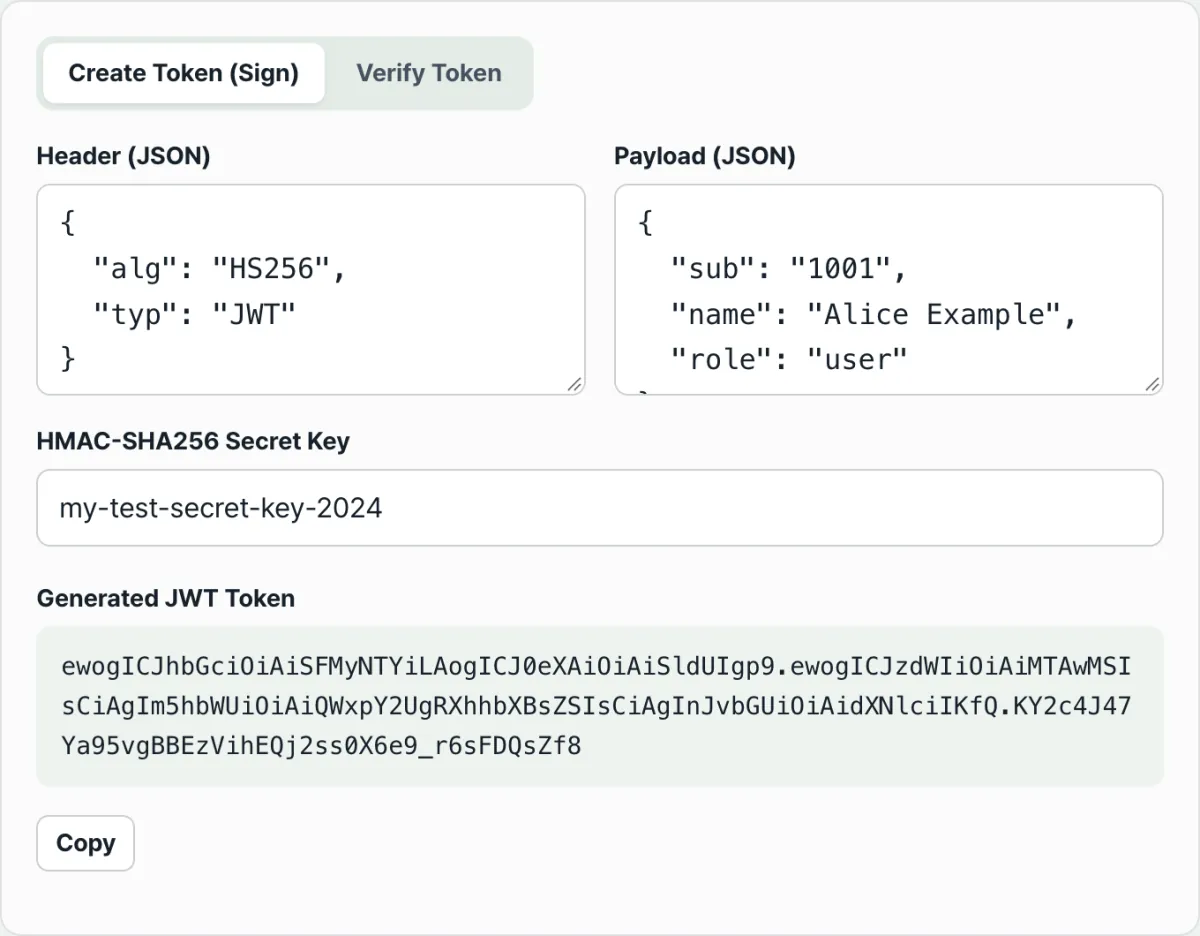
Check it with our tool.
Computes and compares the signature right in your browser. The secret key and token you enter are never sent to a server.
The two causes of verification failure, and the encoding-encryption mix-up
A single "verification failed" result covers two different causes. When the recomputed signature doesn't match the token's signature, it shows as the same "failure" no matter why.
| Cause | What's different | How to check |
|---|---|---|
| Secret key mismatch | The key used to compute the signature itself differs from the one used at issuance | Compare it against the exact string the issuing server uses (including spaces and line breaks) |
| Tampered contents | A JSON value in the header or payload changed after issuance | If it fails even with the same key used at issuance, the contents are the part that changed |
In other words, the failure message itself doesn't distinguish between the two causes. If you're certain you have the right key and it still fails, then you can narrow it down to "the contents changed."
The second mix-up is the idea that the payload is encrypted. Encoding and encryption have different purposes entirely.
| Item | Base64Url encoding (JWT payload) | Encryption |
|---|---|---|
| Purpose | Move data into text form | Hide contents so third parties can't read them |
| Does restoring it require a key? | No | Yes |
| Who can restore the original | Anyone with the token string | Only someone with the correct decryption key |
What the signature guarantees is integrity (nothing changed after issuance) and issuer verification (whoever made it knows that secret key). It does not guarantee confidentiality (hiding the contents).
Anyone holding the token can decode and read the values in the payload, whether or not the signature is valid.
Recap
- A JWT is a string of three parts — header.payload.signature — joined by periods.
- The header and payload are only Base64Url encoded, so anyone can decode and read them. They are not encrypted.
- The signature is the HMAC-SHA256 of the header.payload string computed with the secret key, and verifying means running that computation again and comparing the values.
- "Verification failed" shows up identically for a secret key mismatch and for tampered contents, and the message alone can't tell them apart.
- The signature is for integrity and issuer verification. It is not a way to hide the payload contents.
Computes and compares the signature right in your browser. The secret key and token you enter are never sent to a server.
Frequently asked questions
Is it okay to just read a JWT payload without decrypting it?
Decoding is all it takes to read the contents. The header and payload are Base64Url-encoded, so anyone can turn them back into the original JSON without a key. The verify tab in JWT Generator & Verifier always shows the decoded JSON too, whether or not the signature checks out.
Does a failed verification always mean the token was forged?
No. If the secret key you verified with differs from the one used at issuance, it shows the same failure. If it still fails after you enter the exact string the issuing server uses, that's when it's time to look at whether the contents changed.
Can I verify a token signed with an asymmetric algorithm like RSA?
This tool only supports HMAC-SHA256 (HS256) symmetric-key signatures. Tokens signed with asymmetric algorithms such as RS256 can't be verified with it.
Are the secret key and token I enter sent to a server?
No. Signing and verification run entirely on your device using the browser's Web Crypto API, and the values you enter never leave it.
This article was adapted from our Korean original. Read the Korean original