
JS Object to JSON: Why JSON.parse Fails and How to Fix It
Contents
If you paste a JavaScript object literal copied from the browser console or your source code straight into JSON.parse(), you'll usually get a SyntaxError. The reason is that JS object literals and standard JSON use different syntax. This post compares the differences item by item, then covers how to convert the text by hand and how to read the error messages.
Summary ① Standard JSON allows only double quotes for all keys and string values, and it bans trailing commas and comments. ② JS object literals allow unquoted keys, single-quoted strings, and trailing commas, so they look similar but follow different syntax. ③ The position number in a JSON.parse error points to the character index (starting at 0) in the input string where parsing stopped.
When do you run into this problem?
Here's the situation people hit most often. You run console.log(config) in the browser developer tools console to inspect an object, then copy the output as-is and paste it into the request body of an API testing tool or the settings input of another program.
Console output is just a JavaScript value displayed on screen, so keys have no quotes and strings are wrapped in single quotes. If you feed that into JSON.parse() or paste it into a JSON-only input field, parsing fails.
The same problem shows up when you move a config object defined in source code into a JSON file. The text looks similar to the eye, but the parser reads it as a completely different syntax.
How to convert it by hand, without a tool
The standard JSON syntax is defined by the internet standard RFC 8259. The core rules are:
- Object keys must be wrapped in double quotes.
- String values also allow only double quotes. Single quotes are a syntax error.
- You can't put a comma after the last element of an array or object (trailing comma).
- You can't use comments (
//or/* */). - Values like undefined, functions, and Symbol can't be represented in JSON.
If the text you copied is actually valid JavaScript syntax — that is, an object literal copied straight from source code — you can convert it right in the browser developer tools console. Here's the order:
Steps to convert it in the console
- Open developer tools (F12 in Chrome and Edge, Cmd+Option+I on Mac).
- In the Console tab, wrap the copied content so it's assigned to a variable. For example, put
const obj =in front and a semicolon at the end, likeconst obj = { name: 'kim', age: 20, };. - Press Enter to create the variable, then run
JSON.stringify(obj, null, 2). - The string printed in the console is standard JSON. You'll see keys and strings wrapped in double quotes, with no trailing comma.
This approach actually executes the code, so pasting code of unknown origin into the console can create a security risk during execution. The risk is lower when it's a log you wrote yourself or a value that came from a trustworthy source.
How to read the error position
On the other hand, if you treated the text as JSON, passed it to JSON.parse(), and it failed, the position number in the error message can narrow down the cause. Position points to the character index, counted from the start of the input string (index 0), where parsing stopped.
For example, in the string {name: 'a'}, character 0 is { and character 1 is n. If the error occurs at that point, it means the unquoted key (name) is the cause.
The exact wording of the error message varies slightly by browser and Node.js version, but the meaning of the number after position (a 0-based character index) is the same. Count along the string up to that number and you can see which character it got stuck on.
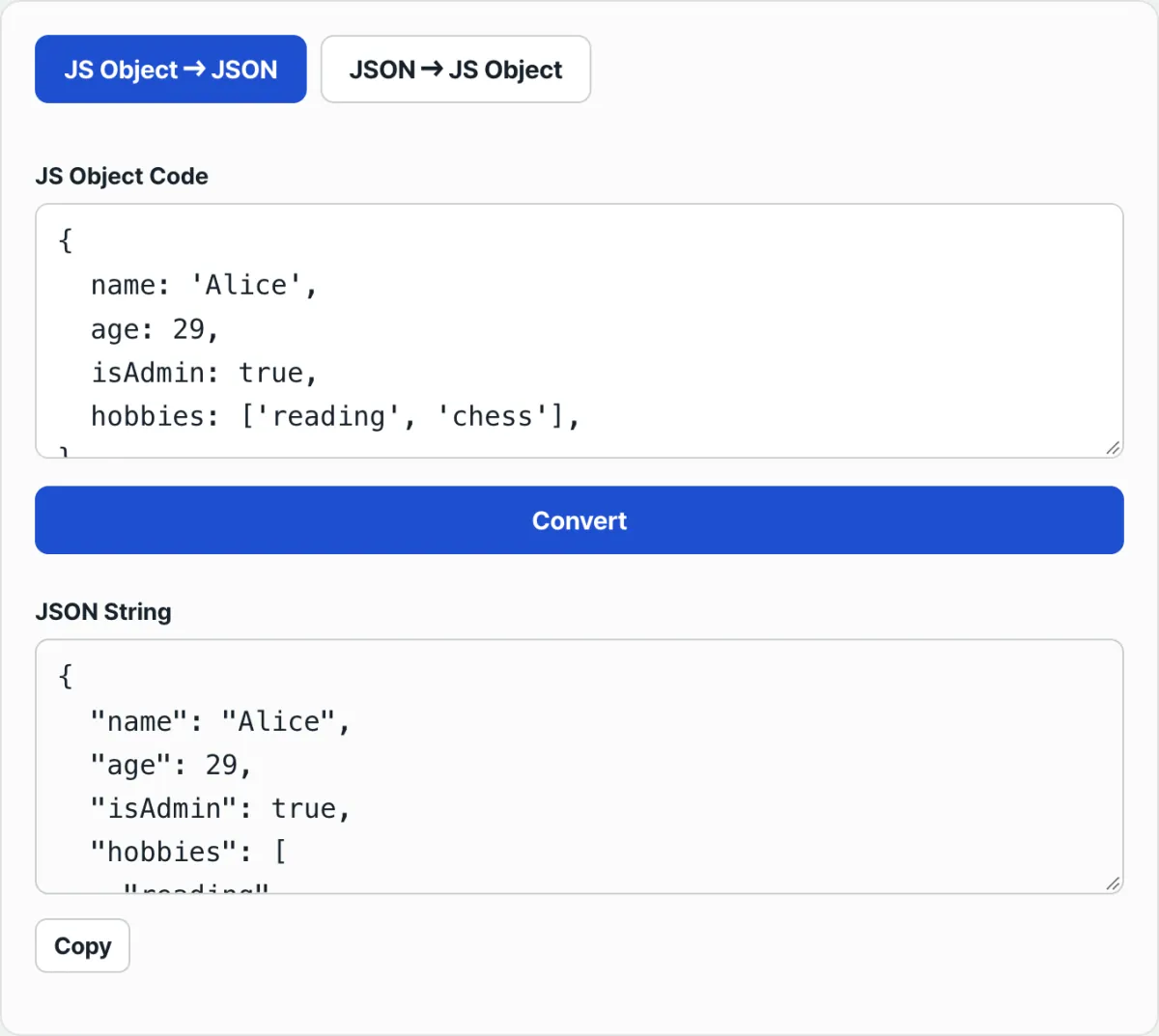
If the text is long or the objects are nested, swapping double quotes one by one and deleting trailing commas is tedious and easy to get wrong. Check it with our tool.
Instantly convert JS object literals with unquoted keys and single-quoted strings into standard JSON. Runs right in your browser, with no install or signup.
Common points of confusion
| Item | Standard JSON | Common notation in JS object literals |
|---|---|---|
| Key notation | Double quotes required ("name") | Unquoted identifier (name) |
| String values | Double quotes only ("kim") | Single quotes also allowed ('kim') |
| Comma after the last element | Not allowed | Allowed (trailing comma) |
| Comments | Not allowed | //, /* */ allowed |
| undefined and function values | Can't be represented | Can be used as values |
If you already have a JavaScript object variable in running code, you don't need this conversion at all. In that case, just run JSON.stringify(obj). You need conversion when the object exists only as text (console output or a code snippet) and there's no executable variable.
If the original JS object has a key with an undefined or function value, that key disappears from the result during conversion to JSON. That's not an error — it's normal JSON.stringify behavior. Keys with NaN or Infinity values become null without an error.
A simple find-and-replace of single quotes with double quotes is also risky. It can also change single quotes (apostrophes) that were already inside string values, or throw escaping out of sync, creating new syntax errors instead of fixing them.
Takeaways
- Standard JSON must follow the rules: double-quoted keys and strings, no trailing commas, no comments.
- JS object literals allow unquoted keys, single quotes, and trailing commas, so they look similar but the parser reads them differently.
- If the text was copied straight from source code, you can assign it to a variable in the browser console and convert it with JSON.stringify(). This runs the code, so the risk is lower when the source is known.
- The position number in a JSON.parse error is a character index counted from index 0 of the string, so counting to that spot narrows down which notation caused the failure.
- A simple find-and-replace can create errors because of quotes inside strings, so for long or nested objects, a method that actually parses the syntax produces fewer errors.
Instantly convert JS object literals with unquoted keys and single-quoted strings into standard JSON. Runs right in your browser, with no install or signup.
Frequently asked questions
Why do I get an "Unexpected token" error in JSON.parse?
Because the string you entered doesn't follow standard JSON syntax. The most common causes are keys without double quotes, string values wrapped in single quotes, or a leftover trailing comma after the last element. Count along to the position number in the error message and you can see exactly which character it stopped at.
Can't I just replace single quotes with double quotes?
If string values already contain single or double quotes, a simple replace can break the result. Quotes inside strings may get changed indiscriminately, or the escaping can end up wrong. A conversion method that actually parses the syntax avoids this problem.
Do I really need this conversion to turn an existing JS object into JSON?
If you have a running JS object variable in your code, just run JSON.stringify(obj) — you don't need a separate conversion step. You need this conversion when the object exists only as text (console output or a code snippet) and there's no executable variable.
Why can't JSON have comments?
Because the standard JSON syntax (RFC 8259) doesn't define comments. JS object literals follow JavaScript syntax, so you can use // or /* */ comments, but if you move that into JSON, the comment portion causes a syntax error, so you have to remove it.
This article was adapted from our Korean original. Read the Korean original