
JSON to TypeScript: Optional (?) and Union (|) Types Explained
Contents
When you're looking at a JSON sample from an API response and typing TypeScript interfaces by hand, there comes a moment where you can't tell whether a key needs a question mark (?).
That question mark and the union (|) symbol aren't guesswork — they're values computed from fixed rules. Once you know the rules, you can check auto-generated code by eye.
This post walks through those rules, and through why nested objects get split into several interfaces instead of one big one, using real JSON.
Summary ① A key that only some array elements have gets optional (
?); if every element has it, no question mark. ② If the same key holds different kinds of values (types) across elements, they're merged into a union (|). ③ Nested objects and array element objects get names based on their key names and are pulled out into separate interfaces.
The problem with typing JSON inside arrays by hand
It's common to get a single real response sample instead of API docs and have to build types from it. For an order list API response, each product in the items array may carry different fields.
One product has a discount rate (discountRate) and another doesn't.
Judgment calls that trip people up when writing by hand
When you write interfaces by hand here, two mistakes are common.
You mark every field optional (?) and lose type safety, or you mark a field required that only some elements actually have, and then a different response sample causes a compile error.
It's also unclear where to stop cramming nested customer info (customer) or array elements (items) into one interface and where to split them out.
These three — whether it's optional, whether it's a union, whether it's split out — are actually mechanical decisions you can make just by looking at the JSON structure.
Building the types yourself from a JSON sample alone
You can get the same result by hand if you follow this order, no tool needed.
- List the keys of the top-level object.
- For each key, decide whether the value is a primitive (string, number, boolean, null), an object, or an array.
- For primitive keys, write that type as is.
- For object values, convert the key name to PascalCase and pull it out into a separate interface under that name.
- For array values, treat every element inside as one comparison set (sample set), then compare each element for whether each key is present and what kind of value it holds.
- A key present in only some samples gets a question mark (
?). If the value is more than one kind when present, join those kinds with|.
Let's do it with real JSON.
{
  "orderId": 1024,
  "customer": { "name": "김민준", "email": "minjun@example.com" },
  "couponCode": "WELCOME10",
  "items": [
    { "productId": "A1", "price": 12000, "discountRate": 0.1 },
    { "productId": "A2", "price": 8000, "discountRate": null },
    { "productId": "A3", "price": 15000 }
  ]
}
orderId is just one number, so number. couponCode is just one string, so string. customer is an object, so pull it out under a name.
Convert the key name customer to PascalCase and you get Customer. Its name and email are both strings, so it's { name: string; email: string }.
Comparing items array elements as samples
items is an array, so compare its 3 elements as samples. productId and price appear in all 3 elements, and each holds only one kind of value — string and number — so they stay string and number.
discountRate is a number in element 1, null in element 2, and the key is missing entirely in element 3.
Presence differs, so it gets a question mark. When present, the value is either a number or null, so the two are merged into a union: discountRate?: number | null.
Array element objects need a name too. Singularize items to item, and PascalCase gives you Item. Putting it all together, here's the hand-built result.
interface Customer {
  name: string;
  email: string;
}

interface Item {
  productId: string;
  price: number;
  discountRate?: number | null;
}

interface Root {
  orderId: number;
  customer: Customer;
  couponCode: string;
  items: Item[];
}
With only 3 array elements, you can compare them by hand. Real API responses have dozens or hundreds of elements and far more keys, so the more keys you compare by eye, the more you miss.
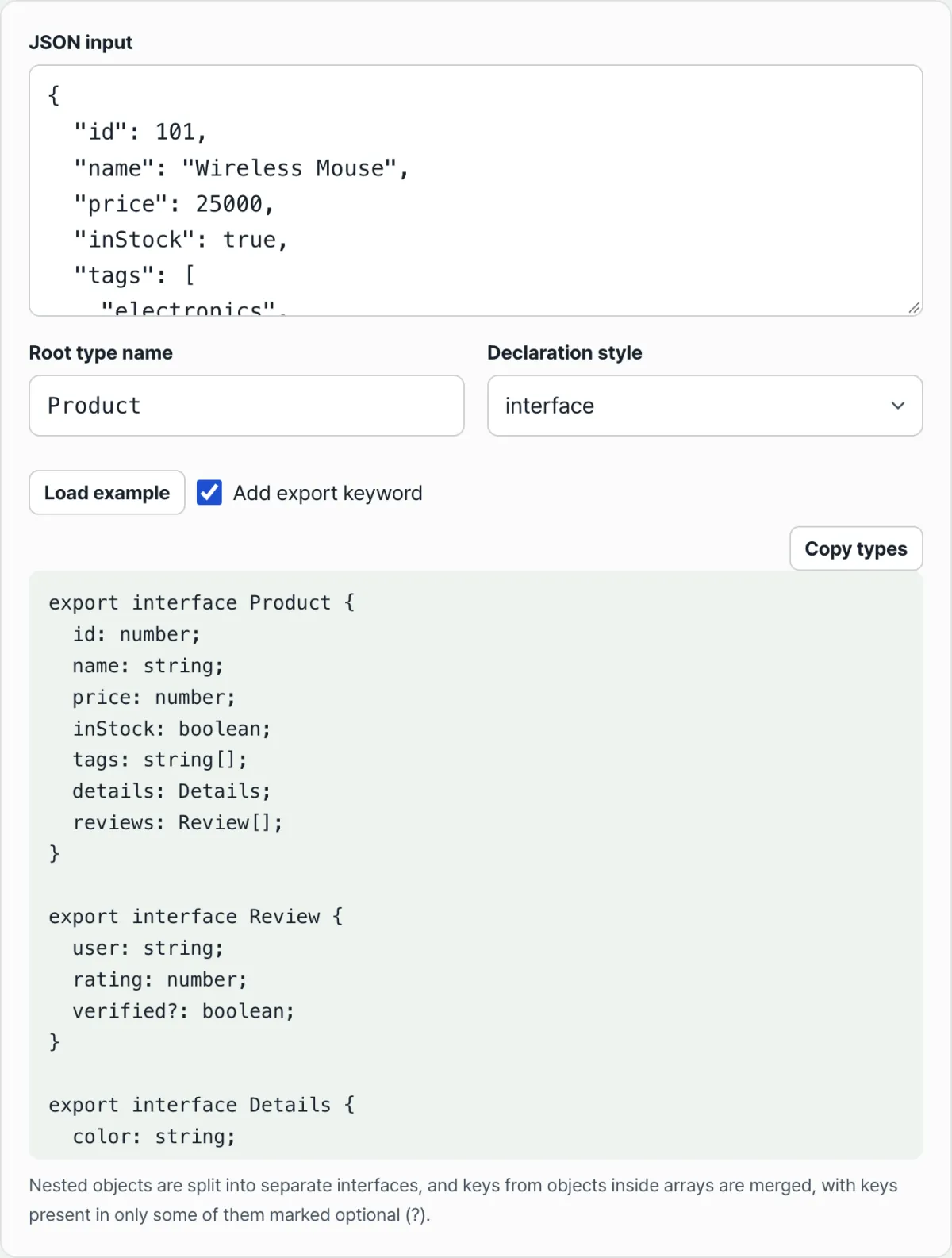
Check it with our tool.
Conversion happens right in your browser, and the JSON you paste is never sent to a server or stored.
Symbols in the output that trip people up
| Situation | Output | Reason |
|---|---|---|
| A key appears in only some array elements | key?: T | Present in only some samples → optional |
| Same key, different kinds of values | key: A | B | Value type differs per sample → union |
| Present in only some, and different kinds of values | key?: A | B | Both presence and value kind differ |
| Two different objects have completely identical key and type structure | The same interface is reused | Identical structures merge under one name |
| Nested objects / array element objects | Split out into a separately named interface | Named from the key name (PascalCase) |
One caveat. Question marks and unions are only computed when there's more than one sample to compare. If you paste a single object with no arrays in it, there's only one comparison target, so no question marks or unions appear.
To check several response cases together, wrap the top-level JSON itself in an array and put several in at once.
You can change the top-level type name in the input field (default Root), and you can choose whether to declare it as an interface or a type, and whether to add the export keyword (on by default).
Whichever declaration style you pick, the optional, union, and splitting rules above apply the same way.
Takeaways
- Optional (
?) is decided by whether the key is present in only some samples. - A union (
|) is decided by whether the key's value kind differs across samples. - When both conditions overlap, they show together as
key?: A | B. - Nested objects and array element objects become separate interfaces named from their key names, and identical structures are reused.
- Paste only a single object with no arrays and there's just one comparison target, so no question marks or unions appear.
Conversion happens right in your browser, and the JSON you paste is never sent to a server or stored.
Frequently asked questions
What exactly makes a field optional (?)?
It's added when the key exists in only some of the array elements (samples). If every element has the key, it isn't optional even when the value is null — instead, the fact that null is mixed into the value kinds shows up as a union.
When does a union (|) appear?
When the value type for the same key differs across samples (string, number, boolean, null, object, and so on), those kinds are joined with |. If there's only one kind, you get a single type with no union.
Why are nested objects split up instead of all going into one interface?
Object values and array element objects get names from their key names converted to PascalCase and are pulled out into their own interface (or type).
If two objects in different places have completely identical key and type structure, no new one is created — the same interface is reused.
Is the JSON I paste stored on a server?
No. JSON parsing and type inference all run instantly in your browser as you type. What you enter is never sent to a server or stored.
This article was adapted from our Korean original. Read the Korean original