
Convert JSON Keys: camelCase, snake_case, PascalCase
Contents
If your API responses come back in snake_case but your frontend code follows the camelCase convention, you don't need to rename keys by hand every time. You just need one notation conversion rule.
camelCase, snake_case, PascalCase, and kebab-case are all naming conventions built on the same principle: how you split words apart and how you join them back together. This post covers how to apply that rule by hand, plus the edge cases that automatic converters often miss.
Summary ① camelCase, snake_case, PascalCase, and kebab-case are just different notations for the same data, differing only in how they separate words. ② Conversion works by splitting words at uppercase letters and at underscores or hyphens, then rejoining them in the target notation. ③ Keys inside nested objects and arrays follow the same rule recursively, with no depth limit.
Where this problem actually shows up
This problem appears when the conventions of different languages and frameworks meet across a single API. If the backend is written in a Python-family framework, the keys in the response JSON usually come out in snake_case (user_id, created_at).
If the frontend is JavaScript or TypeScript, on the other hand, the code convention is often camelCase (userId, createdAt).
If you use the response as-is in that state, you end up with code where user_id and userName are mixed in the same file. With only a few fields, you can write a mapping function by hand and move on. But with dozens of fields, mixed in with nested objects and arrays, it's easy to miss a key at some deep level.
How to convert by hand, following the notation rules
All four notations are built on the same principle. You split the key name into "words," then rejoin those words the way each notation specifies.
There are only two criteria for splitting words. For notations with no separator, like camelCase and PascalCase, each place where an uppercase letter begins marks the start of a new word. For notations with separators, like snake_case and kebab-case, you split wherever an underscore (_) or hyphen (-) appears.
Once you've split the words, rejoin them according to the rules below.
| Notation | Combining rule | Example (user, id) |
|---|---|---|
| camelCase | First word lowercase, each following word capitalized on its first letter only, joined with no separator | userId |
| snake_case | All words lowercase, joined with underscores (_) | user_id |
| PascalCase | Every word capitalized on its first letter, joined with no separator | UserId |
| kebab-case | All words lowercase, joined with hyphens (-) | user-id |
The same rule applies to nested objects and arrays
For example, if you convert { "user_id": 1, "profile": { "email_address": "a@test.com" } } to camelCase, user_id is split at the underscore and becomes userId, and email_address inside the nested profile object follows the same rule to become emailAddress.
If you only convert the top-level keys and leave the inner objects alone, you get a result that's only half converted. You need to apply the same rule repeatedly at every level.
Arrays don't change the rule. A key that holds an array, like order_list, becomes orderList, and if the array elements are objects like { order_id: 1 }, the keys inside those elements change by the same rule too. If the elements are strings or numbers (for example, "tags": ["new", "sale"]), there are no keys to change, so the values stay as they are.
Automating it with regular expressions
When you implement this in a program, regular expressions are the usual approach. A function that converts to camelCase is a single replacement: find the lowercase letter following "-" or "_", uppercase it, and drop the separator.
A function that converts to snake_case or kebab-case works the other way around: insert a separator wherever an uppercase letter appears, then lowercase the whole thing. PascalCase is just the camelCase result with the first letter uppercased.
If you only have a few keys, applying these rules by hand is fine. But once you have multiple levels of nesting and a lot of keys, it's easy to miss a key in a nested spot while changing them one by one. Our tool handles this recursive application automatically.
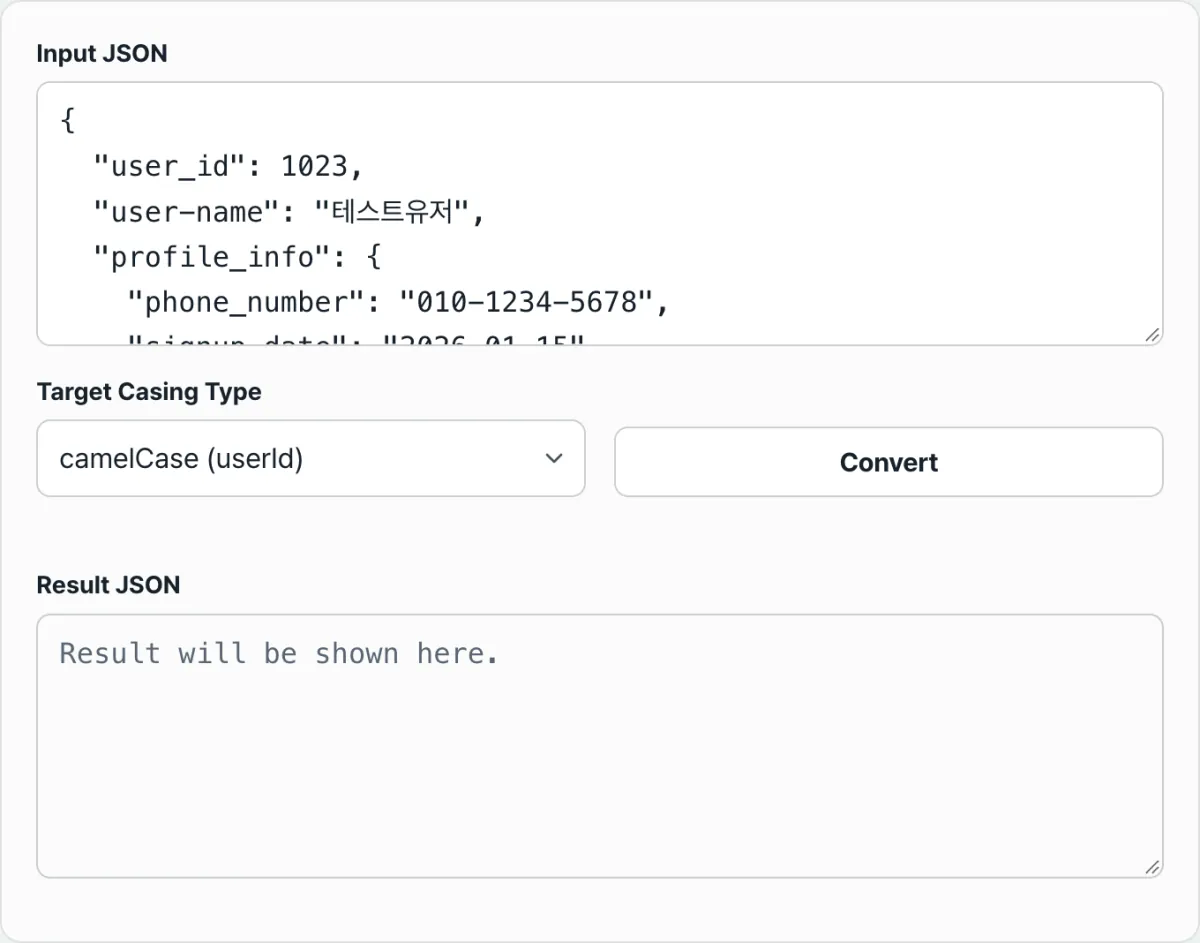
Try it with our tool.
It's free and you don't need to sign up. Click Convert and the result shows up right away.
Common misconceptions
The rule itself is simple, but in real data, certain key shapes can produce results you didn't expect.
| Situation | Result |
|---|---|
| Mixed hyphens and underscores (user-id_name) | Both separators are recognized as word boundaries, so a camelCase conversion joins them correctly as userIdName |
| Key already starting with an uppercase letter (UserId) | Because the snake_case and kebab-case rules insert a separator wherever an uppercase letter appears, a separator can also land before the first letter, giving _user_id or -user-id |
| Value is a string, number, boolean, or null | Only keys are converted; the contents of values stay as they originally were |
| Invalid JSON syntax | No conversion happens, and the error message thrown by JSON.parse is displayed on screen as-is |
Keys with mixed separators or a leading uppercase letter
You don't need to worry if a single key mixes hyphens and underscores (user-id_name). Both separators are recognized as "the start of a new word," so converting to camelCase joins them correctly as userIdName.
Conversely, if the original key already starts with an uppercase letter, as in PascalCase (UserId), look closely at the result. The rule for converting to snake_case or kebab-case is to "insert a separator wherever an uppercase letter appears," so if the first letter is uppercase, a separator lands there too, and you can end up with a separator at the very front of the result.
If you see a separator at the front of the result, you can read that as a signal that the original key started with an uppercase letter.
Values and JSON syntax errors
Values are not converted. String, number, boolean, and null values stay exactly as they were, regardless of notation. Even if a value happens to contain a string like user_id, that string itself doesn't change.
When the JSON syntax is wrong, you get a parse error message on screen instead of a conversion. Common causes are mismatched brackets or braces, keys not wrapped in double quotes, a comma left after the last item (trailing comma), or single quotes used instead of double quotes.
The position number included in the error message indicates which character, counting from the start of the string and including whitespace, is where the problem occurs. Checking around that position helps you narrow down the cause.
Recap
- camelCase, snake_case, PascalCase, and kebab-case are different notations for the same data, differing only in the rules for splitting and rejoining words.
- Word boundaries are set by where uppercase letters start and where underscores or hyphens appear.
- Keys inside nested objects and arrays must go through the same rule repeatedly with no depth limit, or the conversion won't be complete.
- Keep in mind that if the original key starts with an uppercase letter, the snake_case or kebab-case result can have a separator at the front.
- The contents of values (not keys) are not converted, and if the JSON syntax is wrong, the parse error message is shown as-is.
It's free and you don't need to sign up. Click Convert and the result shows up right away.
Frequently Asked Questions
Are keys inside nested objects or arrays converted too?
Yes. Whether an object contains another object or an array contains objects, every key inside is found recursively with no depth limit and converted using the same rule.
If I edit the JSON in the input box, does the result update automatically?
No. Conversion runs once, using whatever is in the input at the moment you click the "Convert" button. After you change the input, you need to click the button again to get a new result.
Do strings inside values change case too, or only key names?
No. Only key names are converted. Values — strings, numbers, booleans, null — stay exactly as they were.
I'm getting a JSON syntax error. What's wrong?
The string you entered doesn't follow the syntax that JSON.parse requires. Common causes are a trailing comma after the last item, single quotes instead of double quotes, and keys that aren't wrapped in double quotes. The position number in the error message shown on screen tells you which character the problem starts at.
This article was adapted from our Korean original. Read the Korean original