
Percent Calculation: 3 Formulas With Worked Examples
Contents
How much a given percentage of a total comes to, what percent one number is of another, and how much a value rose or fell — these three use different formulas. The confusion usually isn't about your math skills. It's that you can't tell which formula applies.
This post checks each of the three formulas against real numbers and covers the details people often miss when they read the results.
Summary ① Part value: whole × rate ÷ 100 ② Percentage: part ÷ whole × 100 ③ Percentage change: (new value - base value) ÷ base value × 100
When Percentage Math Gets Confusing
Say you plan to sell a 35,000-won item at a 22% discount. The first thing that stops you is figuring out the discount amount. What you need here is the formula for a given percentage of a whole.
On the same day, 187 of 250 visitors actually made a purchase, so you also need to know the purchase conversion rate. This time you need the formula for the percentage one value is of another.
At month's end, last month's revenue of 8 million won has become 9.5 million won this month, and you need the percentage change. That's the percentage change formula, which is different from the first two.
All three situations get lumped together as "percentage math," but each one uses a different formula. Use the wrong one and the answer changes completely.
Three Percentage Formulas and Examples
Formula ①: Part = Whole × Rate ÷ 100
This formula gives you the value that a specific percentage of a total represents. Multiply the whole by the rate, then divide by 100.
Plugging in the earlier example: 35,000 × 22 ÷ 100 = 7,700. A 22% discount on a 35,000-won item takes 7,700 won off, so the actual selling price is 35,000 - 7,700 = 27,300 won.
Formula ②: Percentage = Part ÷ Whole × 100
This formula turns the share one part has of a whole into a percentage. Divide the part by the whole, then multiply by 100.
If 187 of 250 visitors bought something, 187 ÷ 250 × 100 = 74.8. The store's purchase conversion rate is 74.8%.
Formula ③: Percentage Change = (New Value - Base Value) ÷ Base Value × 100
This formula compares values at two points in time to find how much something rose or fell in percent. The key is putting the earlier value — the base value — in the denominator.
If revenue rose from 8 million won to 9.5 million won, (950 - 800) ÷ 800 × 100 = 18.75. That means revenue grew 18.75% from the previous month.
Going the other way, if revenue fell from 9.5 million won to 8 million won, (800 - 950) ÷ 950 × 100 = -15.79. Because the denominator changes, the 18.75% increase and the 15.79% decrease don't even match in absolute value. The amount gained or lost is the same 1.5 million won both ways, yet the percentages come out different — that's why.
With just these three formulas you can get the answer without a calculator. But once the numbers get complicated or you have to run the same calculation over and over for several values, it's easy to slip up doing it by hand.
Check it with our tool.
Get a percent of a total, a percentage share, or a rate of change the moment you type — no login needed.
The Confusing Labels on the Results Screen
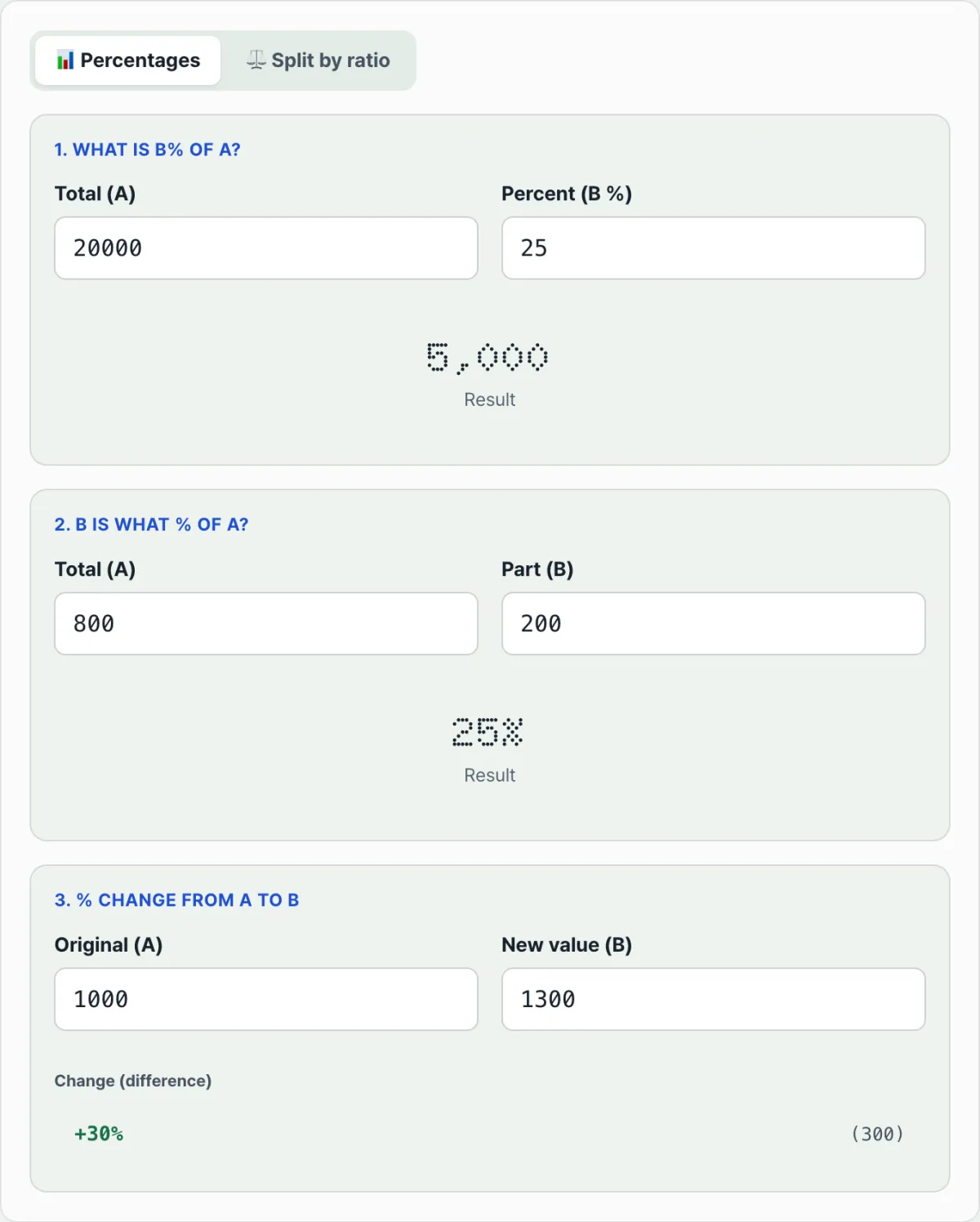
When you calculate a percentage change, a second number appears in parentheses next to the result. That number isn't a percentage — it's the actual difference between the new value and the base value. If revenue rose from 8 million won to 9.5 million won, the difference is 150 (measured in ten-thousands of won) and the percentage change is 18.75%. The two numbers have different units, so look at both without mixing them up.
The + and - signs in front of the percentage change, along with the green and red coloring, only show direction. A value that went up shows a + and green; one that went down shows a - and red. The sign and color tell you increase or decrease and nothing about the size of the number.
When you calculate a percentage or a percentage change, the denominator — the base value — can't be 0, because the division doesn't work. In that case the result shows as 0. If you entered 0 as the base value and got 0 back, the math isn't broken; an exception handler kicked in to prevent a division error.
| Calculation | Formula | What the result means |
|---|---|---|
| B% of A | whole × rate ÷ 100 | The part taken out of the whole |
| What percent of A is B | part ÷ whole × 100 | The part's share of the whole as a percentage |
| Percentage change from A to B | (new value - base value) ÷ base value × 100 | How much it rose or fell versus the base, in percent; the number in parentheses is the actual difference |
Summary
- To find a part value, use whole × rate ÷ 100.
- To find a percentage, use part ÷ whole × 100.
- To find a percentage change, use (new value - base value) ÷ base value × 100, with the base value in the denominator.
- The number in parentheses next to the result is the actual difference, not a percentage.
- If the base value is 0, the division doesn't work, so the result shows as 0.
Get a percent of a total, a percentage share, or a rate of change the moment you type — no login needed.
Frequently Asked Questions
Why do you multiply by 100 when calculating a percentage?
Dividing the part by the whole gives you a decimal like 0.748. Multiply that by 100 and it turns into 74.8%, the percentage form you're used to. Without the ×100 you're left with the decimal, and the size of the ratio is hard to read at a glance.
Is a discount rate different from a discount amount?
Yes, they're different. A discount rate is a percentage, and a discount amount is an actual amount of money. Apply a 22% discount rate to a 35,000-won list price and the discount amount comes out to 7,700 won using the whole × rate ÷ 100 formula.
What does a negative percentage change mean?
It means the new value is smaller than the base value. In (new value - base value) ÷ base value × 100, if the new value is less than the base value, the numerator is negative and so is the result. On screen it shows in red with a - sign.
What happens if I enter 0 for the whole (base) value?
In a percentage or percentage change calculation, if the whole (base) value is 0, the division doesn't work, so the result shows as 0. That's not an error — it's an exception handler to prevent dividing by zero.
This article was adapted from our Korean original. Read the Korean original