
Rock Paper Scissors Lizard Spock: Rules and Win Logic
Contents
Rock-Paper-Scissors is a common way to settle a simple bet or make a decision, but the extended version popularized by the American sitcom The Big Bang Theory—Rock-Paper-Scissors-Lizard-Spock (RPSLS)—adds two more throws. With five throws, the full set of matchups is hard to memorize. This article explains how wins and losses are decided in the classic three-throw game and the five-throw extended version, lays out the matchups, and shows how to play against the computer (AI) and see the results without doing the math yourself.
Summary ① Classic Rock-Paper-Scissors (3 throws) has a simple matchup structure: each throw has a 33.3% chance of winning and a 33.3% chance of losing. ② The extended Rock-Paper-Scissors-Lizard-Spock (5 throws) has a symmetric structure: each throw beats two of the other four and loses to two. ③ Instead of memorizing the matchup chart, you can play against the computer with the tool and see the win/loss result and cumulative win-rate stats right away.
Why Rock-Paper-Scissors-Lizard-Spock matchups are easy to mix up
Classic Rock-Paper-Scissors has three throws—scissors, rock, and paper—and each beats one and loses to one in a simple cycle. That makes the matchups easy to memorize. The extended version adds Lizard and Spock, bringing the total number of matchup relationships to 10. Each throw now beats two of the other four and loses to two. As a result, when you actually play, you may often find yourself wondering, "Does Lizard beat Spock, or does Spock beat Lizard?"
How to calculate wins and losses yourself and check them quickly with the tool
Using modulo arithmetic to decide the outcome
If you number the five throws 0 (rock), 1 (paper), 2 (scissors), 3 (Spock), and 4 (Lizard), you can decide the result between the player's choice P and the computer's (AI's) choice C with the following remainder (modulo) operation.
Result = (P − C) mod 5
If the result is 1 or 3, the player wins (Victory). If it is 2 or 4, the player loses (Defeat). If it is 0, the round is a draw (Draw).
The 10 matchups among the five throws
- Scissors: cuts Paper and decapitates Lizard.
- Rock: crushes Scissors and stomps on Lizard.
- Paper: covers Rock and disproves Spock.
- Lizard: poisons Spock and eats Paper.
- Spock: smashes Scissors and vaporizes Rock.
Example: array-based win/loss logic in Rock Paper Scissors (with Lizard Spock)
In practice, the Rock Paper Scissors (with Lizard Spock) tool does not use modulo arithmetic. Instead, it decides each round with an array lookup: each throw has a beats array containing the throws it defeats, and the tool checks whether the opponent's throw is in that array. Here is a simplified version of that approach.
const CHOICES = {
  rock: { beats: ["scissors", "lizard"] },
  paper: { beats: ["rock", "spock"] },
  scissors: { beats: ["paper", "lizard"] },
  lizard: { beats: ["paper", "spock"] },
  spock: { beats: ["rock", "scissors"] }
};

// Table of matchup explanation messages shown on a win (partial example)
const REASONS = {
  "rock-scissors": "바위는 가위를 부숩니다.",
  "spock-rock": "스포크는 바위를 기화시킵니다."
};

function judgeRound(playerChoice, computerChoice) {
  if (playerChoice === computerChoice) {
    return { result: "draw" };
  }

  // A win if the opponent's throw is in the beats array
  if (CHOICES[playerChoice].beats.includes(computerChoice)) {
    const key = playerChoice + "-" + computerChoice;
    return { result: "win", reason: REASONS[key] };
  }

  const key = computerChoice + "-" + playerChoice;
  return { result: "lose", reason: REASONS[key] };
}
You don't need to memorize the matchup chart and calculate every result by hand. Check it with our tool.
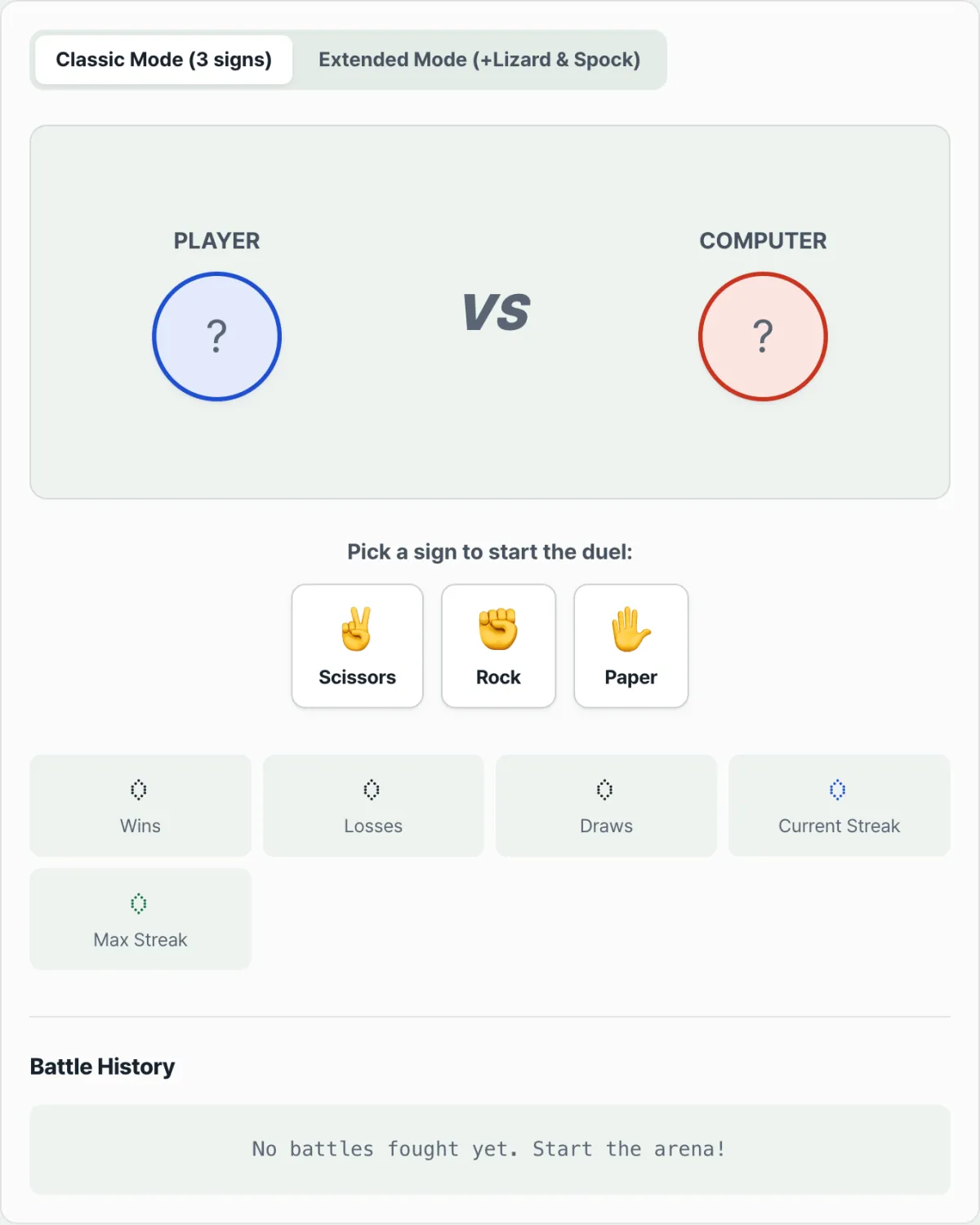
Play the classic three-throw game or the five-throw Lizard Spock variant against the AI, and see how long you can keep your win streak going.
Matchup summary table for each throw
| Throw | Beats | Loses to |
|---|---|---|
| Scissors | Paper, Lizard | Rock, Spock |
| Rock | Scissors, Lizard | Paper, Spock |
| Paper | Rock, Spock | Scissors, Lizard |
| Lizard | Spock, Paper | Scissors, Rock |
| Spock | Scissors, Rock | Paper, Lizard |
How to present wins and losses in the game UI
- Show the matchup along with the result text. When Spock beats Rock, don't just show "Win." Add a line that explains which matchup decided the round, such as "Spock vaporizes Rock." That makes the result easier to understand.
- Track win streaks. Show the current win streak and the longest win streak so far, updated in real time, so players can keep trying to beat their record during the session. These stats are session-only and reset when the page reloads, so keep the window open if you want to keep your run going.
Summary
- Classic Rock-Paper-Scissors (3 throws) is a simple cycle: each throw beats one and loses to one.
- The extended Rock-Paper-Scissors-Lizard-Spock (5 throws) adds Lizard and Spock, creating a symmetric structure in which each throw beats two and loses to two. You can determine the outcome with (P − C) mod 5.
- If you find it hard to memorize every matchup, it's faster to play against the computer with the tool and check the result and cumulative stats.
Play the classic three-throw game or the five-throw Lizard Spock variant against the AI, and see how long you can keep your win streak going.
Frequently asked questions
What are the matchup rules for Rock-Paper-Scissors-Lizard-Spock?
In addition to the classic Rock-Paper-Scissors matchups, Scissors cuts Lizard and decapitates Spock, while Paper disproves Spock and is eaten by Lizard. Rock crushes Lizard, and Spock vaporizes Rock. Lizard eats Paper and poisons Spock, and Spock smashes Scissors and vaporizes Rock.
How do I switch between classic and extended modes?
At the top of the tool, you can set the game rules to the classic three symbols or the extended five symbols. Then click one of the buttons at the bottom—Scissors, Rock, or Paper (or Lizard or Spock in extended mode)—to make your choice.
Where can I see the results and stats?
After you make a choice, a win/loss result card comparing it with the computer's choice appears right away. You can also see cumulative win-rate stats on the screen.
This article was adapted from our Korean original. Read the Korean original