
VAT Calculation: Why 10% of the Total Is Wrong
Contents
If the only thing you know is the total (the tax-included amount) and you try to get the VAT by multiplying that total by 10%, you'll end up with more than the actual VAT.
That's because the 10% VAT rate is based on the pre-tax amount (the supply amount). Multiply a total that already includes tax by that rate, and you're using the wrong base.
This post walks through both directions — supply amount → total (multiplication) and total → split (division) — with formulas and example numbers.
Summary ① Supply amount → total means multiplying the supply amount by (1 + tax rate). ② Total → separating the supply amount and VAT means dividing the total by (1 + tax rate). Multiplying the total by the tax rate directly gives the wrong answer. ③ We'll point you to a calculator where you can switch between 5, 8, 10, 19, 20, and 21% and check the math instantly.
Where this gets confusing
Sometimes a client just tells you, "I deposited 550,000 won including VAT." To issue an invoice or record the sale in your books, you need to know how much of that 550,000 won is the supply amount and how much is VAT.
The most common mistake is to take 10% of 550,000 won — 55,000 won — as the VAT, and treat the remaining 495,000 won as the supply amount.
As shown below, that calculation gives the wrong result. Multiplying a total by the tax rate doesn't match the definition of VAT.
Supply amount → total is multiplication; total → split is division
The formula for VAT depends on whether you're starting from the pre-tax amount (supply amount) or the after-tax amount (total). Let's go through both directions in order.
Supply amount → total (adding tax)
VAT = supply amount × (tax rate ÷ 100) Total = supply amount + VAT = supply amount × (1 + tax rate ÷ 100)
At a 10% tax rate, total = supply amount × 1.1. If the supply amount is 100,000 won, the VAT is 10,000 won and the total is 110,000 won.
Total → separating supply amount and VAT (subtracting tax)
Just solve the equation above backward: total = "supply amount × (1 + tax rate ÷ 100)".
Supply amount = total ÷ (1 + tax rate ÷ 100) VAT = total − supply amount
At a 10% tax rate, you divide the total by 1.1 to get the supply amount. That's a completely different formula from multiplying the total by the tax rate (10%).
The error from mistaking 10% of the total for the VAT
Take a total of 110,000 won at a 10% tax rate and compare the two calculations. The difference is clear.
Wrong calculation: Take 110,000 × 10% = 11,000 won as the VAT, and 110,000 − 11,000 = 99,000 won as the supply amount.
Correct calculation: Supply amount = 110,000 ÷ 1.1 = 100,000 won, and VAT = 110,000 − 100,000 = 10,000 won.
The difference in VAT between the two calculations is 1,000 won. The wrong calculation overstates the VAT and understates the supply amount.
Why the error happens
The reason is that the 10% rate is defined against the supply amount. Within the total (110,000 won), VAT's actual share isn't 10% — it's tax rate ÷ (100 + tax rate), or 10 ÷ 110 ≈ 9.09%.
The number you'd need to multiply the total by is 9.09%, not 10%. Rather than doing that in your head every time, dividing the total by 1.1 is more accurate and simpler.
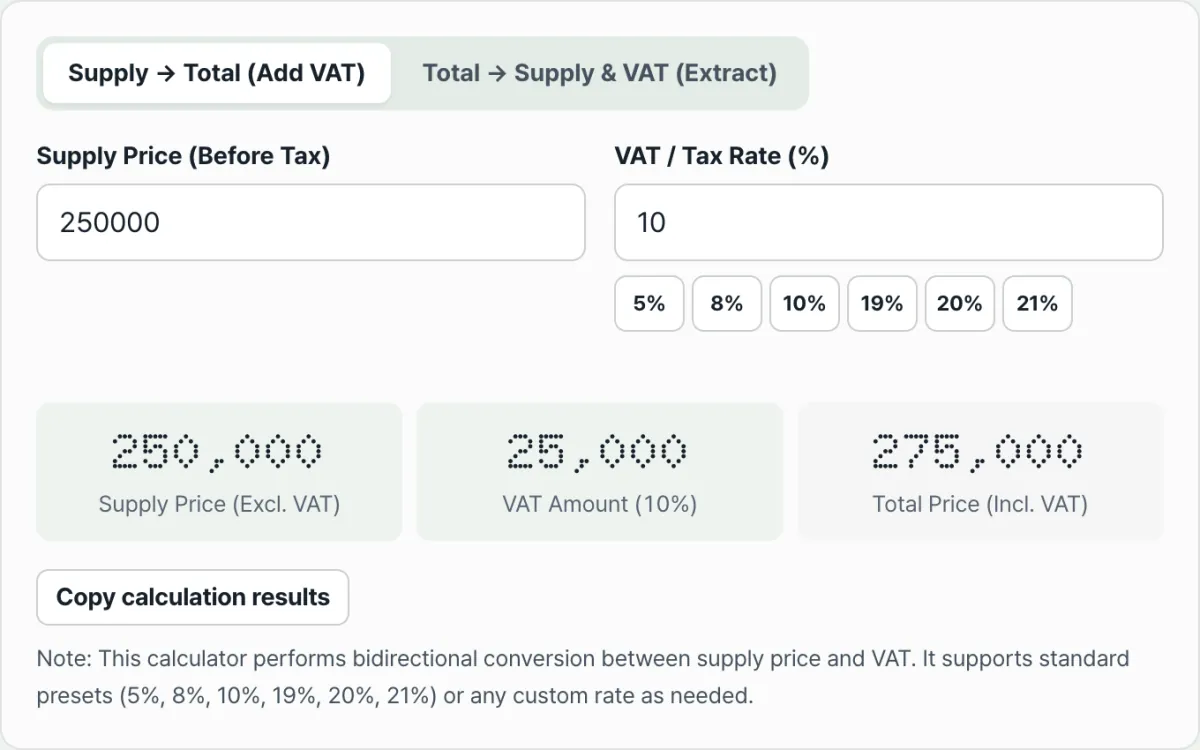
Check it with our free tool.
Calculates net amount, VAT, and total instantly at any rate, and the amounts you enter are never sent to a server.
Common pitfalls
Confuse the direction of the calculation or what the input value means, and the result goes badly wrong. The table below compares the two directions.
| Type | What the input means | Formula | Example (10% rate, based on 100,000 won) |
|---|---|---|---|
| Supply amount → total | Input = pre-tax amount | Total = input × 1.1 | 100,000 won → 110,000 won |
| Total → split | Input = after-tax (included) amount | Supply amount = input ÷ 1.1 | 100,000 won → about 90,909 won |
The "100,000 won" in both rows is the same number, but it means different things. In the first row it's the pre-tax amount; in the second row it's an amount that already includes tax. Depending on which tab you pick, entering the same number gives a completely different result.
The principle is the same when the rate isn't 10%. Whatever the rate — 5%, 8%, 19%, 20%, 21% — the structure holds: supply amount → total is multiplication, total → split is division.
The bottom line
- Supply amount → total is multiplication: total = supply amount × (1 + tax rate ÷ 100)
- Total → separating supply amount and VAT is division: supply amount = total ÷ (1 + tax rate ÷ 100)
- Multiplying the total by the tax rate directly overstates the VAT. At a 10% rate, VAT's actual share of the total is 10 ÷ 110 ≈ 9.09%.
- The structure stays the same when the rate changes. Just multiply or divide by (1 + tax rate ÷ 100).
- Both formulas are pure arithmetic, so with the rate and amount in hand, you should get the same result by hand or with a calculator.
Calculates net amount, VAT, and total instantly at any rate, and the amounts you enter are never sent to a server.
Frequently asked questions
Why is the VAT wrong if I just multiply the total by the tax rate?
Because the tax rate is defined against the supply amount (the pre-tax amount).
The total already has VAT added into it, so VAT's share of that total isn't the rate itself — it's rate ÷ (100 + rate). At a 10% rate, the actual share of the total is 10 ÷ 110 ≈ 9.09%, which is less than 10%.
Do the formulas change if the rate is 5%, 8%, 19%, 20%, or 21% instead of 10%?
The structure is the same. For supply amount → total, multiply the input by (1 + tax rate ÷ 100). For total → split, divide the input by the same value. Only the rate number changes — the direction of the math, multiplication or division, stays the same.
Should the supply amount plus the VAT equal the total exactly?
By definition, the total is the sum of the supply amount and the VAT, so in principle they match exactly. The calculator computes all three values at once from just your input and the rate, so you can add and subtract them against each other to check right away.
Is the amount I enter into this calculator sent anywhere?
No. All calculations happen in your browser only. Neither the amount nor the tax rate you enter is sent to a server.
This article was adapted from our Korean original. Read the Korean original