
AVIF vs WebP: Compression Rates and a 3-Step Browser Fallback
Contents
- The problem: swapping every image to AVIF just because it compresses best
- The fix: build a three-layer safety net with the HTML5 <picture> tag
- How it actually works: the compression algorithms behind AV1 vs. VP8
- AVIF vs WebP vs JPG: specs and compatibility matrix
- 5 common mistakes when you adopt next-gen image formats
- A 5-step workflow for airtight image optimization
- 7 Tips for Using Next-Generation Image Formats
- The Final Decision Tree: Which Format Should You Use?
- Image Optimization Cheat Sheet: Key Terms
- Frequently Asked Questions
You've probably seen this one: PageSpeed Insights flags "Serve images in next-gen formats," so you swap every image on your site to AVIF — and then newsletter subscribers and people browsing inside in-app browsers such as KakaoTalk or WhatsApp write in to say every photo shows up as a broken image icon.
AVIF really is more than 20% more efficient than WebP, but that number only holds for high-resolution photos, and email clients and older webviews often still don't support the format at all.
Here's everything you need on the browser support gap between AVIF and WebP, the compression flip that happens by image type (photos vs. flat icons), and a fallback pipeline built on the HTML5 <picture> tag that won't show a broken image to a single user.
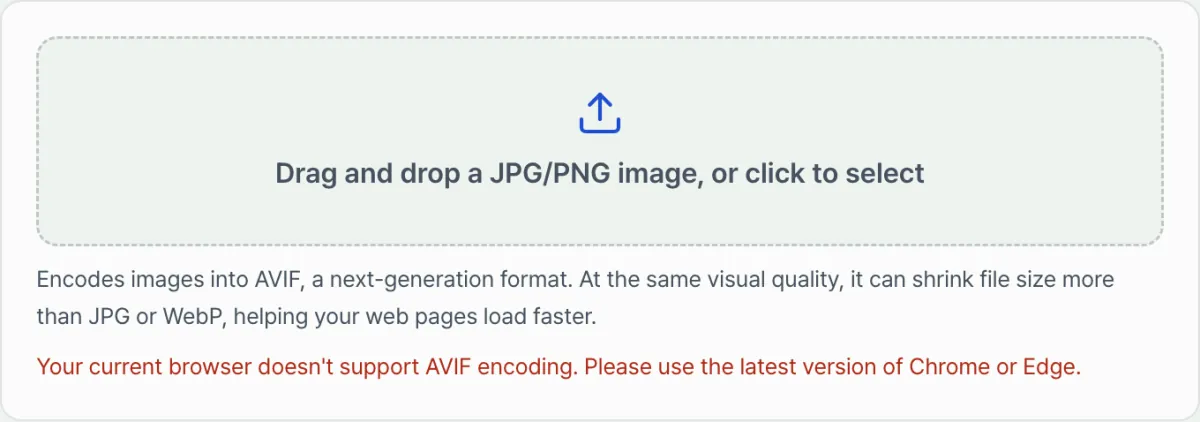
Key takeaways ① Compression: on complex landscapes and portraits, AVIF comes out about 20% lighter than WebP, but simple icons and text images are actually smaller as WebP or SVG. ② Browser support: WebP covers more than 97% of global browsers, while AVIF is limited in Outlook/Gmail email clients and older in-app browsers. ③ Airtight fallback: put '<source type="image/avif">' ➔ '<source type="image/webp">' ➔ '<img>'(JPG/PNG) in that order inside a '<picture>' tag, and even environments that can't open AVIF or WebP still get the JPG/PNG. ④ This converter checks in real time whether your current browser supports AVIF encoding and points you to the best conversion options.
The problem: swapping every image to AVIF just because it compresses best
The mistake developers make most often is shipping a next-gen file on its own, like <img src="photo.avif">.
When you do that, these things go wrong:
- Email newsletter disaster: Microsoft Outlook and older Gmail mobile apps use their own rendering engines, so they can't decode AVIF at all and show a broken image.
- KakaoTalk/Instagram in-app webviews: even when the OS default browser is current, an older in-app webview engine fails to render the image.
- CI/CD build slowdown: AVIF's compression algorithm (AV1) is computationally heavy, so encoding at build time can take far longer than WebP.
- Size inversion on simple graphics: flat single-color icons and logos can end up larger than PNG or WebP because of AVIF's metadata overhead and tile headers.
The fix: build a three-layer safety net with the HTML5 <picture> tag
Here's the standard markup that serves the ultralight AVIF to modern browsers and automatically hands WebP or JPG to everything else:
<picture>
  <!-- Priority 1: browsers with AVIF support (Chrome, Safari, Firefox, etc.) -->
  <source srcset="image.avif" type="image/avif">

  <!-- Priority 2: browsers with WebP support (older browsers and Android) -->
  <source srcset="image.webp" type="image/webp">

  <!-- Priority 3, final fallback: all legacy environments and email clients -->
  <img src="image.jpg" alt="Product hero photo" width="800" height="600" loading="lazy">
</picture>


The browser reads MIME types from the top down and downloads the lightest format it can handle on its own, so wasted bandwidth and broken images are stopped before they start.Free · no install · checks AVIF support in your browser in real time and converts to ultra-compressed images
How it actually works: the compression algorithms behind AV1 vs. VP8
Let's break down how the math AVIF and WebP use to compress an image differs.
1. AVIF (built on the AV1 codec)
- Spatial prediction: supports more than 56 directional prediction modes plus an identity (asymmetric orthogonal) transform.
- Tiling and superblocks: processes high-resolution images in blocks up to 128x128 pixels, which completely eliminates banding in gradients.
- 10-bit/12-bit HDR: represents more than a billion colors, preserving rich detail in the shadows.
2. WebP (built on the VP8 codec)
- Macroblocks: works in blocks up to 16x16 pixels and uses only 4 directional prediction modes.
- The algorithm is lightweight, so encoding is faster than AVIF, and almost every browser in use today supports it.
AVIF vs WebP vs JPG: specs and compatibility matrix
| Metric | AVIF (next-gen maximum compression) | WebP (global standard) | JPG (legacy standard) |
|---|---|---|---|
| Underlying codec | AOMedia AV1 | Google VP8 / VP9 | JPEG (DCT) |
| Browser support | Most modern browsers | Nearly every browser | Virtually every environment |
| Compression efficiency (photos) | -50% vs. JPG (best) | -30% vs. JPG (strong) | Baseline (0%) |
| Encoding speed (build load) | Very slow (heavy CPU load) | Very fast | Extremely fast |
| Email client support | Not supported (broken images) | Partial | Full support (standard) |
| Color depth | 8bit, 10bit, 12bit (HDR) | 8bit (SDR) | 8bit |
5 common mistakes when you adopt next-gen image formats
- Shipping standalone .avif files with no <picture> fallback: images break in email and in older app webviews.
- Using AVIF for flat logos and icons: header overhead makes the file bigger instead of smaller.
- Setting the compression too aggressive during AVIF conversion (quality below 40): detail smears and textures bleed together like an oil painting.
- CI/CD deploys failing because encoding time balloons: bulk image builds hit a timeout on AVIF encoding (run it alongside WebP instead).
- Leaving the Content-Type header out of your server response: if image/avif is missing from your server config, the browser pops a file download dialog instead of showing the image.
A 5-step workflow for airtight image optimization
- Step 1 (classify the image): decide whether it's a complex portrait/landscape photo or a simple logo/icon.
- Step 2 (run the conversions per format): convert photos to both AVIF and WebP at 85~90% quality.
- Step 3 (check browser support with this converter): verify that your environment can encode AVIF and measure the actual size savings.
- Step 4 (write the <picture> markup): stack multiple <source> tags in the order AVIF ➔ WebP ➔ JPG.
- Step 5 (cross-browser QA): check not just Chrome but mobile KakaoTalk links and email clients to confirm every image loads with no broken icons.
7 Tips for Using Next-Generation Image Formats
- Consider WebP first for your LCP hero banner: AVIF puts a load on the CPU when decoding, so the largest image on the first screen (LCP) may do better as WebP, which decodes faster.
- Serve dynamically based on the server's Accept header: In Nginx or Cloudflare, detect the browser's
Accept: image/avifrequest and switch formats automatically without changing the URL. - Always use JPG/PNG for newsletters and internal intranets: Conservative work email clients are the slowest to adopt next-generation formats.
- The magic of an 85% quality slider: WebP peaks in quality-per-byte at 80%, and AVIF at 75–85%.
- Use the automatic optimization components in Next.js and Nuxt: The
<Image>component handles AVIF/WebP negotiation automatically under the hood. - Remove banding with dithering: When you compress a photo of a dark night sky to AVIF, adding light dithering makes the stair-step effect disappear completely.
- Bookmark the JPG/PNG to AVIF Converter: Before you optimize any image, test browser support and compression results in real time.
The Final Decision Tree: Which Format Should You Use?
- Case A (high-resolution photos in a website body, portfolio galleries) ➔ Three-tier serving of AVIF + WebP + JPG with the
<picture>tag - Case B (email newsletters, HTML email templates) ➔ Standard JPG / PNG (widest compatibility)
- Case C (simple brand logos, pictograms, icons) ➔ SVG (vector) or PNG
- Case D (large e-commerce sites where build speed matters) ➔ WebP only (97% compatibility + fast builds)
Image Optimization Cheat Sheet: Key Terms
- AVIF (AV1 Image File Format): A next-generation still image format based on the ultra-high-compression video codec AV1.
- WebP: An open image format developed by Google that has become the standard for the modern web.
<picture>element: An HTML5 tag that serves the best image based on screen size and codec support.- LCP (Largest Contentful Paint): The time it takes for the largest content element on a page to render on screen when the page loads (a Google Core Web Vital).
Frequently Asked Questions
If I convert every image to AVIF, will my site always get faster?
No. File sizes go down, but the browser uses more CPU to decompress (decode) the AV1 codec, so on low-end mobile devices WebP, which decodes faster, can feel faster in perceived loading.
Why won't AVIF images load in an in-app browser such as KakaoTalk's?
Because the in-app webview browser inside the KakaoTalk app uses an older Chromium or OS WebKit version and can't include the latest AV1 decoder. You always need a WebP or JPG fallback path.
What should I do if the JPG/PNG to AVIF Converter shows "AVIF encoding is not supported"?
That means the web browser (or OS) you're currently using doesn't yet support the latest AVIF encoding API. Connect with the latest version of Chrome or Edge and AVIF conversion will work normally.
This article was adapted from our Korean original. Read the Korean original