
CSS filter breaks position: fixed: why it happens and fix
Contents
A button that should always float in the bottom-right corner of the screen instead scrolls away with the page, or gets trapped and clipped inside a background box. The code clearly says position: fixed, and yet it happens. The cause is almost always the same.
Somewhere among the ancestors wrapping that element, a CSS filter is applied. When filter has any value other than none, the spec says that ancestor becomes the new reference point for the fixed element.
Summary ① An element with a filter value other than none becomes the containing block for any position: fixed or absolute descendants. ② Move even one slider off its default and the result is no longer filter: none; — the rule kicks in from that moment. ③ transform, perspective, backdrop-filter, will-change and contain belong to the same group, so suspecting only filter makes the real cause easy to miss.
Why position: fixed drifts when you scroll: and why it matters
Say you put filter: blur(6px); on a big wrapper element to blur a background image. It's common to also tuck a chat button or a notice banner inside that same wrapper — elements that should stay pinned to the screen regardless of scrolling.
Before the filter, that button sat properly fixed to the viewport. The moment you add the filter, it starts moving with the scroll, or gets clipped at the wrapper's overflow: hidden boundary. The position value is still fixed. Only the result changed.
This isn't a JavaScript bug or a browser misbehaving. It's exactly the behavior the CSS spec assigns to the filter property.
Check the cause: here's how
The CSS spec's rules on the "containing block" say that any ancestor with a value other than none for the properties below becomes the containing block for its position: fixed and absolute descendants. Normally fixed uses the viewport and absolute uses the nearest positioned ancestor, but when one of these properties is present, that ancestor takes priority.
filter— any value other than none (e.g.blur(6px),brightness(110%))backdrop-filter— any value other than nonetransform,perspective— any value other than nonewill-changewhen it names one of the properties abovecontain: layout/paint/strict/content
So if you only suspect filter, you can easily miss it. A transform or will-change: transform on that same ancestor produces the identical result.
There's a subtle trap here. A value like filter: blur(0), which changes nothing visually, is still not none syntactically, so the containing block rule applies in full. Because there's no visible difference, figuring out the cause gets even harder.
You can pin down the offending ancestor without changing a line of code.
- In your browser's developer tools, select each ancestor wrapping the broken fixed element, working from the outermost inward.
- In the Styles panel, uncheck the
filter(ortransform,contain) declaration on that ancestor to temporarily disable it. - If the fixed element snaps back to the viewport at that moment, the ancestor whose declaration you just unchecked is the cause.
One caveat: the spec itself notes that how perspective and filter take part in forming a containing block varies between browsers. So it's safer to run the test above in the browsers you actually ship to (Chrome, Safari, Firefox, and so on) and confirm it yourself.
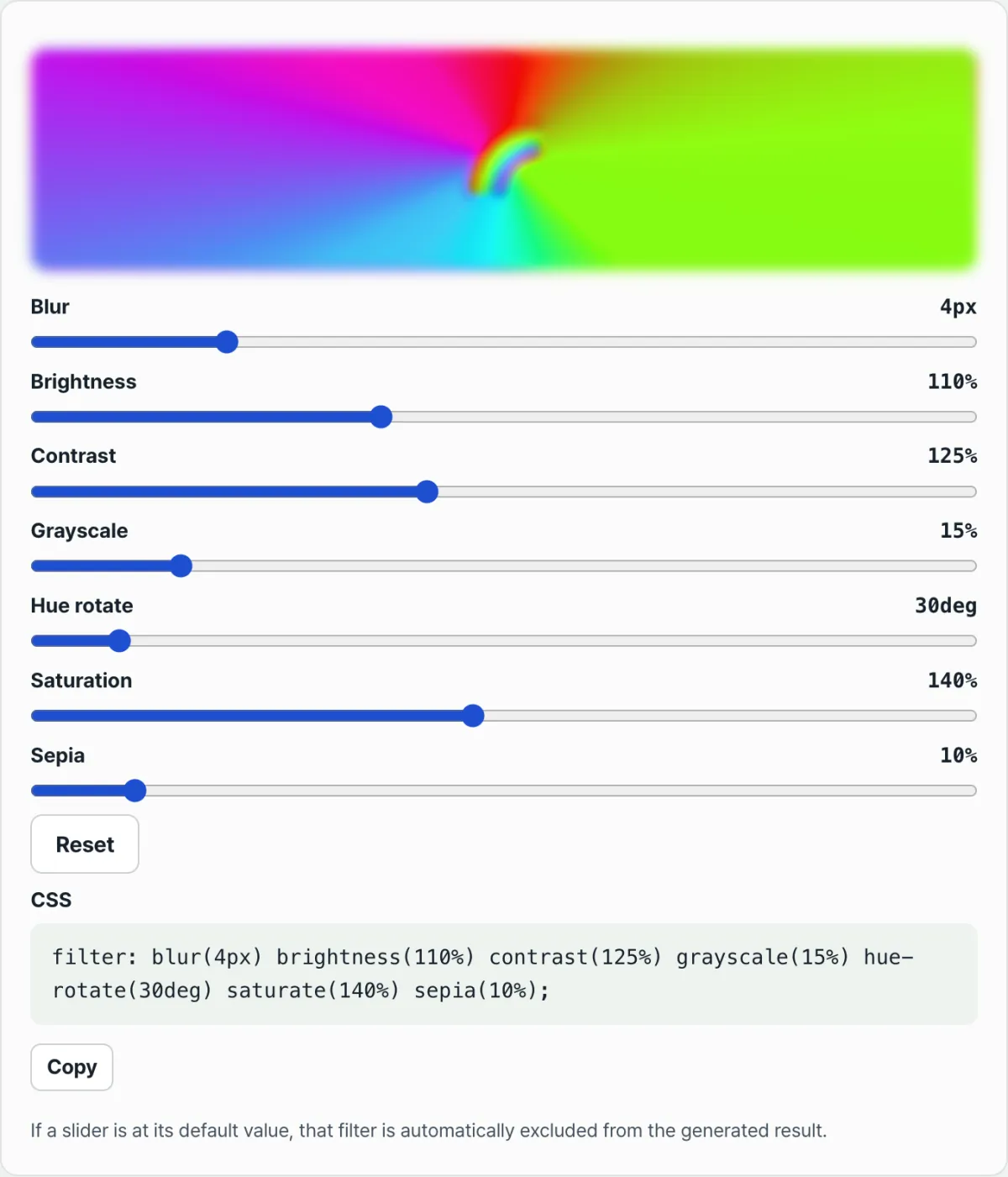
Check it with our tool. When every slider is at its default, the result is filter: none;, so this problem doesn't apply. But the moment you move even one slider, a value appears and the containing block rule turns on. Below, you can move the sliders and watch that boundary for yourself.
Free · No sign-up · Move the sliders to adjust blur, brightness, contrast and more, and get your CSS filter code right away
Where people get stuck
| Symptom | Cause |
|---|---|
| Scrolling makes the button drift instead of staying put on screen | One of the ancestors has a filter, transform, or perspective value (not none), making that ancestor the containing block for the fixed element |
The symptom shows up with only filter: blur(0) applied | The spec criterion is "a value other than none," so blur(0) also triggers the containing block rule |
| The element jumps before the animation even starts | Declaring will-change: transform or similar ahead of time puts it in the same group |
| An absolute element's position is calculated against an unexpected ancestor | absolute already looks for a positioned ancestor, but an ancestor with a filter gets added to that list of candidates |
Recap
- When filter has a value other than none, that ancestor becomes the new containing block for fixed and absolute descendants.
- In our tool, leaving every slider untouched gives you
filter: none;, which is safe. Move even one and a value appears, changing the containing block. - transform, perspective, backdrop-filter, will-change and contain are in the same group, so suspecting only filter can make you miss the cause.
- You can identify the offending ancestor by turning candidate properties off one by one in developer tools.
- To fix it, apply the filter to the element itself instead of the wrapper, or move the element that needs to stay fixed to a different spot in the DOM, outside that wrapper.
Free · No sign-up · Move the sliders to adjust blur, brightness, contrast and more, and get your CSS filter code right away
Frequently asked questions
Does an invisible value like filter: blur(0) also change the containing block?
Yes. The spec uses "a value other than none" as the criterion, so a value with no visual difference like blur(0) is still not none syntactically, and it makes the ancestor a containing block. In fact, some people deliberately use blur(0) to force an element onto its own layer.
Do I get the same problem if I use transform instead of filter?
Yes. transform and perspective, when they have a value other than none, become the containing block for fixed and absolute descendants exactly like filter. Naming the property in will-change alone — even before you set an actual value — has the same effect.
Is there a way to find the offending element without editing code?
Select the ancestor you suspect in developer tools and uncheck the filter (or transform) declaration in the Styles panel. If the fixed element snaps back to the viewport at that moment, the property you just unchecked is the cause. You can confirm the offending ancestor without touching your code.
Are elements set to absolute affected too?
Yes. But absolute already looks for the nearest positioned (relative, absolute, fixed) ancestor as its containing block, so an ancestor with a filter just adds one more candidate to that list — which is less noticeable. With fixed, the viewport was the reference and suddenly becomes an ancestor instead, so the symptom is far more obvious.
This article was adapted from our Korean original. Read the Korean original