
Unicode Fonts for Instagram Bios: How the Offset Formula Works
Contents
You may want to use a different font in your Instagram or X bio. But you can't install font files in a mobile app, so it's hard to know where to start. This article explains how Unicode conversion turns text into special font-style characters without installing anything. Once you understand how it works, you can apply it quickly with a tool.
Summary ① Unicode has separate code ranges that show letters in bold, script, circled, and other styles. ② You can convert a letter to a styled character by adding a style-specific offset to its original code value. ③ If you'd rather not calculate the values yourself, a tool lets you type your text and copy several style results right away.
Why It's Hard to Use Special Fonts
Most social apps, including Instagram, X (Twitter), TikTok, and KakaoTalk, don't let you install your own font file (.ttf) and use it in your profile bio. The text on your screen follows the system font that each OS and app sets by default.
The fix isn't to change the font itself. Instead, you replace your original text with characters from the "Mathematical Alphanumeric Symbols" block, which is already part of the Unicode standard. The characters in this block come pre-designed in bold, script, circled, and other styles. They're still treated like regular text. That's why they display correctly in most social apps and browsers without any font installation.
Apply It Yourself with the Unicode Offset Method
The Offset Formula
Here's how to convert regular uppercase and lowercase letters (A-Z are codes 65 to 90, and a-z are codes 97 to 122) into a specific Unicode font style.
Target character code = style start value + (original character code − alphabet start code)
For example, the uppercase start value for Bold Serif is U+1D400. Convert the letter "A" (code 65), and the target code is U+1D400 + (65 − 65) = U+1D400, which is 𝐀. For "B" (code 66), it's U+1D400 + (66 − 65) = U+1D401, which is 𝐁. The offset is applied in order across all 26 letters.
Offset Start Values by Font Style
| Font style | Uppercase start value | Lowercase start value |
|---|---|---|
| Bold Serif | U+1D400 | U+1D41A |
| Fraktur Gothic | U+1D504 | U+1D51E |
| Script / Cursive | U+1D49C | U+1D4B6 |
| Circled Font | U+24B6 (Ⓐ) | U+24D0 (ⓐ) |
Convert Text with JavaScript
If you turn the calculation above into code, you can build a function that maps English text to script or bold characters.
const FANCY_OFFSETS = {
  boldSerifUpper: 0x1D400 - 65,
  boldSerifLower: 0x1D41A - 97,
  scriptUpper: 0x1D49C - 65,
  scriptLower: 0x1D4B6 - 97,
};

// Under Unicode's unification rules, some Script letters (uppercase B, E, F, H, I, L, M, R
// and lowercase e, g, o) have no dedicated code point. They were already assigned to
// characters in the existing "Letterlike Symbols" block instead.
// If you don't handle these exceptions, only those letters will show up as broken characters.
const SCRIPT_EXCEPTIONS = {
  B: 'ℬ', E: 'ℰ', F: 'ℱ', H: 'ℋ', I: 'ℐ',
  L: 'ℒ', M: 'ℳ', R: 'ℛ',
  e: 'ℯ', g: 'ℊ', o: 'ℴ',
};

function convertToFancyFont(text, styleType) {
  let result = '';
  const upperOffset = FANCY_OFFSETS[styleType + 'Upper'];
  const lowerOffset = FANCY_OFFSETS[styleType + 'Lower'];

  for (let i = 0; i < text.length; i++) {
    const ch = text[i];
    if (styleType === 'script' && SCRIPT_EXCEPTIONS[ch]) {
      result += SCRIPT_EXCEPTIONS[ch]; // Fix the exception letters that have no dedicated code point
      continue;
    }
    const code = text.charCodeAt(i);
    if (code >= 65 && code <= 90 && upperOffset) {
      result += String.fromCodePoint(code + upperOffset);
    } else if (code >= 97 && code <= 122 && lowerOffset) {
      result += String.fromCodePoint(code + lowerOffset);
    } else {
      result += text[i]; // Keep numbers and special characters as they are
    }
  }
  return result;
}
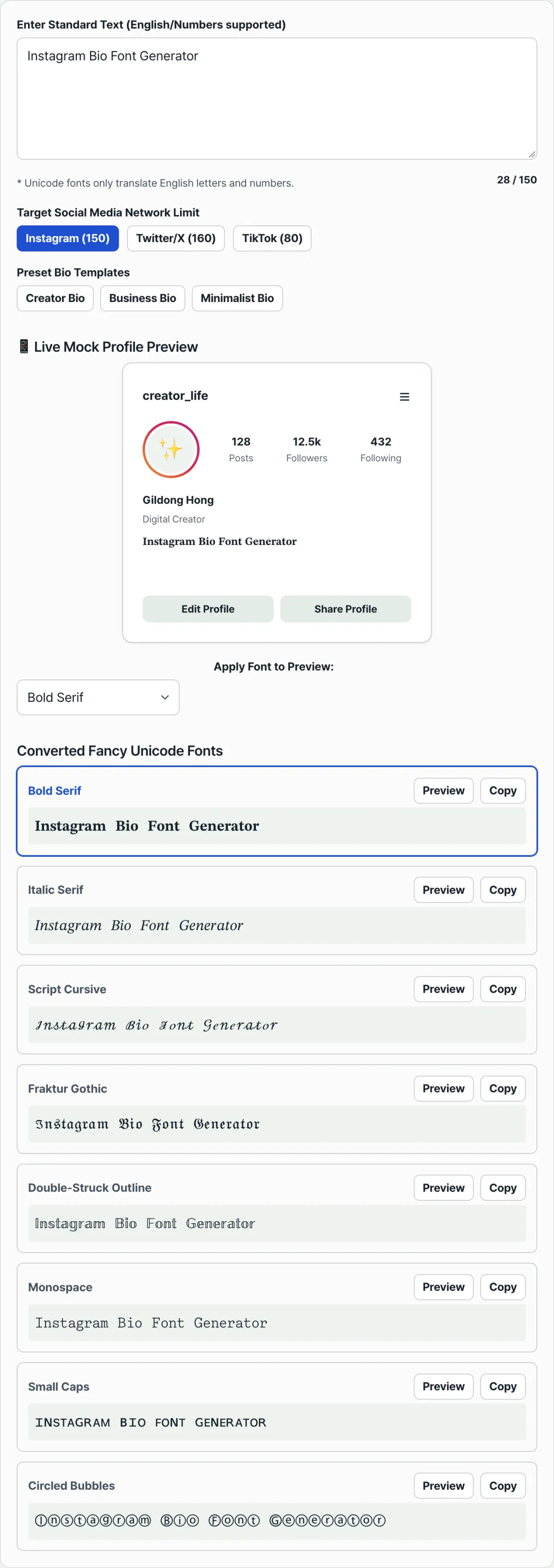
Note You don't have to run the code above. Enter your text in the Fancy Text Generator for Bios and you'll see results in 8 Unicode font styles at once. You can copy any of them with one click. There's no need to calculate offset values or hunt down special characters each time. Try our tool.
Type your text in English and copy 8 stylish Unicode font results at once. Paste them into your Instagram profile.
Offset Values at a Glance
Here's a recap of the results for the main font styles used in the calculation above.
| Font style | Uppercase example | Lowercase example |
|---|---|---|
| Bold Serif | 𝐀 | 𝐚 |
| Fraktur Gothic | 𝔄 | 𝔞 |
| Script / Cursive | 𝒜 | 𝒶 |
| Circled Font | Ⓐ | ⓐ |
Things to Watch Out for in Practice
- Consider the effect on search (SEO): If you change the entire Instagram profile "Name" field to a Unicode special font, Instagram's account search may not recognize your name keywords properly. It's safer to keep your account name in standard letters and use special fonts in the extra text of your "Bio."
- Be mindful of screen reader accessibility: Screen readers for people with visual impairments may read Unicode math-symbol text out one character at a time, in a long form like "Mathematical Bold Capital A." Apply it to the key words you want to emphasize, not to whole sentences.
Wrap-Up
Unicode special fonts work by adding a style-specific offset to a letter's code, so you don't need to install any font file. If you understand the method, you can write code to convert text yourself. But it's faster to skip the math, type your text into a tool, pick a style, and copy it. We recommend using special fonts in your bio text rather than your profile name, and only on the parts you want to stand out rather than on whole sentences.
Type your text in English and copy 8 stylish Unicode font results at once. Paste them into your Instagram profile.
Frequently Asked Questions
Can I convert Korean text into Unicode fonts too?
Unfortunately, no. These Unicode special fonts are assigned as alternate mathematical character symbols for the English alphabet (A–Z, a–z) and a few numbers. That means Korean text can't be converted. The fonts only work on English letters and numbers.
How do I use the tool?
First, type the English text you want to convert (for example, Hello World). The tool instantly shows a list of cards with 8 Unicode styles. Find the design you like, click the copy button, and paste it into your Instagram profile name or bio.
Will text in a special font display correctly on other people's screens?
The Mathematical Alphanumeric Symbols block is part of the official Unicode standard. Because of that, most modern browsers and mobile social media apps display it the same way, with no extra font installation. On very old devices or some outdated apps, though, the characters may show up as empty boxes.
Why do only a few letters look different when I convert text to script?
In the Unicode standard, the script font block has no dedicated code points for the uppercase letters B, E, F, H, I, L, M, and R or the lowercase letters e, g, and o. These letters look the same as characters in the existing "Letterlike Symbols" block, so Unicode reuses (unifies) those codes instead. If you convert text with an offset formula alone, these letters can come out as broken characters. The Fancy Text Generator for Bios fixes the exception letters with a separate substitution table, so they display correctly.
This article was adapted from our Korean original. Read the Korean original