
HTTP Status Code 401 vs 403: What the Difference Means
Contents
When you call an API or load a website and get a 401 or 403, it's often hard to tell from the code alone what actually went wrong. Both codes produce the same result — "access denied" — but the HTTP standard defines different causes for each.
This post covers how to sort status codes by their first digit, plus when the code pairs that confuse people most in daily work — 401 vs. 403, 400 vs. 404, and 502 vs. 503 vs. 504 — actually occur.
Summary ① The first digit of an HTTP status code sets its class — 1xx informational, 2xx success, 3xx redirection, 4xx client error, 5xx server error ② 401 is an authentication (identity verification) failure; 403 is when the identity is confirmed but permission is missing — the trigger conditions themselves differ ③ The surest approach is not to guess at the meaning but to look up the number, title, and description
Why It's Confusing: What You See in the DevTools Network Tab
When you're wiring up a backend API, you'll often see a 401 or 403 in the Network tab of your browser's developer tools. On screen they both just look like "request failed," but if you treat two codes with different definitions as the same cause, you'll end up suspecting the wrong part of your logs.
For example, when a user with an expired login session calls an API, the server returns 401. When a user who is logged in but lacks admin rights calls an admin-only API, the server returns 403. It's not just a different number — the conditions that produce them are different from the start.
Likewise, hitting a page that doesn't exist on a website and sending a malformed request split into 404 and 400 respectively, and when a server can't respond, a different code among 502, 503, and 504 appears depending on the cause.
With close to 20 codes, and first-digit categories mixed in with specific numbers, you often have to look up which code points to which situation every time.
How to Check the Standard Documents Yourself
HTTP status codes aren't an arbitrary list. They're defined by RFC documents published by the IETF, and the IANA maintains them as an official registry (the HTTP Status Code Registry). If you want to check without a tool, these two sources are the most accurate way.
Step 1: Sort by Category Using the First Digit
A status code is three digits, and the first digit shows the nature of the response.
- 1xx (Informational): An informational response meaning the request was received and processing is continuing
- 2xx (Success): The request was processed successfully
- 3xx (Redirection): Further action (such as moving to another address) is needed to complete the request
- 4xx (Client Error): The request itself has a problem, so the server can't process it
- 5xx (Server Error): The request was fine, but processing failed on the server side
Step 2: Find the Number in the IANA Registry
The first digit alone tells you whether the problem is on the client side (4xx) or the server side (5xx). The HTTP status code registry run by iana.org lists every registered status code along with references linking to the RFC document that defines each one.
The base definition for HTTP status codes today lives in RFC 9110 (HTTP Semantics).
Step 3: Read the Definition Sentence in the RFC
Open the RFC linked from the registry and you'll find the official definition for each code. For example, 401 is defined as meaning the request needs user authentication credentials, and 403 as meaning the server understood the request but refuses to authorize it.
That difference in wording is the line between 401 and 403. This method is accurate, but it takes time because you have to find and read the original English RFC for each code.
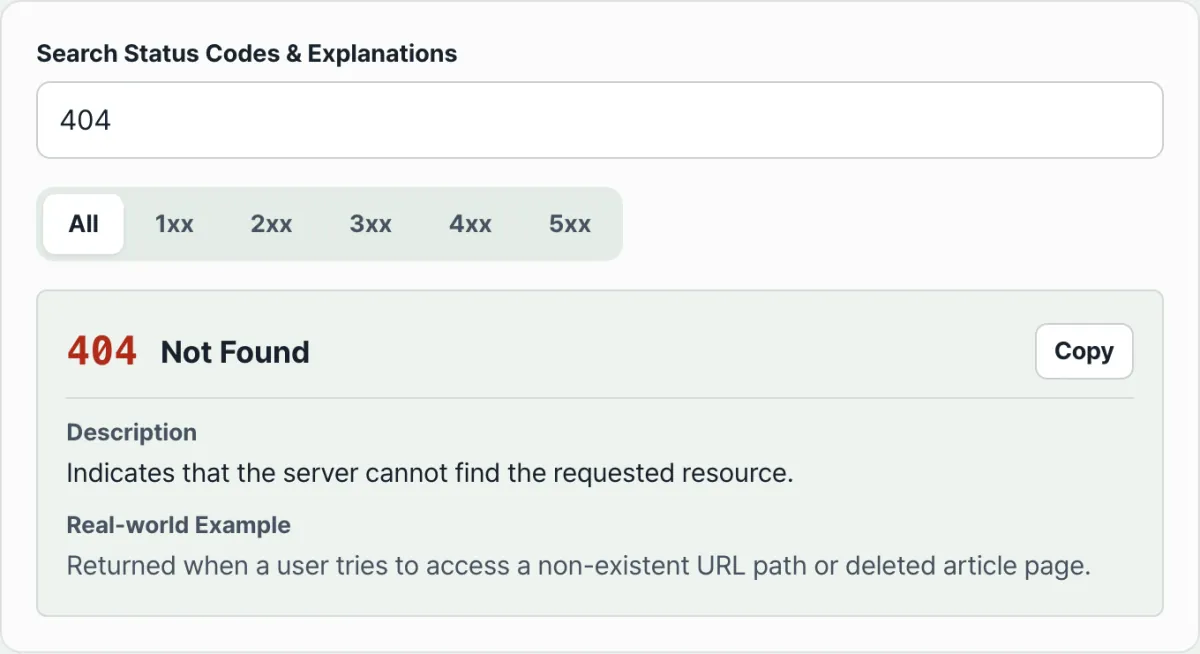
You can also search right away by code number or keyword to see the same information. Check it with our free tool, HTTP Status Code Lookup.
Search a code number or name and it shows the meaning and real examples for status codes from the 100s through the 500s right away.
Comparing the Code Pairs People Mix Up
401 vs. 403, 400 vs. 404: Telling Them Apart Within 4xx
Going by name alone, 401 (Unauthorized) sounds like "no permission," which makes it easy to confuse with 403. But by definition, 401 is a response about authentication (the process of proving who the requester is), and 403 is a response about authorization (whether that identity can access this resource).
401 occurs when credentials are missing or wrong; 403 occurs when the credentials are correct but the permission is missing.
400 and 404 are both 4xx as well, but the error happens at a different point. 400 is returned when the server can't understand the request format itself, and 404 is returned when the request format is fine but no resource exists at that address.
502, 503, and 504: Telling Them Apart Within 5xx
502, 503, and 504 are all 5xx server errors, but the causes split. 502 and 504 share something in common: they happen when a gateway or proxy is communicating with an upstream (backend) server behind it.
502 occurs when the upstream did respond, but the response itself was invalid. 504 occurs when the upstream didn't respond at all within the allowed time.
503 has nothing to do with upstream communication — it occurs when the server itself is temporarily overloaded or under maintenance and can't process the request.
| Code | Name | Key distinction | Example |
|---|---|---|---|
| 401 | Unauthorized | Authentication credentials are missing or invalid | Missing Authorization header, expired token |
| 403 | Forbidden | Identity confirmed but no access permission | A regular user tries to reach an admin-only page |
| 400 | Bad Request | Syntax or format error in the request itself | Missing required parameter, malformed JSON |
| 404 | Not Found | Request format is fine but the resource doesn't exist | Visiting a URL that doesn't exist |
| 502 | Bad Gateway | The upstream's response itself is invalid | Invalid response because the backend process is down |
| 503 | Service Unavailable | The server itself temporarily can't handle requests | Maintenance notice, overload from a traffic spike |
| 504 | Gateway Timeout | No upstream response within the time limit | Connection closed because a backend query stalled |
Takeaway
- Start with the first digit (1–5) to identify the class — informational / success / redirection / client error / server error
- 401 is an authentication failure; 403 is confirmed identity but insufficient permission. Despite the name, 401 is the code about "authentication"
- 400 is a request format error; 404 is a missing resource. The error happens at a different point
- 502, 503, and 504 are all 5xx, but 502 is a bad response from the upstream itself, 503 is the server itself temporarily unable to process requests, and 504 is an upstream response timeout
- The surest approach is to look up the number, title, and description instead of guessing
Search a code number or name and it shows the meaning and real examples for status codes from the 100s through the 500s right away.
Frequently Asked Questions
Which is the more serious error, 401 or 403?
The HTTP standard doesn't assign a severity level to codes. Both are simply classified as 4xx client errors, and the only difference is whether the cause is an authentication problem or a permission problem.
What exactly is the difference between 404 and 400?
400 is returned when the server can't understand the syntax or format of the request itself. 404 is returned when the request format was processed normally but no resource was found at the requested address. In other words, the difference is whether the problem is the request itself or whether the target simply isn't there.
502, 503, and 504 are all server-side problems, so how are they different?
All three are classified as 5xx, but the causes differ. 502 occurs when the response a gateway or proxy received from the upstream server is itself invalid, and 504 occurs when the upstream server didn't respond within the time limit.
503 occurs when the server itself is overloaded or under maintenance, regardless of the upstream, and can't process the request.
Who decides HTTP status codes?
RFC documents published by the IETF define them, and the IANA maintains them in an official list called the HTTP Status Code Registry. When a new code is added or a definition is updated, it's reflected in that registry.
This article was adapted from our Korean original. Read the Korean original