
WPM and CPM Formula: How Typing Speed and Accuracy Work
Contents
Once you know exactly how the WPM and CPM numbers on screen are calculated in a typing game, it becomes clear why those two numbers are always different — and what Accuracy is actually measured against. This post breaks the typing-speed formulas down as they are, shows you how to work them out yourself, and explains how to see the results right away in Mini Typing Racer.
Summary ① CPM is based on the number of characters you typed correctly per minute, and WPM is that value divided by 5. ② Accuracy is calculated as the share of all keystrokes you made that were not typos. ③ You can compute it yourself in code, but Mini Typing Racer does the math for you automatically.
WPM vs. CPM: Why the Numbers Come Out Different
There's more than one number for typing speed. CPM (Characters Per Minute) means the number of characters you typed correctly, with no typos, in one minute. WPM (Words Per Minute) follows the English-language typing-test convention that "5 characters = 1 word," so it's simply CPM divided by 5. Both metrics show the same underlying quantity (characters typed correctly) — just in different units.
Written as formulas:
- CPM = (characters typed correctly ÷ elapsed time in seconds) × 60
- WPM = CPM ÷ 5
For example, if you type 300 characters in 60 seconds with no typos, CPM = (300 ÷ 60) × 60 = 300 and WPM = 300 ÷ 5 = 60. Conversely, if you type 320 characters in the same 60 seconds but 20 of them are typos, CPM is not 320 — it's calculated from only the 300 characters typed correctly. In other words, CPM isn't "characters typed" but "characters typed correctly," converted into a per-minute rate.
Accuracy and Race Car Position Are Calculated Separately
Accuracy (%), independent of speed, is the share of all keystrokes you made that were not typos.
- Accuracy (%) = (total keystrokes − number of typos) ÷ total keystrokes × 100
How far the race car has advanced on the track is a different calculation. It takes the ratio of characters typed (typos included), then leaves the first 5% and the last 15% of the track as margin and maps that ratio onto only the remaining 80% span.
- Race car position (%) = 5 + (characters typed ÷ total passage length) × 80
So the car's position reflects "how much you've typed," not your typing speed (WPM/CPM), and it only moves within the 5%–85% span of the track rather than the full track. That's why typing half the passage doesn't put the car at the middle of the track (50%) — it stops at the 45% mark.
How to Calculate Your Typing Speed Yourself
You can verify this math yourself without any fancy tools. Record the moment typing starts, then compare elapsed time against the number of characters typed on every input. Below is JavaScript code that mirrors that calculation.
let startTime = null;

function handleTypingInput(inputElement, targetText) {
  if (!startTime) startTime = Date.now();
  const currentVal = inputElement.value;
  const elapsedSeconds = Math.max(1, (Date.now() - startTime) / 1000);
  const typedLength = currentVal.length;

  // 1. Count correctly typed characters / typos (recount from the start on every call)
  let correctChars = 0;
  let errorChars = 0;
  for (let i = 0; i < typedLength; i++) {
    if (currentVal[i] === targetText[i]) correctChars++;
    else errorChars++;
  }

  // 2. Compute CPM / WPM (based on correctly typed characters)
  const cpm = Math.round((correctChars / elapsedSeconds) * 60);
  const wpm = Math.round(cpm / 5);

  // 3. Compute the race car's movement ratio (uses only the 5%–85% span of the track)
  const progressRatio = Math.min(1, typedLength / targetText.length);
  const carXPercent = 5 + progressRatio * 80;
  document.getElementById('racing-car').style.left = carXPercent + '%';

  // 4. Compute accuracy
  const accuracy = Math.round((correctChars / typedLength) * 100) || 100;

  return { cpm, wpm, accuracy, carXPercent, errorChars };
}
As the code shows, CPM divides only the characters you typed correctly by elapsed time in seconds, then multiplies by 60 to convert it to a per-minute value. WPM is just that value divided by 5. Accuracy compares each character against the target passage one by one and divides correctly typed characters by total typed characters, and the race car position maps the ratio of characters typed onto the 5%–85% span of the track and applies it to on-screen coordinates.
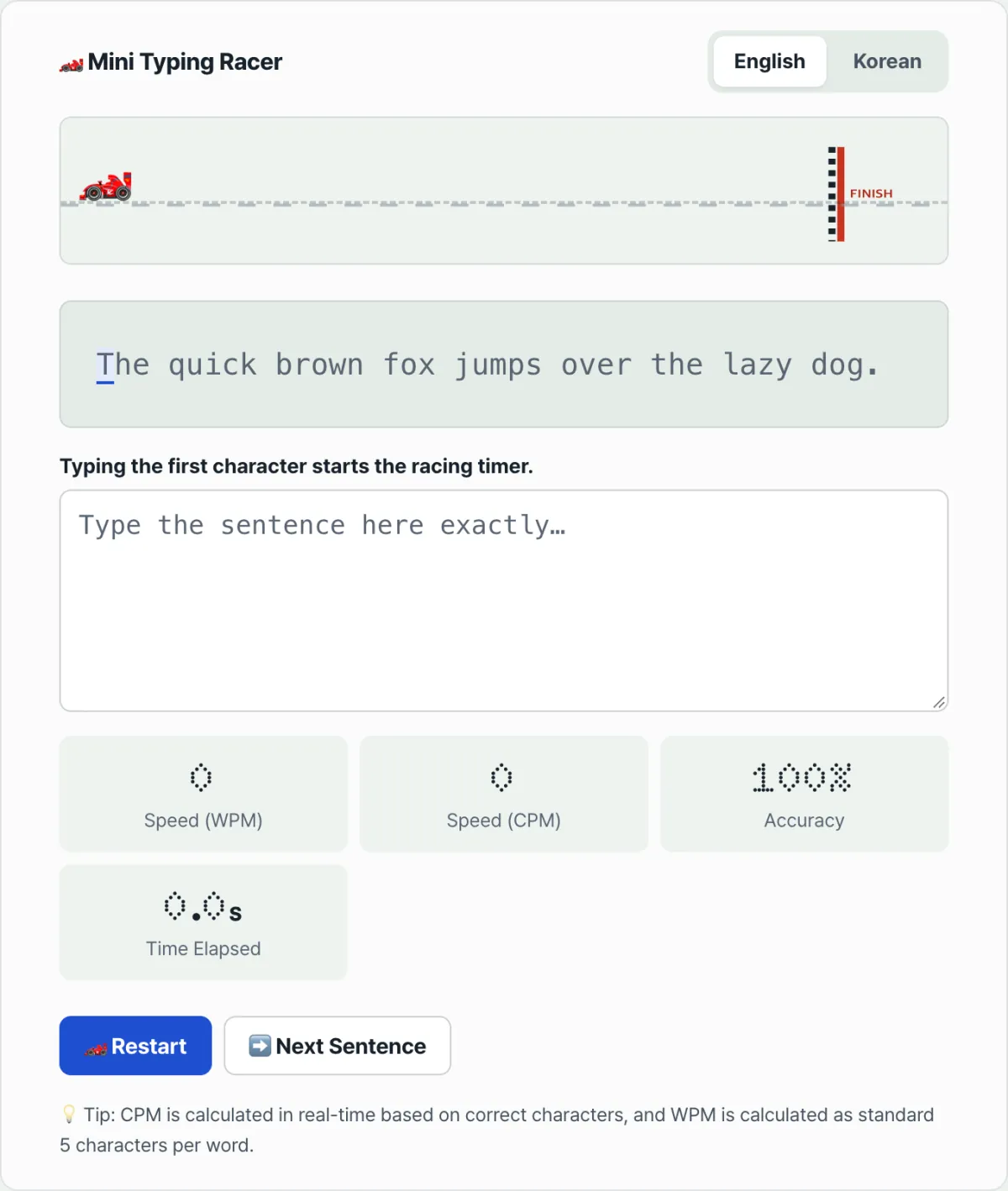
You could paste this code into a page and test it yourself, but preparing a passage and building the screen every time is a hassle. Try it right away in Mini Typing Racer — Korean and English passages are already prepared, and all of the calculations above happen automatically in real time.
Measure your real-time typing speed (WPM/CPM) and accuracy on Korean and English passages, and drive the race car forward along the track.
The Formulas at a Glance
| Metric | Formula | Meaning |
|---|---|---|
| CPM | (characters typed correctly ÷ elapsed time in seconds) × 60 | Correctly typed characters per minute |
| WPM | CPM ÷ 5 | Words per minute (5 characters converted to 1 word) |
| Accuracy (%) | (total keystrokes − number of typos) ÷ total keystrokes × 100 | Share of correct input, excluding typos |
| Race car position (%) | 5 + (characters typed ÷ total passage length) × 80 | How far the car has advanced within the 5%–85% span of the track |
Things to Watch Out for When Measuring Typing Speed
Handling Korean Input (IME)
Korean is a composed writing system: a single character isn't complete until its initial, medial, and final consonants are combined. Because keydown events can fire redundantly before a character is finished, checking the isComposing state or counting based on input events helps you measure Korean typing speed without errors.
Race Car Animation Performance
If you adjust the car element's position with transform: translateX() instead of the left property, GPU acceleration kicks in, so you keep smooth motion without frame drops even when you're typing fast.
Recap
- CPM is the number of characters you typed correctly per minute; WPM is CPM ÷ 5.
- Accuracy is (total keystrokes − typos) ÷ total keystrokes × 100.
- The race car position reflects the ratio of characters typed, not speed, and is mapped only to the 5%–85% span of the track.
- You can implement the calculation logic yourself like the code above, or check it instantly with Mini Typing Racer.
Measure your real-time typing speed (WPM/CPM) and accuracy on Korean and English passages, and drive the race car forward along the track.
Frequently Asked Questions
What's the difference between WPM and CPM?
CPM is the number of characters you typed correctly, converted into a per-minute rate, while WPM is the English-language typing standard that defines 5 characters as one word and gives you words per minute.
How are single keypresses and repeated keypresses handled with Korean input?
The measurement uses the standard string length of browser JavaScript, so for Korean it maps character positions by the number of completed syllables, without error.
How do I start the game?
Click the English or Korean tab to choose the language you want to practice, put the cursor in the input field, and type the first character of the passage shown — the timer starts automatically. When you type through the last character, your speed and accuracy results are generated, and you can copy your record to the clipboard.
This article was adapted from our Korean original. Read the Korean original