
TOML to JSON Converter: How Each Syntax Maps
Contents
When you convert TOML to JSON, the confusing part isn't the math. It's that you don't have a mapping table in your head for which piece of syntax turns into which shape. Here's the short version: the mapping is simple. [table] becomes a nested object, [[table]] becomes an array of objects, and both dotted (.) keys and inline tables { } become objects.
This post is for anyone moving config files between TOML and JSON. It walks through what each syntax element actually produces, with input and output side by side.
Summary ①
[table]becomes a nested object,[[table]]becomes an array of objects, and dotted (.) keys and inline tables{ }both become objects. ② Going the other way, JSON → TOML requires the top level to be an object, and any key with anullvalue disappears entirely because TOML has no null. ③ Values that look like dates stay as strings, and numbers with underscores like1_000_000become1000000with the underscore removed.
When your config is TOML but the tool only takes JSON
TOML is widely used as a config file format. Rust's Cargo.toml, Python's pyproject.toml, and the config.toml of many static site generators are the usual examples.
The problem comes up when you need to hand that config to another tool or script that only accepts JSON. For example, you might feed part of pyproject.toml into a JSON-based validation tool, or move config you manage as JSON into a tool that uses TOML.
When you move it by hand, it's easy to get the structure wrong. You can't tell where a nested table like [tool.black] ends, or whether double brackets like [[tool.poetry.source]] mean an array or an object. The format itself is simple, but without the mapping rules, this is where mistakes happen.
How to map the syntax yourself, one piece at a time
First, the principle. TOML was designed to map exactly onto a hash table — a set of key-value pairs, in other words a dictionary. That's why it pairs so well with the JSON object, and why the mapping rules fit into a handful of items.
There are five rules.
key = value→"key": value. Each pair carries over as is.- The lines under
[owner]→ they become a nested object wrapped as"owner": { ... }. - A dotted key like
owner.name = "홍길동"→ it works exactly like writing[owner], giving you"owner": { "name": "홍길동" }. - Repeated
[[posts]]→ they become an array of objects,"posts": [ {...}, {...} ]. Two layers of brackets is the signal for "array." - An inline table like
{ x = 1, y = 2 }→ it becomes the object{ "x": 1, "y": 2 }.
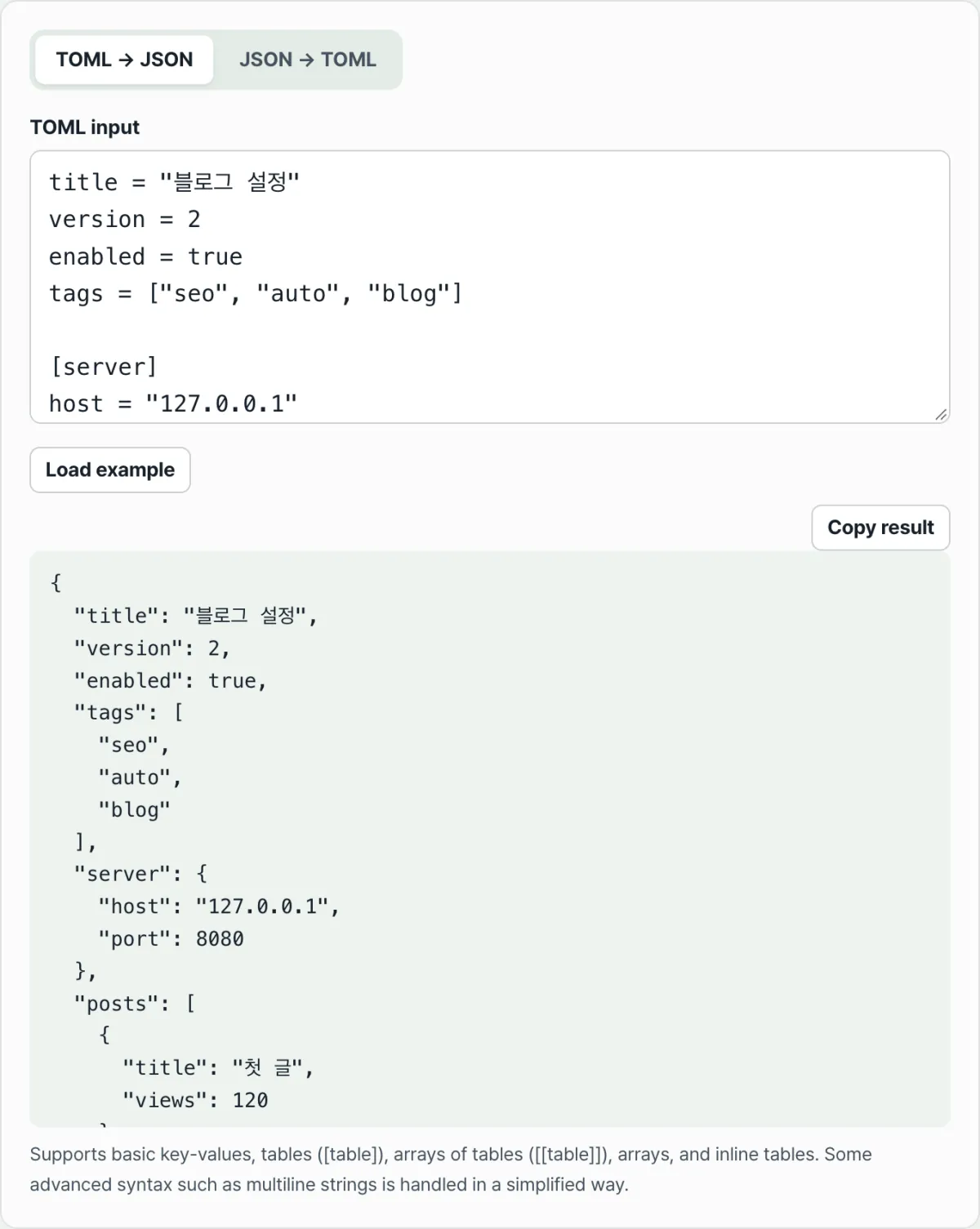
For example, this TOML
title = "블로그 설정"
version = 2
tags = ["seo", "auto", "blog"]

[database]
host = "127.0.0.1"
port = 5432

[[posts]]
title = "첫 글"
views = 120

[[posts]]
title = "둘째 글"
views = 45
becomes this.
{
  "title": "블로그 설정",
  "version": 2,
  "tags": [
    "seo",
    "auto",
    "blog"
  ],
  "database": {
    "host": "127.0.0.1",
    "port": 5432
  },
  "posts": [
    {
      "title": "첫 글",
      "views": 120
    },
    {
      "title": "둘째 글",
      "views": 45
    }
  ]
}
You can see right away that [database] folded into a "database" object and [[posts]] folded into a "posts" array.
If you want to check whether your hand-written result is correct, run it through a standard parser. Python 3.11 and later ships a read-only TOML parser called tomllib in the standard library, so with no extra install you can see the same conversion with one line:
python3 -c "import tomllib,json; print(json.dumps(tomllib.load(open('config.toml','rb')), indent=2, ensure_ascii=False))"The upside of this approach is that it's a real parser, so syntax errors come back as errors. The downside is that creating a file and typing the command gets tedious every time, and for the reverse direction (JSON → TOML) the standard library has no writer, so you have to install a separate library.
Check it with our tool.
Paste your text and convert TOML ↔ JSON both ways right in the browser. Free, no install or signup, and your input is not sent to a server.
Where the results get confusing
Once you know the mapping, the TOML → JSON direction is rarely confusing. Misunderstandings mostly come from the reverse direction and from a few value-handling cases. Here are the common ones.
| Situation | Result |
|---|---|
| JSON top level is an array, number, or string | "TOML top level must be an object" error |
A key with a null value | TOML has no null, so the key is omitted entirely |
A date string like "2026-07-17" | Kept as a quoted string, unchanged |
An underscored number like 1_000_000 | Becomes the number 1000000 with the underscore removed |
# comment (outside quotes) | Removed from the result |
The top level must be an object. In the JSON → TOML direction, if the top level is an array like [1, 2, 3], or just a single number or string, the converter tells you "TOML top level must be an object." That's because a TOML file as a whole is one set of key-value pairs, so an unnamed array can't sit at the outermost level. Wrap it in a key once, like { "items": [1, 2, 3] }, and it converts fine.
Keys with null disappear. TOML has no such value as null. So if your JSON has "nickname": null, no nickname line appears in the TOML result. It's not that the value is empty — the whole key is gone, so converting the result back to JSON leaves that key missing.
Dates look like dates but are strings. TOML does have date and time types, but this converter simplifies that part and stores a value like 2026-07-17 as a string rather than a date type. That's why the JSON result shows it quoted, as "2026-07-17". There's no risk of it being misread as a number and getting corrupted.
Underscores in numbers are digit separators. TOML lets you break up digits with underscores for readability, like 1_000_000. The converter strips the underscore and turns it into the number 1000000. JSON has no underscore notation, so that's the natural result.
Wrapping up
[table]becomes a nested object,[[table]]becomes an array of objects, and dotted (.) keys and inline tables{ }both become objects.- For JSON → TOML, the top level must be an object. An array or a bare number gives you an error.
- Keys with a
nullvalue drop out of the result entirely, because TOML has no null. - Values that look like dates stay as strings, and underscored numbers like
1_000_000lose the underscores. - You can verify a hand-written result with a standard parser like Python's
tomllib.
Paste your text and convert TOML ↔ JSON both ways right in the browser. Free, no install or signup, and your input is not sent to a server.
Frequently asked questions
What does TOML's double-bracket [[ ]] become in JSON?
When the same [[posts]] block appears more than once, it becomes an array of objects under that name, like "posts": [ { ... }, { ... } ]. Just remember the difference: single brackets [posts] mean one nested object, double brackets [[posts]] mean an array.
I converted JSON to TOML and got an error. Why?
That happens when the top level of the JSON isn't an object. If it's an array like [1, 2, 3], or just a single number or string, you get a "the TOML top level must be an object" error. A TOML file is entirely key-value pairs, so wrapping it once under a key like { "items": [1, 2, 3] } makes it convert.
I put in a date and it came out as a string with quotes around it.
That's expected. This converter simplifies dates and times and treats them as strings, so 2026-07-17 comes out as "2026-07-17". Nothing changes or breaks — only the type is kept as a string.
Is the configuration I enter sent to a server?
No. Every conversion runs inside your browser, and the TOML and JSON you enter are never sent to a server or stored.
This article was adapted from our Korean original. Read the Korean original