
Word Cloud Word Size: Why the Biggest Word Isn't the Most Common
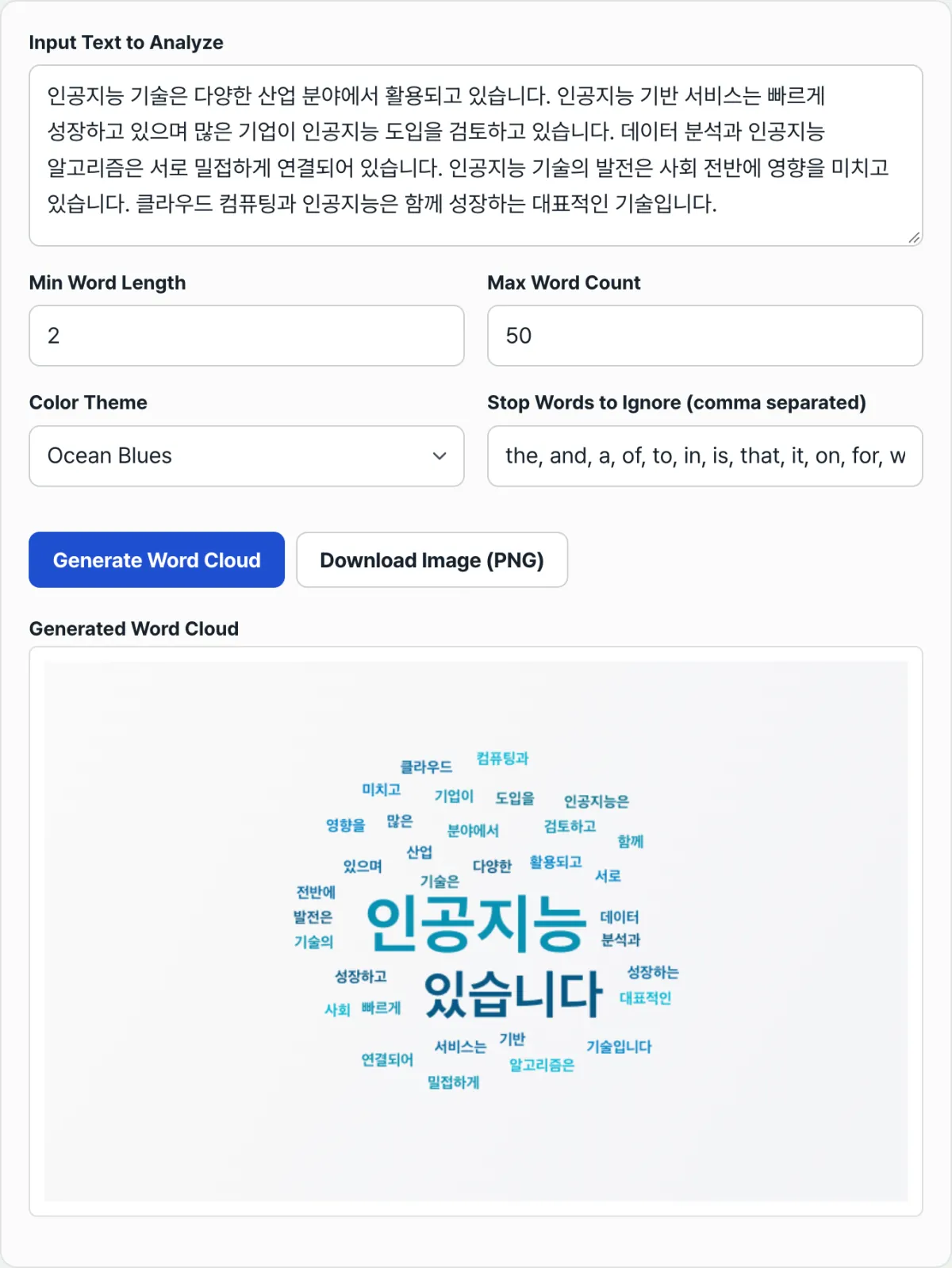
In a word cloud, the word shown in the biggest letters in the center of the screen may not actually be the word that appears most often in your text. Words removed by a stopword list, words cut by a minimum length limit, and words never drawn at all because the canvas ran out of room can be hiding behind that ranking. This post walks through, based on the code, the order in which a word cloud generator filters words and assigns sizes.
Summary ① The stopword and minimum length filters remove words before frequency is ever counted ② Font size is set by a linear ratio between the max and min values, not a log scale ③ If there's no room to place a word, it can drop off the screen entirely even if its frequency is high
The problem
When you paste a news article or meeting notes into a word cloud, one word often comes out noticeably larger than the rest. But if you search the same text with Ctrl+F and count the actual occurrences, there's sometimes a different word that appears more often than the one that looked biggest on screen.
That gap isn't the tool malfunctioning. It happens because the text goes through several rounds of filtering and transformation before frequency is counted. To read the result correctly, you need to know the order in which words get dropped or shrunk.
The fix
The most reliable way to check the real ranking is to reproduce the tool's rules by hand. Follow this sequence and you can compare the on-screen size against the true frequency.
- Convert the whole text to lowercase. Case-insensitive counting means "AI" and "ai" are treated as the same word.
- Replace digits and punctuation with spaces. Compound words joined by hyphens or slashes get split in two at this step.
- Split on whitespace, then exclude words shorter than your minimum length and words in the stopword list.
- Count occurrences of the remaining words and sort from most to least.
If you run these four steps in a document editor or spreadsheet, you can confirm by hand whether the word that looked big on screen is really number one. Pay special attention to step 3: if particles or conjunctions aren't in the stopword list, they can show up large regardless of what the text actually means.
For the filtered word list, the tool sets font size with a linear ratio, not a log scale. Based on the gap between the most frequent word and the least frequent word, it assigns sizes from a minimum of 14px to a maximum of 60px in proportion to that range. So if a text has one word that appears far more often than everything else, the remaining words can all look about the same small size on screen even when their real frequencies differ.
Once sizes are set, the placement order still matters. Starting with the most frequent word, the tool looks for a spot spiraling out from the center of the canvas and tries up to 400 positions to avoid overlaps. A word that can't find open space within those 400 attempts is simply not drawn and quietly drops out — and this happens often when you set the maximum word count high.
Try pasting your own text into our tool to see which words get placed and at what size.
Paste your text and see for yourself how each word's size gets assigned.
Common sticking points
| Symptom | Cause |
|---|---|
| Particles and conjunctions show up large | The minimum word length is too low, or those words are missing from the stopword list |
| A word you used often doesn't appear | It's in the default stopword list (e.g. "것", "등", "관련") and was excluded automatically |
| A compound word got split in two | The punctuation removal rule turns hyphens and slashes into spaces too |
| Some words still don't appear even after raising the max word count | They couldn't find a spot on the canvas and were dropped after 400 attempts |
| Only the colors change when you regenerate | Placement stays the same, but colors are reassigned randomly each time |
| English words get merged regardless of case | The whole text is lowercased before frequencies are counted |
Bottom line
The biggest text on screen isn't always the true number one by frequency. It's the end result of the stopword filter, the minimum length filter, linear size normalization, and the 400-attempt limit on spiral placement, applied one after another. If you want an exact ranking, reproduce the filtering rules by hand and compare; it's safer to treat the on-screen result as a visual emphasis only.
Paste your text and see for yourself how each word's size gets assigned.
Frequently asked questions
A certain word doesn't show up at all
It may be in the stopword list, shorter than the minimum word length, or dropped after 400 placement attempts on the canvas. First check the stopword input to see whether the word is on the list.
I regenerated from the same text and the sizes and positions changed
Font sizes and placement are calculated identically for the same text. Each word's color, though, is drawn randomly from the theme palette on every generation, so only the colors should look different.
Do I need to click Generate again after changing the color theme?
No. Once you've generated a cloud, changing the theme redraws it automatically with the same text.
This article was adapted from our Korean original. Read the Korean original