
Fraction Calculator: Add, Subtract, Multiply, Divide Fractions
Contents
The four operations on fractions first showed up in elementary school math and gave plenty of us headaches. They still show up as adults, too — adding inch (inch) measurements on a woodworking DIY project, scaling the ratios in a baking recipe, or setting up precise proportions when you analyze lab data.
But the two steps you have to go through — finding a common denominator when the denominators differ, and breaking the final result down to its simplest form — are exactly where hand calculations tend to go wrong. This article lays out the four core math formulas for fractions and the algorithm behind simplified-fraction (reduced) filtering in detail.
Summary ① Adding/subtracting fractions: find the least common multiple (LCM) of the two denominators and rewrite both fractions over it (
common denominator), then add or subtract the numerators. ② Multiplying/dividing fractions: for multiplication, multiply denominator by denominator and numerator by numerator directly. For division, flip the numerator and denominator of the divisor and switch to the reciprocal multiplication formula. ③ Reducing and simplified fractions: after the operation, find the greatest common divisor (GCD) of the numerator and denominator, then divide both by that GCD to get the fraction as simple as it can be. ④ Enter the numerators and denominators of two fractions in the Fraction Calculator and you get the result of the four operations right away, as both a simplified fraction and a decimal.
1. Standard Math Formulas for the Four Operations on Fractions, and How They're Derived
Based on the mathematical definition, the four operations on fractions (a/b, c/d) break down like this.
Adding and Subtracting Fractions (Common Denominator Rule)
If the denominators differ, the pieces aren't the same size, so you make the denominators match.
a/b ± c/d = (a×d ± b×c) / (b×d)
(Plugging in the least common multiple of b and d makes the arithmetic cleaner.)
Multiplying Fractions
Multiply numerator with numerator and denominator with denominator, one to one.
a/b × c/d = (a×c) / (b×d)
Dividing Fractions (Reciprocal Multiplication)
Flip the numerator and denominator of the divisor to turn the problem into a multiplication.
a/b ÷ c/d = a/b × d/c = (a×d) / (b×c)
2. The Finishing Step: Reducing with the Greatest Common Divisor (GCD)
To take the fraction A/B that comes out of an operation and express it as a simplified fraction — the simplest basic unit — you have to pass it through a number-theory reduction filter.
Reduction formula:
- Compute the greatest common divisor (GCD) of numerator A and denominator B.
- Divide the numerator and the denominator by that GCD so both divide evenly.
기약분수 결과 = (A ÷ GCD(A, B)) / (B ÷ GCD(A, B))
Worked example (the operation produces 18/24):
- GCD of numerator 18 and denominator 24: 6
- Splitting by the common factor:
18 ÷ 6 = 3, 24 ÷ 6 = 4 - Final simplified fraction: 3/4
How to Use the Fraction Calculator
When adding or subtracting fractions with different denominators by hand gets tedious, use a dedicated fraction calculator.
Free · no sign-up · enter your fraction values and get the simplified fraction and decimal equivalent in one step
The steps are laid out very clearly.
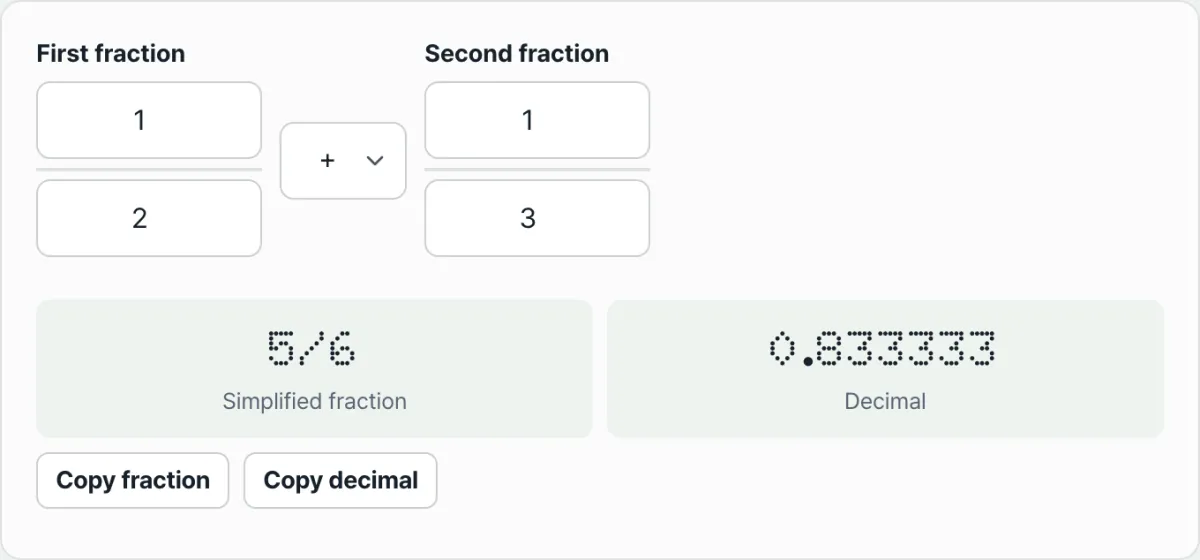
- Enter the fractions: type each fraction's numerator and denominator into its own field (for a mixed number, convert it to an improper fraction with the formula above first).
- Pick the operation: press the button for addition (+), subtraction (-), multiplication (×), or division (÷).
- The result card shows the answer as a simplified fraction as soon as you enter the numbers, and if the result is an improper fraction, the mixed-number form is shown as well.
- It also prints the final simplified fraction as a decimal, which makes it easy to compare against real-world measurements.
Wrapping Up
Fraction arithmetic looks complicated at first, but it all runs on a clear arithmetic logic: common denominators and reduction using the greatest common divisor. With the Fraction Calculator, you can see the simplified fraction and the decimal value together, with none of the common-denominator or reduction errors that creep into hand calculations.
Free · no sign-up · enter your fraction values and get the simplified fraction and decimal equivalent in one step
Frequently Asked Questions
How do I convert a mixed fraction to an improper fraction?
To convert a mixed fraction W(a/b) (whole part W, fraction part a/b) to an improper fraction, multiply the whole number by the denominator and add that to the numerator.
- Mixed → improper formula:
W(a/b) = ((W×b) + a) / b - Example (converting the mixed number 3 and 3/4):
The whole part is 3, the denominator is 4, and the numerator is 3, so:
(3×4 + 3) / 4 = (12 + 3) / 4 = 15/4You have to make this conversion before the multiplication and division formulas will apply smoothly.
What's the advantage of a computer handling numbers as fractions instead of decimals?
When a computer does arithmetic, decimals come with a built-in limit: rounding error.
- The limit of decimals: for example, 1 ÷ 3 as a decimal is 0.333333..., which never ends, so the computer has to cut the decimal off somewhere because of memory limits. Tiny errors can pile up.
- The advantage of fractions: if you store the value as the fraction 1/3 instead — a pair of integers, numerator and denominator — there's no endless truncation step, so the value stays exact with no rounding error.
This article was adapted from our Korean original. Read the Korean original