
Mock JSON data: how to generate dummy records for API tests
Contents
If you're in the early stages of building a web service and the backend API server's database model and controller endpoints aren't finished yet, frontend developers get stuck trying to verify features and render UI layouts.
That's when you need precise dummy data (mock data) that matches the JSON structure in the API spec. This post covers how to generate random dummy JSON data in code yourself, plus the API testing checkpoints people often miss along the way.
1. The Basic Structure of Dummy Data Generation
The logic for automatically generating a structured fake dataset (mock JSON) usually boils down to the same repeating pattern.
mockDataset = [ template(i) for i in 1..N ]Here, N is the total number of records you want to create, and template(i) is a function that takes the index i and returns one object filled with random data fields.
How to Fill Each Field with a Random Value
- Unique identifiers (sequential ID / UUID):
Map either a sequential integer (
i + 1) or a 36-character UUID string that follows the RFC 4122 standard (crypto.randomUUID()in the browser). - Picking a random name:
Pick a random index from a name array you prepared ahead of time.
const selectedName = list[Math.floor(Math.random() * list.length)]; - Mapping a random date within a range:
Pick a random point in the millisecond span between the start and end times, then convert it to a date string.
const randomDate = start + Math.random() * (end - start);
Know these three patterns and you can build dummy records mixing sequential IDs, UUIDs, names, and dates in code yourself. But once you have a lot of fields and you keep changing the schema, retyping that logic by hand every time gets slow. It's faster to use a tool where you just set the field names and types and get the result right away.
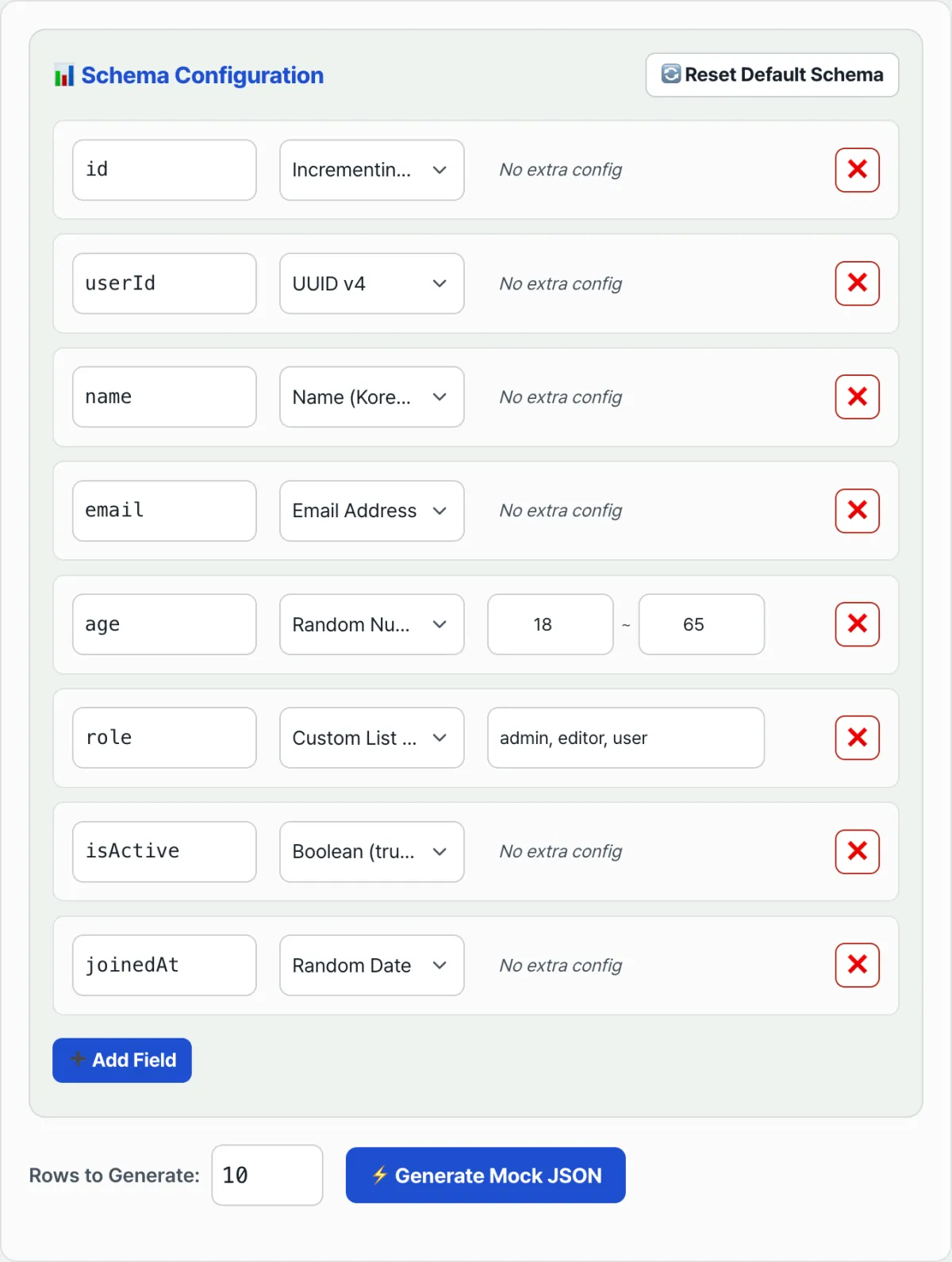
Try it with our tool. Set the field names, data types, and number of rows, and it instantly builds a JSON array using exactly the logic above.
Set how many records you need and each field's name and data type (name, email, random number, and so on) to pull a dummy JSON array right away.
2. API Testing Checkpoints with Mock JSON
When you wire fake data into a web UI for testing, it's a good idea to simulate network latency too, so it behaves like a real remote server.
- Simulating network delay:
On localhost, data loads in close to 0ms, so it's hard to tell whether UI components like loading spinners actually show up. Combine
PromiseandsetTimeoutto inject an arbitrary delay on purpose.// A mock data fetching promise that behaves like a real API call function fetchMockUsers() { return new Promise((resolve) => { setTimeout(() => { resolve(mockUserDatabase); }, 800); // Adds an artificial 0.8s network latency }); }
Instead of typing a new data-generation function into your code every time you need dummy data, just set the number of records and the schema structure and you can generate a mock JSON array and copy it right away.
3. Things to Watch for in Dummy Data for Sound API Mocking
| Item | What to check |
|---|---|
| Edge cases | Mix in some abnormal records — unusually long names, empty null values, empty arrays — so you can catch broken layouts and reference errors like Cannot read property of undefined before they hit you |
| Relational data integrity | When you generate posts and authors together, each post's authorId must match one of the id values in the author list, or screen binding will break |
| Data types | Make sure the types your frontend code expects (string/number/boolean) match the types of the values actually generated |
Summary
- Generating dummy data is ultimately a loop over an index, filling each field with a random value.
- Sequential IDs, UUIDs, names, and dates each follow a fixed rule: a counter,
crypto.randomUUID(), array indexing, and a random number in a range. - Check edge cases and reference integrity together, and you'll catch real errors on screen before they happen.
Set how many records you need and each field's name and data type (name, email, random number, and so on) to pull a dummy JSON array right away.
Frequently Asked Questions
What data types are supported?
For each field you can choose a sequential ID, UUID, name, email, random number, date, boolean, or a custom enum where you list the words yourself. Set the field name, type, and row count, and you get a matching JSON array.
How does the custom enum work?
Write a comma-separated list of words (for example, admin, user, guest), and each row gets one of those words assigned at random when the data is generated. It's a good fit for fields that must hold one of a fixed set of values, like status codes or roles.
How do I use the results?
Click the Generate button and you can review the resulting JSON right on screen. Copy it to your clipboard or save it as a file, then paste it straight into your frontend mockup code or API tests.
This article was adapted from our Korean original. Read the Korean original