
Pythagorean Theorem Calculator: 3 Steps to Find the Hypotenuse
Contents
When you know the lengths of two sides of a right triangle, finding the third side — usually the hypotenuse — comes down to one formula: the Pythagorean theorem, a²+b²=c². The math isn't hard, but people slip up on the order (square, add, then take the square root) and on which value goes into which side.
This post walks through the calculation step by step with numbers you can check yourself, and points out where mistakes usually happen.
Summary ① The Pythagorean theorem only works for right triangles, and the formula is a²+b²=c². ② The calculation takes three steps: square, add (or subtract), square root. Whether you add or subtract depends on whether you're solving for the hypotenuse or for another side. ③ The hypotenuse (c) must always be longer than the other two sides. If it isn't, the calculation doesn't work.
When you need a right triangle calculation
In carpentry and installation work, people often use the 3-4-5 rule to check whether a rectangular frame is actually square. You mark a point at a multiple of 3 along one side and a multiple of 4 along the other, then measure the diagonal between the two marks. If that diagonal matches the same multiple of 5 exactly, the corner is a right angle.
The problem comes when the side lengths aren't neat numbers like 90cm and 120cm. Then you can't do the arithmetic in your head — you have to work it out to know exactly how long the diagonal should be.
The same calculation applies when you find the diagonal size of a monitor or TV from its width and height, or the straight-line distance between two points on a coordinate plane. All three cases are really the same question: "given the two sides that meet at the right angle, find the third side."
How to do it by hand: square, add, square root
Pythagorean theorem calculations always follow the same order. The only thing that changes is whether you add or subtract in the second step, depending on what you're solving for.
Finding the hypotenuse (c)
If you know the base (a) and the height (b), find the hypotenuse like this.
- Square: square each of the two sides.
- Add: add the two squared values.
- Square root: take the square root of the sum, and that's the hypotenuse.
For example, if a=3 and b=4:
c² = 3² + 4² = 9 + 16 = 25
c = √25 = 5
Finding another side (a or b)
If you know the hypotenuse (c) and one side, the order is different. You subtract instead of adding.
- Square: square the hypotenuse and the side you know.
- Subtract: subtract the square of the known side from the square of the hypotenuse.
- Square root: take the square root of the difference, and that's the missing side.
For example, if c=13 and b=12:
a² = c² - b² = 169 - 144 = 25
a = √25 = 5
When the calculation works
There's one condition you have to respect. The hypotenuse (c) has to be the longest of the three sides. If c²-b² comes out negative — that is, if c is less than or equal to b — no such triangle can exist, so the calculation doesn't work.
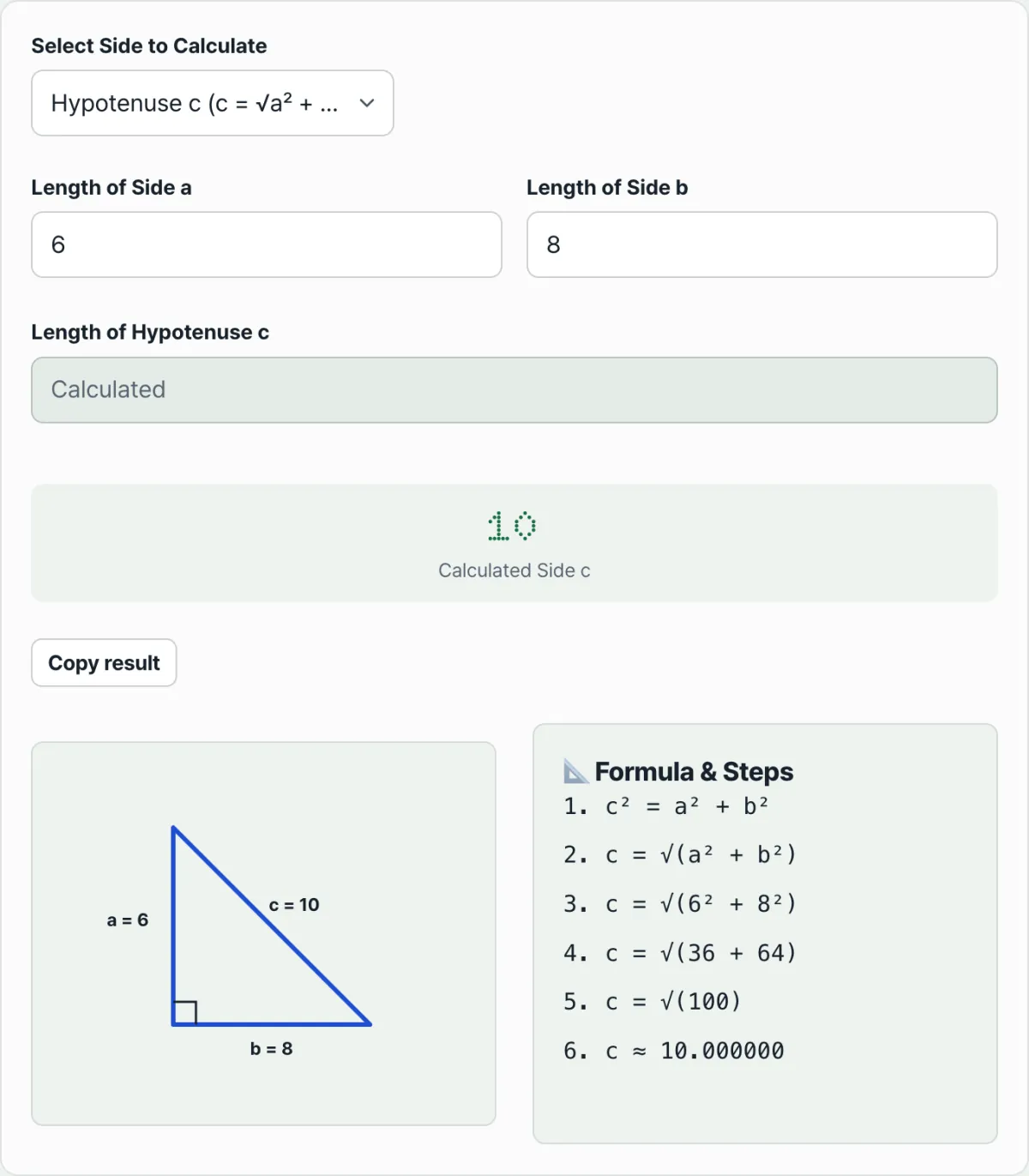
Check it with our tool.
Enter any two of the base, height, or hypotenuse to get the third side length, the formula substitution steps, and a triangle diagram — free.
Where people go wrong: picking the sides and comparing lengths
Mistakes happen more often before the calculation than during it. There are two main spots.
Two common mistakes
Choosing the wrong side to solve for. The hypotenuse (c) is the side opposite the right angle, and it's always the longest of the three. The base (a) and the height (b) are the two sides that form the right angle, so swapping their names doesn't affect the calculation. But if you confuse the hypotenuse with another side, you'll end up subtracting where you should add, or adding where you should subtract.
Putting a smaller value in the hypotenuse slot. If you're solving for another side (a or b) and you enter a c value that's less than or equal to the side you know, the calculation doesn't work. A right triangle can't have a side longer than its hypotenuse.
Calculation conditions at a glance
| Value to find | Values you need | Order of operations | Condition |
|---|---|---|---|
| Hypotenuse c | Base a, height b | Square → add → square root | Both a and b must be greater than 0 |
| Base a | Hypotenuse c, height b | Square → subtract → square root | c must be greater than b |
| Height b | Hypotenuse c, base a | Square → subtract → square root | c must be greater than a |
It's also common for the result not to be a whole number. For example, if a=5 and b=7, then c=√74, which is about 8.60232526. In that case, round to as many decimal places as you need.
Recap
- The Pythagorean theorem only works for right triangles, and the formula is a²+b²=c².
- To find the hypotenuse (c), square each of the two sides, add them, then take the square root.
- To find another side (a or b), subtract the square of the known side from the square of the hypotenuse instead of adding, then take the square root.
- The hypotenuse must always be the longest of the three sides. If it isn't, the calculation doesn't work.
- If the result isn't a whole number, round it to the decimal places you need.
Enter any two of the base, height, or hypotenuse to get the third side length, the formula substitution steps, and a triangle diagram — free.
Frequently asked questions
Is the hypotenuse (c) always the longest side?
Yes. The hypotenuse is the side opposite the right angle, and in a right triangle it's mathematically always the longest of the three. That's also why the calculation fails if the value you put in the hypotenuse slot is less than or equal to the other side you know.
What do I do if the result is a decimal?
Unless the side lengths are an integer ratio (3-4-5, 5-12-13, and so on), the result is usually a decimal that never ends. In that case, round it to the precision you need. The calculator shows the result to 8 decimal places.
Can I swap the base (a) and the height (b)?
Yes, it doesn't change the result. The base and the height are the two sides that form the right angle, so they're interchangeable, and a²+b²=c² just adds the two values — the order doesn't matter and the hypotenuse comes out the same. That doesn't hold for the hypotenuse (c), though, so be careful not to put another side in the c slot.
Can I use this when I know all three sides?
It's not the direct purpose, but you can use it to check your work. Pick one of the sides as the value to find, enter the other two, and compare the calculated value with the one you actually have. That tells you whether the triangle is really a right triangle.
This article was adapted from our Korean original. Read the Korean original