
Mute a Video Without Losing Quality: How Streams Work
Contents
Have you ever hesitated to remove just the audio from a video in your editor, worried it might hurt the picture quality? The bigger the file, the more you tend to worry that re-compressing it will degrade the image or take forever to process.
But once you know how a video file like MP4, MOV, or WebM is actually put together, most of that worry goes away. Inside a video file, the picture and the sound are stored in separate places from the very start.
Summary ① A video file like MP4, MOV, or WebM is a "container" — a single file that holds a video stream and an audio stream separately. ② Removing only the sound means pulling just the audio stream out of the container. The video stream is copied exactly as it was, so there's no loss in quality. ③ Editing that changes resolution or codec is the opposite: every video frame has to be re-compressed, which takes longer and can change the picture.
What Is a Container File?
Extensions like MP4, MOV, and WebM are not the name of a compression method (a codec). They're the name of a "container" format. A container does one job: it bundles different kinds of streams — video data, audio data, and sometimes subtitle data — into a single file.
The images you see on screen are compressed and stored in the video stream, and the sound that comes out of your speakers is compressed and stored in the audio stream, each independently. When a player opens the file, it simply finds these streams inside the container and plays them at the same time. The two streams aren't mixed together into one.
Why Removing Only the Sound Doesn't Touch Picture Quality
The fact that video and audio are separate inside the container carries over directly to how you edit. Removing the sound is like pulling out one drawer — the audio stream — from the container entirely. Nobody even opens the drawer holding the video stream.
This is called stream copy. There's no need for the "re-encoding" step of decompressing the compressed video data and compressing it again, so there's no room for the picture to change, and processing is much faster. Editing that changes resolution or applies a filter, on the other hand, requires decoding and encoding every video frame, so it takes longer and the compression process shifts the image little by little.
That's why "mute" and "change resolution" look like the same kind of edit but are completely different jobs inside. One is pulling out a drawer. The other is rebuilding everything inside it from scratch.
How to Check It Yourself: Stream Copy
If you want to see this principle for yourself, look at a video program installed on your computer and see whether it offers options like "remove audio track" or "stream copy." If you're comfortable with a free, open-source command-line tool, you can run an option that copies the video stream as-is and removes only the audio stream to make a silent video yourself, using the same principle.
The catch is that you have to install the command-line tool and learn the syntax. The options are written a little differently for each file format, so you'll need to check it repeatedly until you get the hang of it before you can get the same result every time.
Dynamic Labs' mute video tool handles that whole process for you inside your browser with a few clicks.
Our free Mute Video tool removes just the sound from your upload, fast, with no quality loss.
How the Mute Video Tool Applies This Principle
The Mute Video tool uses exactly the stream copy method described above. It copies the video stream of the uploaded video as-is and removes only the audio stream to create the silent video, so there's no re-encoding at all.
The result has the same picture quality as the original, and because the video data isn't re-compressed, processing is fast. The output keeps the same extension as the original — upload an mp4 and you download an mp4, upload a webm and you download a webm.
The work happens right in your browser, with no file sent to a server. The first time you use it, there's a one-time download of the video processing engine, so it may take a bit longer. After that, it strips the audio from your uploaded video quickly.
What You'll See on the Screen
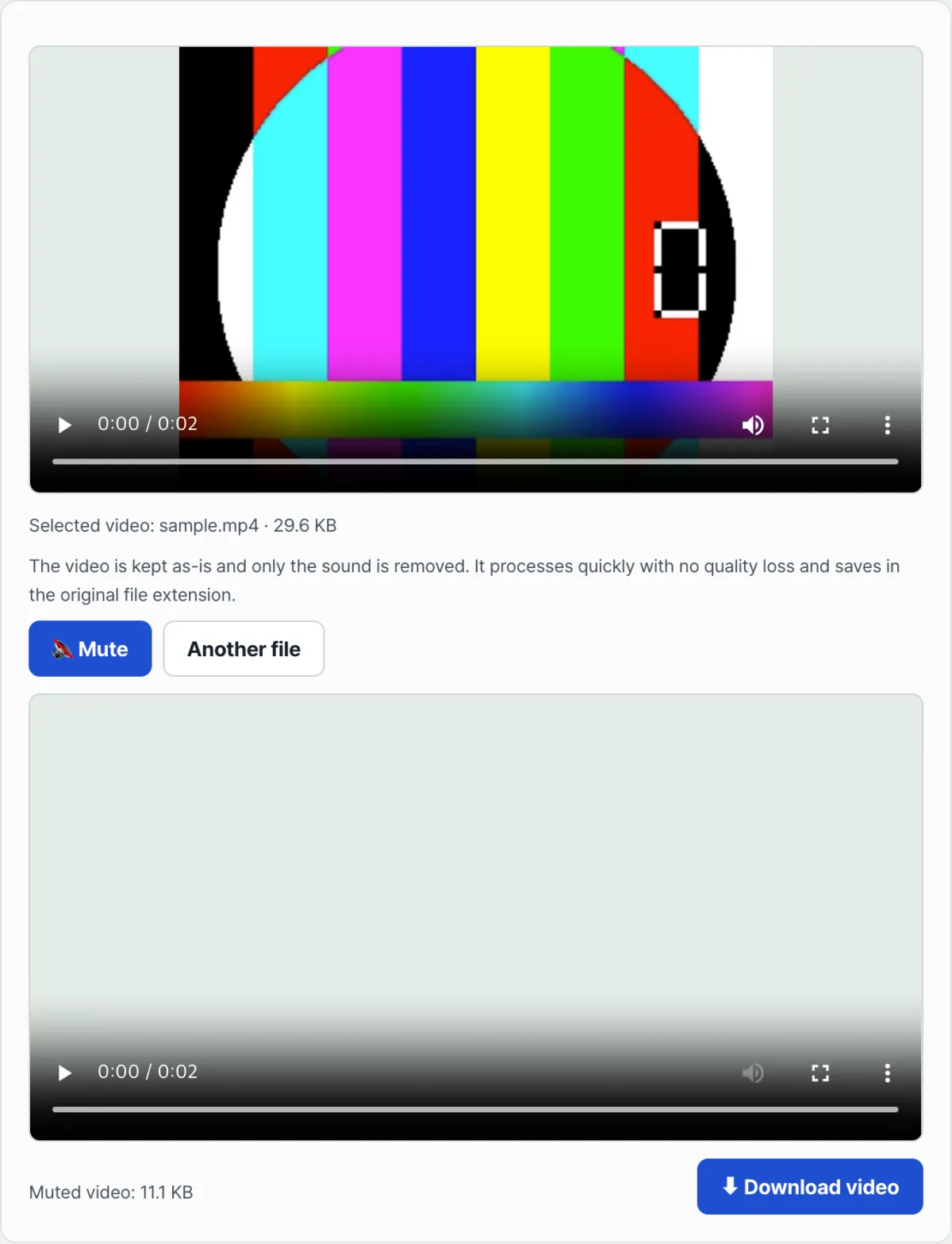
When you drag and drop a video file or click to select one, the original video preview, the file name, and the file size appear at the top. The screen also shows a note explaining that only the sound is removed, that it's processed quickly with no quality loss, and that the file is saved with its original extension.
Press the Mute Video button and the progress shows as a percentage. When it finishes, a new preview of the video without sound appears along with the new file size. You can save that result as a file with the same extension as the original by pressing the download button.
The Short Version
- A video file like MP4, MOV, or WebM holds its video stream and audio stream separately inside a container.
- Removing only the sound means taking out just the audio stream; the video stream is copied as-is, so there's no quality loss.
- Copying streams without re-encoding is much faster, too.
- Editing that touches the video frames themselves — like changing resolution or applying a filter — has to go through re-encoding.
- The Mute Video tool uses this stream copy method to make a silent video quickly with no quality loss, and it does the work right in your browser.
Our free Mute Video tool removes just the sound from your upload, fast, with no quality loss.
Frequently Asked Questions
Does muting a video lower its quality?
Not if the video stream is copied as-is instead of being re-compressed. Only the audio stream is removed from the container and the video data is carried over unchanged, so there's no reason for the resolution or sharpness to change.
Is a container file the same thing as a codec?
No. A container is a format like mp4, mov, or webm that bundles multiple streams — video, audio — into one file. A codec is a separate concept that refers to how the video or audio inside was compressed. The same container can hold video compressed with different codecs.
Which video formats can have the audio removed this way?
For common video container formats like mp4, mov, webm, mkv, and avi, the video and audio streams are separate, so the same principle applies. However, some unusual formats or damaged files may not process because their stream structure can't be read properly.
Can processing ever take a long time?
Stream copy is usually fast, but the first time you use it in your browser there's a one-time download of the video processing engine, so that first run can be a little slow. After that, processing finishes in far less time than you'd expect for the file size.
This article was adapted from our Korean original. Read the Korean original