
Is the Site Down? Check Whether It's Just You or the Server
Contents
When a site won't load, the first thought that pops into your head is "Is the server down?" But the cause is different depending on whether it's only you who can't get in or whether everyone is locked out. If you don't separate those two cases and just keep hitting refresh, you're only wasting time.
Summary ① A problem that's only on your end (local network, DNS, cache) and a server that's actually down have completely different causes and fixes ② The HTTP status code alone tells you whether the server is alive and blocking you, or whether the server itself is the problem ③ An automated checker only tries to connect from one location, so in some cases it can wrongly report a perfectly healthy site as down
"Only I can't get in" and "Nobody can get in" are different problems
Failed connections split into two broad groups. One is a problem in your own environment, and the other is a problem on the other side (the server or some point along the path to it). Mix the two together and your troubleshooting keeps spinning in circles.
Typical problems on your end: a temporary glitch at your local ISP or mobile carrier's DNS server, your router or company network blocking a specific domain (including firewall and parental control settings), and the browser pulling an old error page out of its cache. In all of these cases, the site looks perfectly fine to everyone else.
Server-side problems, on the other hand, are things like a failure on the origin server itself, or a wide outage at the CDN in use or on a particular regional network. In that case, everyone trying to connect has the same experience you do.
What you can check first, without any tools
Before you open a dedicated checker, the steps below can narrow down more than half of all causes.
First, try a different network. If Wi-Fi doesn't work, switch to your phone's mobile data; if mobile data doesn't work, switch to Wi-Fi. If both networks fail the same way, it's less likely to be a problem with just your device. Asking someone nearby, or a friend in another region, to try loading the site works on the same principle.
Second, rule out the cache. Open a new incognito (private) window and go to the same address. If it works in incognito but not in a normal window, your browser had been holding onto an old error page in its cache — the site was never the problem. A hard refresh (reload while ignoring the cache) has the same effect.
Third, understand that DNS and the actual server status are separate systems. Turning a domain name into an IP address (resolving it) and having the web server at that IP actually respond are two different stages. Sometimes DNS is fine and the server is down; other times the server is fine but a DNS misconfiguration or a stale cache sends you somewhere else entirely and the connection fails. A basic command like nslookup can confirm that the domain resolves to an IP correctly, which lets you look at the two stages separately.
Checking all three by hand means opening several windows, switching networks, and firing up a command prompt — more of a hassle than it sounds.
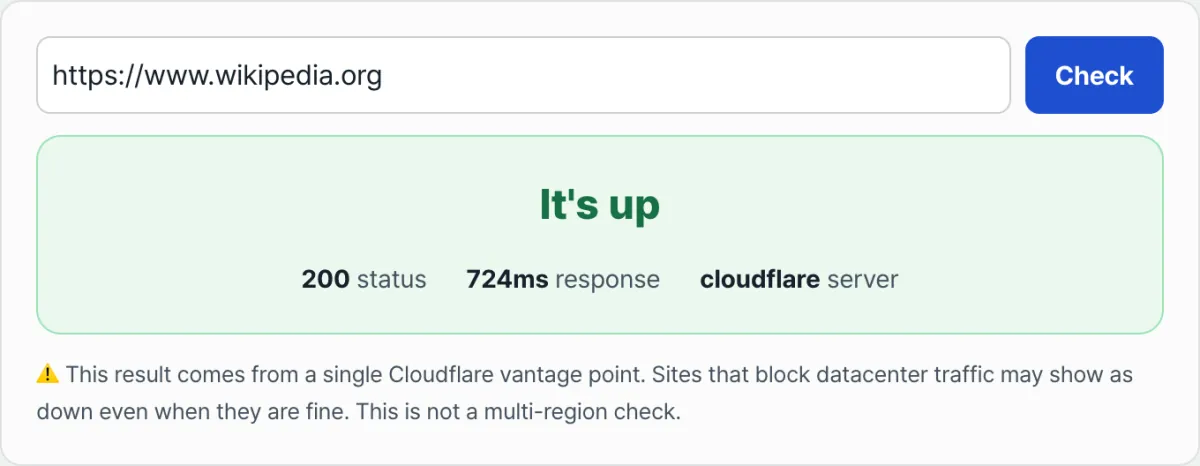
Enter one URL to see whether the server responds, along with the HTTP status code and response time.
The HTTP status code alone answers half the question
The HTTP status code that comes back from a connection attempt is really a short signal telling you what state the server is in right now. Here's what each one means.
| Code range | Meaning | How to read it |
|---|---|---|
| 200 | OK | The server is fully healthy |
| 3xx | Redirect | Pointing you to another address, not an error |
| 401/403 | Authentication required / Forbidden | The server is alive and deliberately blocking you |
| 404 | Not found | The server is fine, it just has no page at that path |
| 5xx | Server error | The server itself is having trouble |
| No response (timeout) | Couldn't connect at all | Likely a network, DNS, or firewall issue |
The key distinction here is that a "5xx error" and "no response at all (timeout)" are different problems. A 5xx means the server received your request and ran into trouble while handling it. A timeout means the request never reached the server in the first place. The latter is usually more likely to be a network, DNS, or firewall cause than an application one.
Automated checkers aren't perfect either
A tool like the "Is It Down? Website Status Checker" works by having a server try to reach the address from a specific location on your behalf, then report whether it succeeded, plus the status code and response time. It compresses a process you'd otherwise have to run by hand, from several people, into a single request.
That approach has clear limits, though. The check comes from a single point of presence, so it can't speak for all the different locations and network conditions real users connect from. That's where it differs from paid monitoring services that probe from multiple regions at once.
There's a bigger trap, too. Plenty of sites block entire IP ranges belonging to data centers and cloud providers to stop spam and crawling. On those sites, a person browsing from a normal browser gets in just fine, but an automated check request goes out from a data center to begin with, so it can be marked as down by mistake. In that case, what the tool reports is less a real outage and more a signal about that site's blocking policy.
The takeaway
- Problems that affect only you and problems that affect everyone have different causes, so sort out which one you're dealing with first
- Switching networks, using an incognito window, and checking DNS can narrow down a lot of causes on their own
- In HTTP status codes, read 3xx as normal, 401/403 as blocking, 404 as a path issue, 5xx as a server issue, and a timeout as a network issue — each means something different
- An automated checker gives you a result from one location, and sites that block data center IPs can show as down even when they're perfectly fine
- Weighing several clues together is more accurate than drawing a conclusion from a single result
Enter one URL to see whether the server responds, along with the HTTP status code and response time.
Frequently asked questions
Is there a way to check when only I can't load a site?
The fastest method is to switch the network you're on. If Wi-Fi doesn't work, switch to mobile data and try the same address; if that still fails, ask someone else to try loading it. If both fail, chances are good it's not just your device.
The site shows a 403 or 401 error: is that also "down"?
No. A 401 or 403 means the server is responding normally, but it's deliberately refusing a particular request. It could be that you need to log in, that your IP range is on a blocklist, or that access permissions are set that way. Treat it as separate from an actual server failure.
Can a site fail to load even when DNS is working?
Yes. DNS, which turns a domain name into an IP address, and the web server that responds at that IP are separate systems. If the DNS lookup finishes without a problem but the server at that IP is down, the connection fails. Conversely, if the server is fine but the DNS settings are messed up, the connection fails too.
The checker says the site is down, but it opens fine in my browser
An automated check makes its connection from a data center server, and some sites block entire data center IP ranges to prevent spam and crawling. Those sites open normally when a person visits directly, but an automated check can show them as down. Treat that result as a signal about the site's access policy, not as a real outage.
This article was adapted from our Korean original. Read the Korean original