
Share Secret Text Without Storing It on a Server
Contents
If you send text that shouldn't be seen by anyone else — like a password or account number — through a messenger or email, that content also stays on the other service's servers. A temporary secret text sharer solves this by compressing the text inside your browser and attaching it to the end of a URL, so nothing is ever stored on a server in the first place.
Summary ① The part after
#(the hash) in a URL is never sent to the server by your browser — we use this behavior to keep the data only inside the link. ② If you don't turn on password lock, the text is only compressed and encoded, not encrypted. To actually encrypt it, you have to turn the checkbox on yourself. ③ The password isn't included in the link, so for the other person to open it, you have to send the link and the password separately through different channels.
Why sending a password over a messenger feels wrong
Text you send through a messenger or email often stays on the other service's servers as conversation history, even after you delete it from your screen. If the service operator gets hacked or internal access leaks, the plaintext text piled up on that server can be exposed along with it. There's no reason to leave information you only need to pass along once — like an account number or a temporary password — on a channel that stores it permanently.
How sharing works without storing anything on a server
For a URL, only the part before # (the path) is sent to the server; the part after # (the hash fragment) stays only inside your browser. This is an old standard browser behavior, so if you put text after # and build a link, no trace shows up in server logs no matter how many times that link is opened.
To do it this way yourself, you'd have to compress the text, convert it to Base64, and paste the result onto the end of the URL by hand. And if you want to lock it with a password, you'd have to handle AES encryption separately in the browser console or another tool — which is a hassle to do every time.
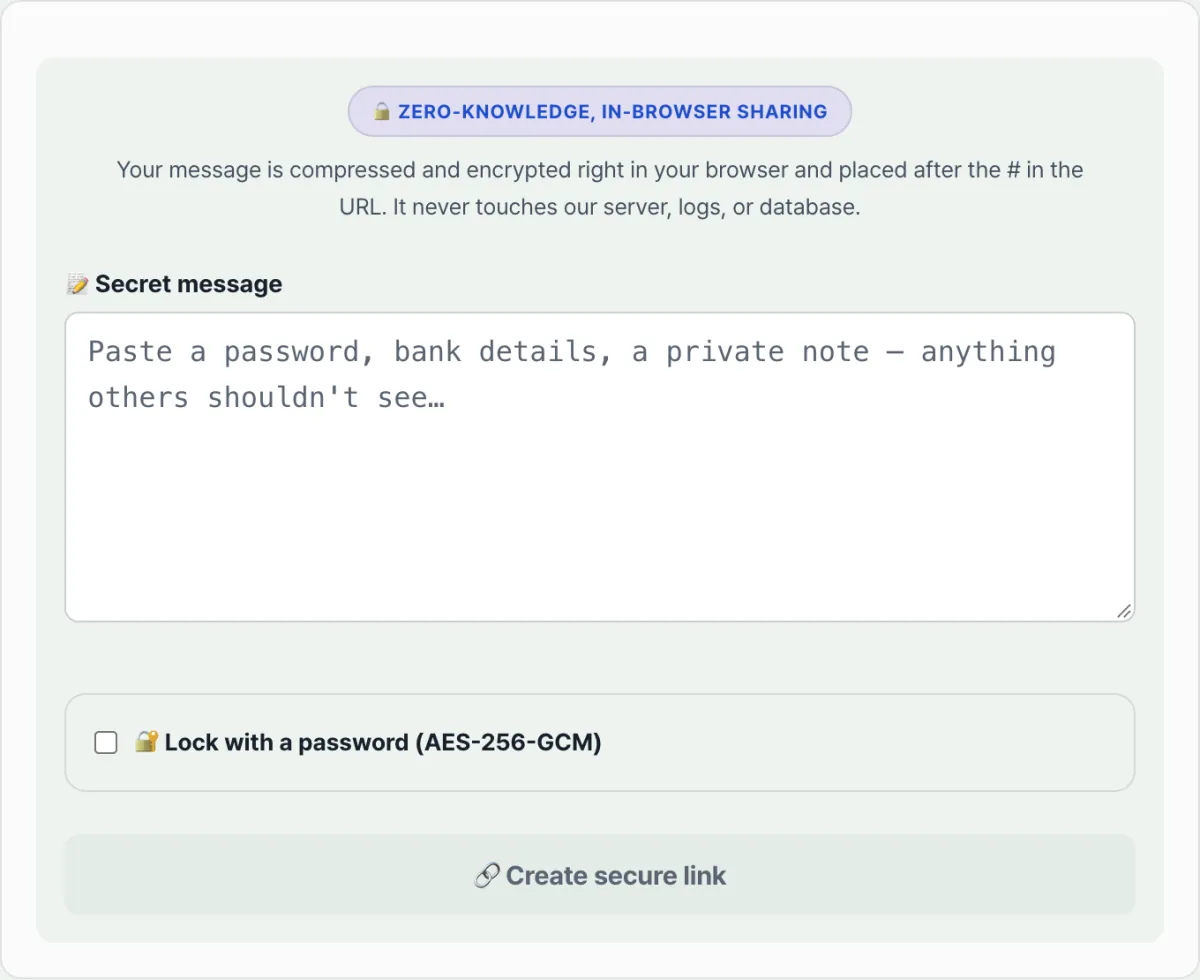
Try it with our tool. It handles the compression, encryption, and link assembly for you. Just enter your text, turn on password lock if you need it, and press the button.
Enter your secret text and turn on password lock if you need it, then create a share link that is never stored on a server.
The difference between turning password lock on and leaving it off
| State | What actually happens | Safety |
|---|---|---|
| Generated without lock | Text is compressed and converted to Base64, then put in the link | This is not encryption — anyone with the link can restore the original text |
| Generated after entering a password | Encrypted with AES-256-GCM, then encoded | It can't be restored without the password |
The password isn't carried inside the URL. If you sent the link over a messenger, you have to tell the other person the password separately through another channel, such as a phone call or text message, before they can open it.
Things to watch out for when handling the link
This link doesn't disappear after being opened once. Because the server doesn't record whether it was "read," anyone who knows the link and password can open it again later and see the same content. Once you've confirmed it, it's safer to delete the link message from the chat and, if needed, clear it from your browser's address bar history too.
You should also check whether your connection is HTTPS. Even if encryption happens inside the browser, if you're viewing the page itself over HTTP, that doesn't protect you from other kinds of eavesdropping aimed at the moment you type the text.
Recap
- The part after
#in a URL is never sent to the server, so putting text there lets you share it without storing it on a server. - Password lock is optional. If you leave it off, the text is only compressed and encoded, not encrypted.
- The password has to be delivered separately from the link.
- The link doesn't expire automatically, so it's safer to delete it from your conversation history yourself after you've confirmed it.
Enter your secret text and turn on password lock if you need it, then create a share link that is never stored on a server.
Frequently asked questions
If I don't set a password, can anyone really see it?
Yes. If you don't turn on the lock, the text only goes through compression and Base64 encoding. That's a format conversion, not encryption, so anyone with the link can restore the original text with another tool. If it's something that really needs to stay hidden, you must turn on password lock.
Does the link disappear automatically after it's opened once?
No. The server doesn't track whether it was viewed, so the same link works the same way no matter how many times you open it again. If you were expecting a "view once and it's gone" setup, keep this in mind and delete the link itself after you've confirmed it.
This article was adapted from our Korean original. Read the Korean original