
URL Slug Generator Rules: Lowercase, Hyphens, Clean Slugs
Contents
If you put a post title or any random sentence straight into a web address, spaces turn into percent-encoded strings like %20, and once special characters get mixed in, the URL becomes long and messy. The standard way to clean this up is slug conversion.
This post lays out the rules for turning a string into a slug, complete with the actual regular expressions, and explains how the result changes depending on whether you keep Korean text or strip it out.
Why you shouldn't use spaces and special characters as-is
If unencoded spaces or special characters go straight into the browser address bar, the browser converts them into hexadecimal strings called percent encoding so it can communicate with the server.
- Before conversion:
my page 1 - Browser auto-encoding:
my%20page%201(spaces become%20, so the address gets messy) - Slug conversion:
my-page-1(joined with hyphens, short, and stays intact when copied)
The rules for converting to a slug: doing it by hand
The procedure for turning a string into a slug goes in this order.
- Make everything lowercase. Convert every uppercase letter to lowercase.
- Remove characters that aren't allowed. Keep only lowercase letters, digits, spaces, and hyphens, and delete the remaining special characters (commas, periods, at signs, and so on).
- Turn spaces and underscores into hyphens, then collapse repeated hyphens into one. After that, clean up any hyphens left at the start or end of the string.
Put into code, it becomes the following chain of regular expressions.
function slugify(text) {
  return text
    .trim()
    .toLowerCase()
    .replace(/[^a-z0-9\s-]/g, "")   // remove characters not on the allowed list
    .replace(/[\s_]+/g, "-")        // spaces and underscores → hyphens
    .replace(/-+/g, "-")            // collapse repeated hyphens
    .replace(/^-+|-+$/g, "");       // trim hyphens from both ends
}
Sentences that contain Korean work a little differently. If you add Korean syllables (가-힣) to the allowed-character list in step 2, Korean stays in place instead of being deleted. Conversely, if you want to strip Korean too and keep only a letter-and-number slug, just remove Korean from that list.
Instead of assembling the regex by hand every time, paste your sentence into the tool below and compare both results side by side.
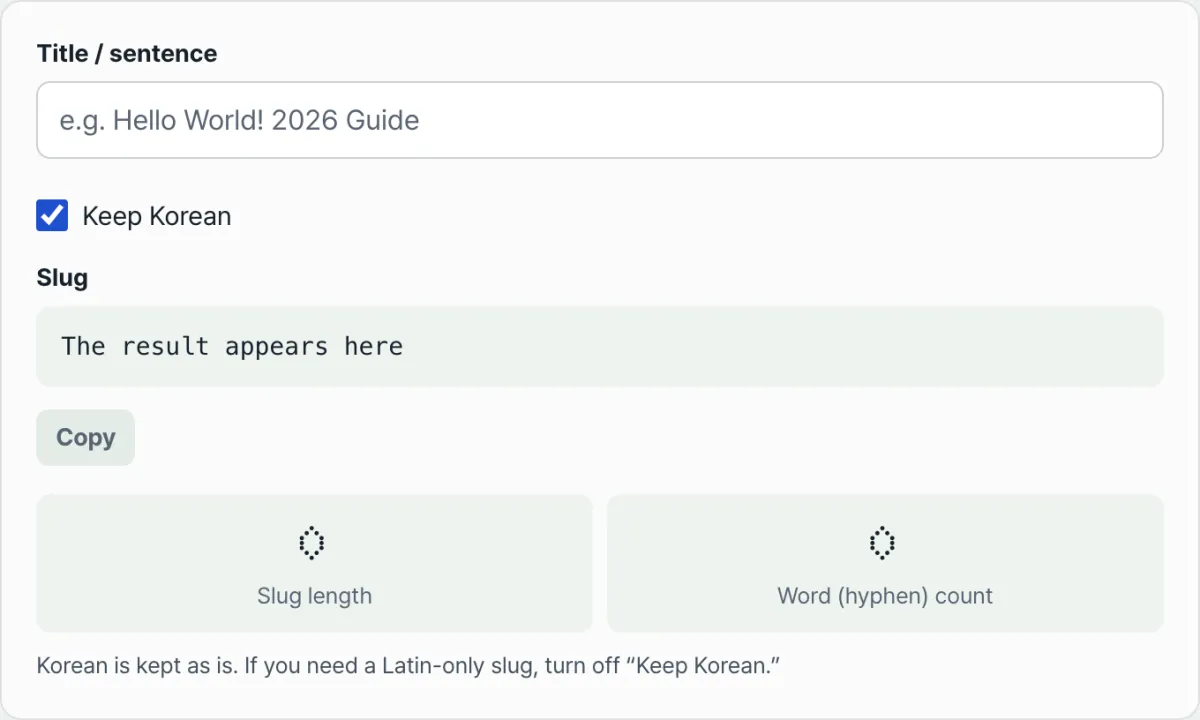
Type a title or sentence you want to use in a URL, choose whether to keep Korean characters, and it instantly builds a lowercase hyphen slug.
This tool switches between two modes with the "Keep Korean" checkbox. When it's on, Korean is left alone and only spaces and special characters are cleaned up; when it's off, Korean is removed as well, leaving only letters, digits, and hyphens. The default is to keep Korean.
Common trouble spots
| Situation | How it's handled |
|---|---|
| Multiple spaces in a row | Collapsed into a single hyphen |
Underscores (_) included | Converted to hyphens |
| Hyphens left at the start or end | Removed automatically |
| Two or more posts with the same title | Slugs collide, so add a number or date at the end to tell them apart |
The custom of using hyphens instead of underscores comes from reports that some search engine crawlers read an underscore-joined string as one word and a hyphen-joined string as multiple words. Keep in mind, though, that this is a convention for URL readability, not a rule that guarantees search ranking.
Recap
- A slug cleans up spaces and special characters into a mix of hyphens and lowercase letters, making the URL short and easy to read.
- If you remember just the four regex steps (lowercase → remove special characters → collapse hyphens → trim both ends), you can implement it yourself.
- Whether to keep Korean depends on the nature of your service, so it's safer to preview the result and then choose.
Type a title or sentence you want to use in a URL, choose whether to keep Korean characters, and it instantly builds a lowercase hyphen slug.
Frequently asked questions
Can I make a slug from a Korean title?
Yes. Turn on the "Keep Korean" option and Korean stays as-is while spaces and disallowed special characters are cleaned up. If you need a slug made only of letters and digits, turn the option off to remove Korean as well.
What if a hyphen is left at the end of the slug?
Use the last step of the regex (.replace(/^-+|-+$/g, "")) to strip the hyphens left at the start and end of the string. Slugs the tool produces already include this cleanup.
What happens if the same slug collides with another one?
The routing system can't tell which post to open. In practice, you avoid the conflict by appending a number or a date string to the end of the slug.
This article was adapted from our Korean original. Read the Korean original