
Split Text Into Sentences: Punctuation Rules and Line Breaks
Contents
When you're working with a novel manuscript, marketing copy, or a long block of text headed for English translation, a wall of prose with no line breaks is hard to read. It also creates a processing bottleneck when you feed large amounts of it into a translator or a sentence-level analysis engine.
Splitting long text at sentence-ending punctuation like periods and question marks, then putting each sentence on its own line, makes a huge difference in readability. This post covers the rules for spotting sentence boundaries and the exceptions that keep periods from being misread.
How sentence boundaries are detected
A sentence break happens where a period (.), question mark (?), exclamation point (!), or ellipsis (…) is followed by a space. If there's no space after one of these four marks — for example, a decimal point with a number right after it — it isn't treated as the end of a sentence, and the text stays joined. That's why decimals like 3.14 or 12.5 never get split, since they have no space.
Quotation marks (", ') are not treated as sentence-ending punctuation on their own. Even if a sentence ends with a quote, there must be a period, question mark, or exclamation point before it for the boundary to register.
Exception rules that prevent misread periods
To avoid cutting a sentence short at the period after an English abbreviation, common abbreviations are preregistered, and the period after them is skipped.
| Type | Examples |
|---|---|
| Titles | Mr., Mrs., Ms., Dr., Prof., Sr., Jr. |
| Common expressions | vs., e.g., i.e., etc. |
| Companies and units | Co., Inc., Ltd., Vol., Ed. |
| Time and measurements | a.m., p.m., approx., est., min., max. |
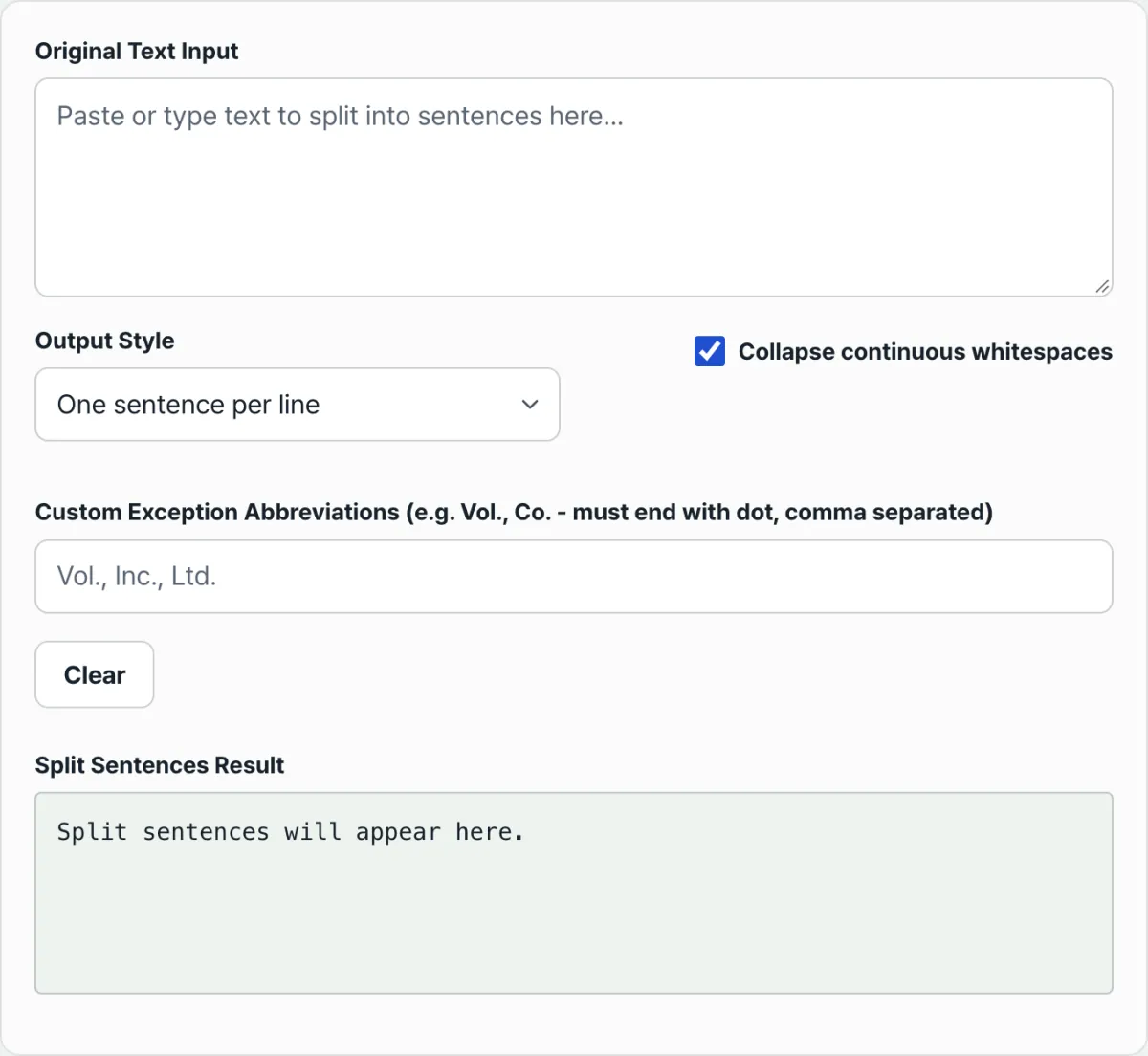
For abbreviations not on this list, you can add your own in the "Custom exception abbreviations" field on the tool screen, separated by commas. Only words ending in a period are recognized, so enter them with the period included, like Vol. or Co..
Patterns like J. K. Rowling are also treated as initials rather than sentence boundaries: a capital initial, a period and space, then another capital letter. No split happens there.
Check it with our tool. Applying these rules by hand and inserting a line break at every period gets tedious as paragraphs get longer. Paste your text into the Sentence Splitter and you'll see the result with these rules applied automatically.
Paste a long block of prose, like a novel chapter or technical text, and get it back instantly as a clean text card with one sentence per line.
Output formats and statistics
Split sentences can be output in one of three formats.
| Output format | Result |
|---|---|
| Line breaks | Each sentence on a new line |
| Numbered list | Numbers each sentence as 1. Sentence |
| Bullet points | Marks each sentence as • Sentence |
Turn on the "Remove extra spaces" option to collapse runs of spaces left mid-sentence into a single space. Once a sentence or more has been split, the tool also shows the total sentence count and the average, longest, and shortest sentence length (in characters), which helps you gauge document size before translating or editing.
Summary
- Sentence boundaries are detected by a space after a period, question mark, exclamation point, or ellipsis.
- A period with no space after it, like a decimal point, is not split.
- Abbreviations not in the default list can be added in the custom exception field.
- Capital initials like J. K. are not mistaken for sentence boundaries.
Paste a long block of prose, like a novel chapter or technical text, and get it back instantly as a clean text card with one sentence per line.
Frequently asked questions
Will the tool break sentences at the period in abbreviations like Mr. or Dr.?
By default, a built-in filter stops English abbreviations (Mr., Dr., e.g., i.e., and so on) and decimal points (3.14) from being treated as sentence endings, so you don't get false breaks.
Can I add my own abbreviations?
Yes. In the custom exception abbreviations field at the bottom of the input area, enter words with their periods, separated by commas, and the period after those words will be excluded from sentence splitting.
This article was adapted from our Korean original. Read the Korean original