
Reverse Text by Character, Word, or Line — What's the Difference?
Contents
"Reversing text" isn't really one action. Flipping characters one at a time, flipping word order, and flipping line order are three different operations, and they give three completely different results.
Most of the time, when the output doesn't look the way you wanted, the problem isn't the math. It's that you picked the wrong one of these three units. This post compares what each unit actually reverses, with examples, and explains why emoji and Hangul don't get mangled along the way.
Quick summary ① Character mode reverses characters one at a time, word mode reverses only the words inside each line, and line mode reverses only the top-to-bottom order of lines. ② Emoji and Hangul survive because the text is read by code point rather than by code unit before reversing. ③ Most results that don't match expectations come from confusing character mode with word mode.
Same sentence, three different answers
Say you want to reverse "Hello world". Some people want backwards text to post on social media. Others just want to rearrange the words to restructure a sentence.
Reverse it by character, though, and you get "dlrow olleH". Reverse it by word and you get "world Hello". One sentence, two completely different outputs.
Add emoji and there's one more problem. Use the wrong method and an emoji like 😀 turns into a broken box the moment it gets reversed. Why that happens — and how to avoid it — is the heart of this post.
How to reverse text yourself, without a tool
You can do all three by hand or with a few lines of code. Once you know how it works, you'll be able to look at the output and see what happened.
Character mode means copying the sentence from the right end, one character at a time. For "Hello world," you read d, l, r, o, w, space, o, l, l, e, H and write "dlrow olleH". The space counts as a character, so it flips position along with everything else.
Word mode means splitting the text into words on spaces first, reversing only the order of that list, then joining it back with spaces. "Hello / world" becomes "world / Hello". The characters themselves stay as they are; only the order changes.
Line mode means numbering the lines, then writing them back from the last line to the first. Nothing inside each line is touched — only the top-to-bottom order of the lines flips.
Why emoji break when you handle this in code
If you reverse characters programmatically, there's a trap. The "text".split("").reverse().join("") approach cuts the string into UTF-16 code units. Characters built from two units (a surrogate pair), like emoji, get sliced in half, the halves swap places, and you end up with broken characters.
Read by code point instead — Array.from("text").reverse().join("") — and a single emoji is handled as one whole element, so it survives reversal. That's the method this tool uses.
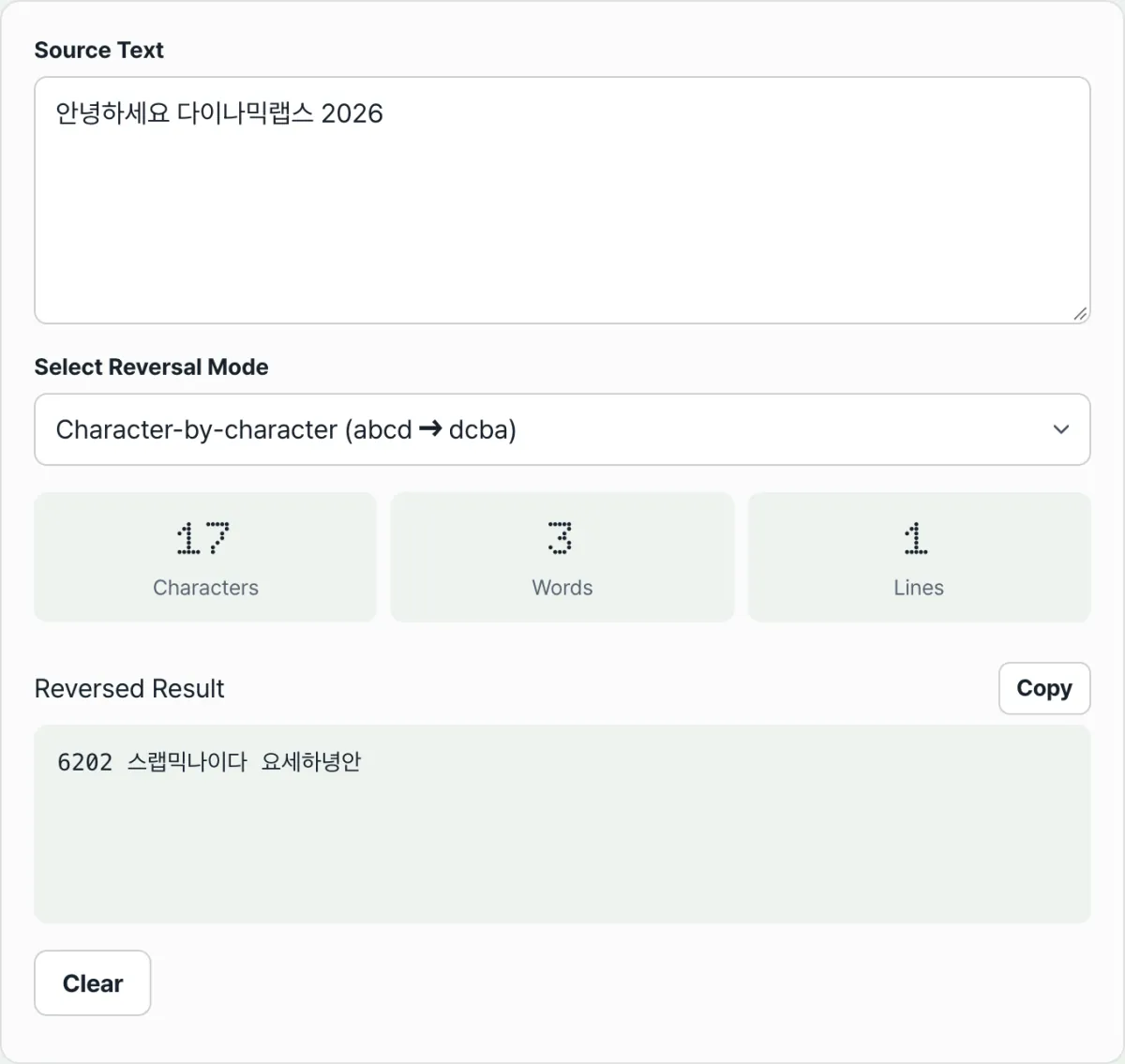
See it for yourself with Text Reverser.
Reverse your text by character, word, or line right in your browser — no install, no sign-up. What you type is never sent to a server.
Common mix-ups
The most common mistake is wanting to change only the word order but selecting character mode. Then every character inside every word flips too, and you get an unreadable string.
Run the same input, "Hello world," through all three modes and the difference is obvious at a glance.
| Reverse unit | What it does | Result |
|---|---|---|
| Character | Reverses characters one by one, spaces included | dlrow olleH |
| Word | Reverses only the word order within each line | world Hello |
| Line | Reverses only the top-to-bottom order of lines | Hello world (only one line, so unchanged) |
The fact that spaces and line breaks stay put in word mode comes from the same principle. Word mode in this tool handles each line separately, changing only the word order within that line, so line breaks (enters) keep their position and the line order doesn't change. If you want to flip the line order too, you have to select line mode separately.
Below the result you'll see the character count, word count (split on spaces), and line count (split on line breaks). These numbers count the input itself, regardless of the reversal method, so switching units doesn't change the character, word, or line counts.
Recap
- Text reversing isn't one action. It splits into three units — character, word, and line — and each gives a different result.
- Character mode reverses characters one at a time, spaces included; word mode reverses only the word order within each line; line mode reverses only the top-to-bottom order of lines.
- Emoji and Hangul don't break because the text is read by code point rather than by code unit before reversing.
- If you're not getting the output you want, it's almost certainly a mix-up between character mode and word mode, so check the unit first.
- The numbers below (characters, words, lines) count the input itself, regardless of the reversal method.
Reverse your text by character, word, or line right in your browser — no install, no sign-up. What you type is never sent to a server.
Frequently asked questions
Do emoji and Hangul reverse without breaking?
Yes. JavaScript strings are sequences of UTF-16 code units, so slicing a character built from two units — like an emoji — at the code-unit level splits it in half and breaks it. This tool reads text by code point before reversing, so a single emoji and a single precomposed Hangul syllable stay whole. One caveat: when several characters are linked by combining marks, like the family emoji (👨👩👧), the pieces themselves don't break, but the order of the pieces can reverse.
What's the difference between character mode and word mode?
Character mode lays characters out backwards one at a time, spaces included, so the letters inside each word reverse too. Word mode leaves the characters alone and reverses only the order of the words. Take "I love you": character mode gives "uoy evol I" and word mode gives "you love I".
How do I flip several lines upside down without changing the text?
Pick line mode. Line mode leaves the content of each line as it is and reverses only the top-to-bottom order of the lines. Word mode, by contrast, keeps the line breaks and reverses words only within each line — so if you want to flip the order of a list itself, select line mode.
When does the result appear, and is my input sent to a server?
There's no run button. The result and the character, word, and line stats recalculate the moment you type or switch units. Everything runs inside your browser, and nothing you type is sent to a server.
This article was adapted from our Korean original. Read the Korean original